CE5000-UM-251-9370 6-29
6 DISASSEMBLY AND REASSEMBLY
How to reinstall the Y-exible cable
(1) CleanthesurfaceoftheY-railwithalcoholtoremoveanygluefromthedouble-sidedadhesivetapethat
wasattachedtheY-exiblecable.
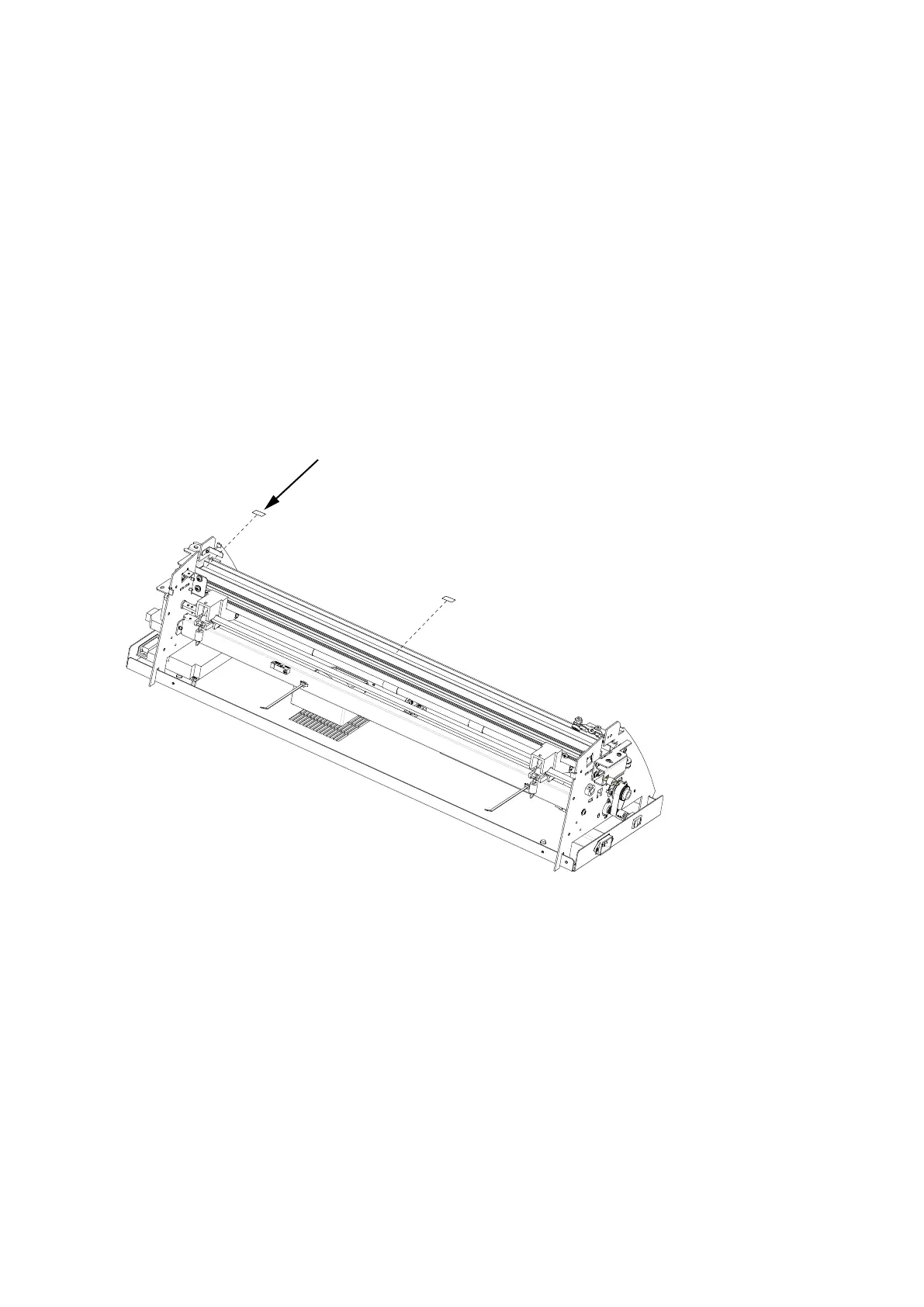
(2) Afxtwopiecesofdouble-sidedadhesivetapetotheexiblecableguideoftheY-rail.Therstpieceof
tapeshouldstartattherightendoftheY-rail.Thepositionofthesecondpieceoftapedependsonthe
model.
Sizeofthedouble-sidedadhesivetape:
10mmwide,15mmlongfortherstpieceoftape(Nitto#500)
10mmwide,50mmlongforthesecondpieceoftape(Nitto#500)
Positionofthesecondpieceoftape:
CE5000-40: about260mmfromtherightendoftheY-rail
CE5000-60: about360mmfromtherightendoftheY-rail
CE5000-120/120AP: about660mmfromtherightendoftheY-rail
The first piece of double-sided adhesive tape.
Affix the tape onto the right edge of the Y-rail.
The second piece of double-sided adhesive tape.
Affix the tape at the specified position on the Y-rail.
(3) InserttheY-exiblecableintothecoreandconnecttheY-exiblecabletoconnectorJ501.
(4) AttachthecoretotheY-relayboardusingdouble-sidedadhesivetape.
(5) Movethepenblocktotheleftend.













 To Next Page