FC4200-UM-251-03-9370 20
REPLACEMENT PROCEDURES
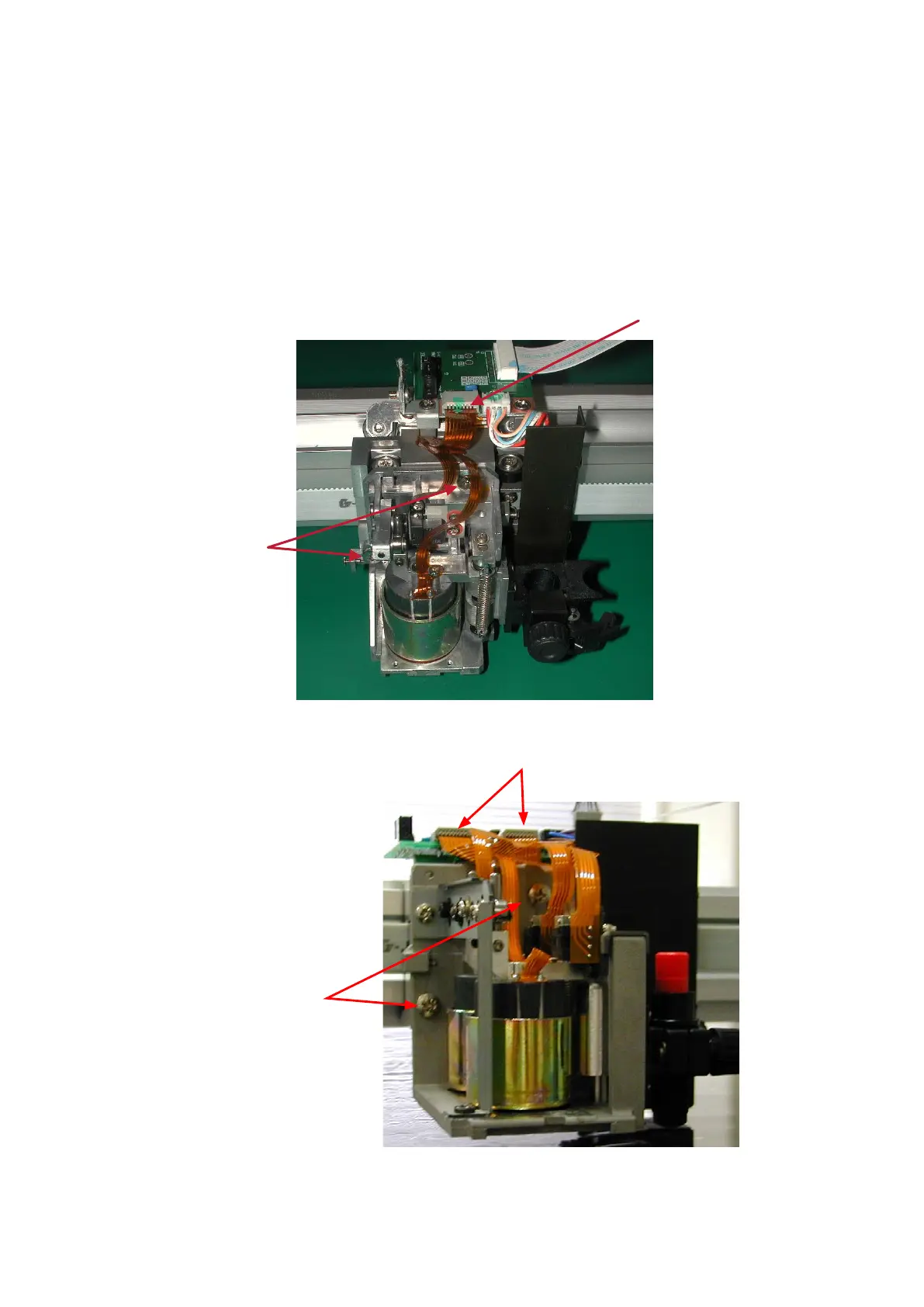
Remove the flexible cable from the connector.
Remove the two M4L8 binding head screws securing the Pen Block, followed by the Pen Block.
To attach a Pen Block, reverse the above procedure after adjusting the Pen Block fitting height.
The Pen Block height must be adjusted to within 10 mm (10.5 mm for FC4210-60) from the Writing Panel
to the bottom of the Pen Block.
FC4200-50 / FC4200-60
M4L8
binding head screw
Remove the flexible cable
from the connector
FC4210-60
M4L8
binding head screw
Remove the flexible cables from
the connectors










 To Next Page