EasyManua.ls Logo

Great Computer JII-61 - Front View of Jaguar

Great Computer JII-61
47 pages
Print Icon
To Next Page IconTo Next Page
To Previous Page IconTo Previous Page
Loading...
Jaguar II User Manual
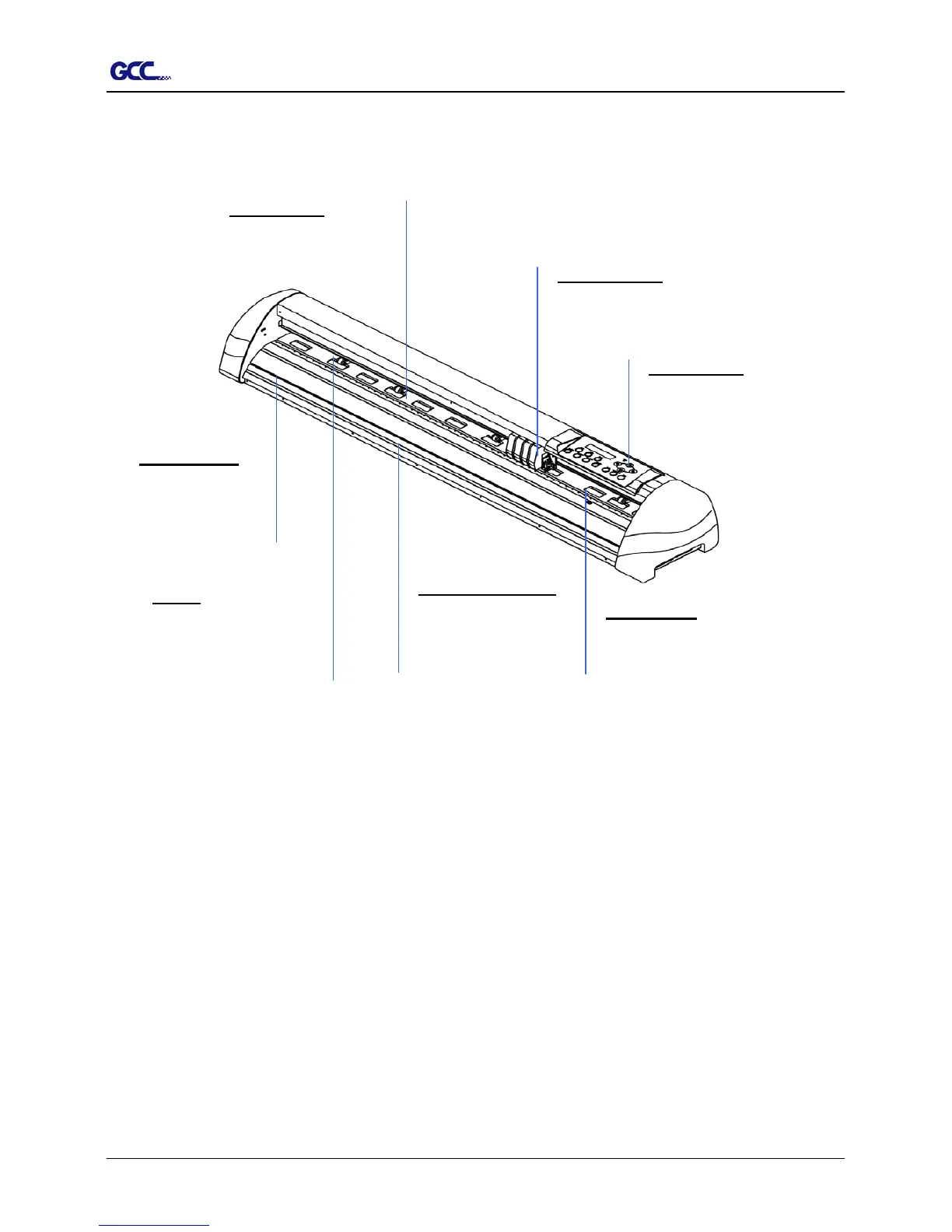
1.2 Front View of Jaguar (Figure 1-1)
Control panel – consists of 14
control keys and 1 LED and 1 LCM
showing messages and menus.
Platen -
p
rovides the
surface for holding an
d
supporting media while
performing cutting
SliterGroove
sheets off the extra
media easily along
this groove.
Grid Drums move the
media back and fort
h
during operation.
Alignment Rulers -
Media can be aligned
with the clear guide line
marks
Tool Carriage
p
erforms the
cutting with the installed blade
and
p
en.
Cutting Pad provides the
protection of blade when the blade
is cutting.
Figure 1-1
1 Setting Up Your sign Cutting Plotter 1-2