Jaguar II User Manual
Installation and Operation of Sign Cutting Plotter 2-2
2.2 Stand & Flexible Media Support System Installation
Step 1
Please examine supplied items in the accessory box of stand carton:
1 piece of M6 L-shape hexagon screw driver
1 piece of M5 L-shape hexagon screw driver
24 pieces of M6 screws
4 pieces of hold plugs
Step 2
Remove the plotter body and the accessories from the shipped carton.
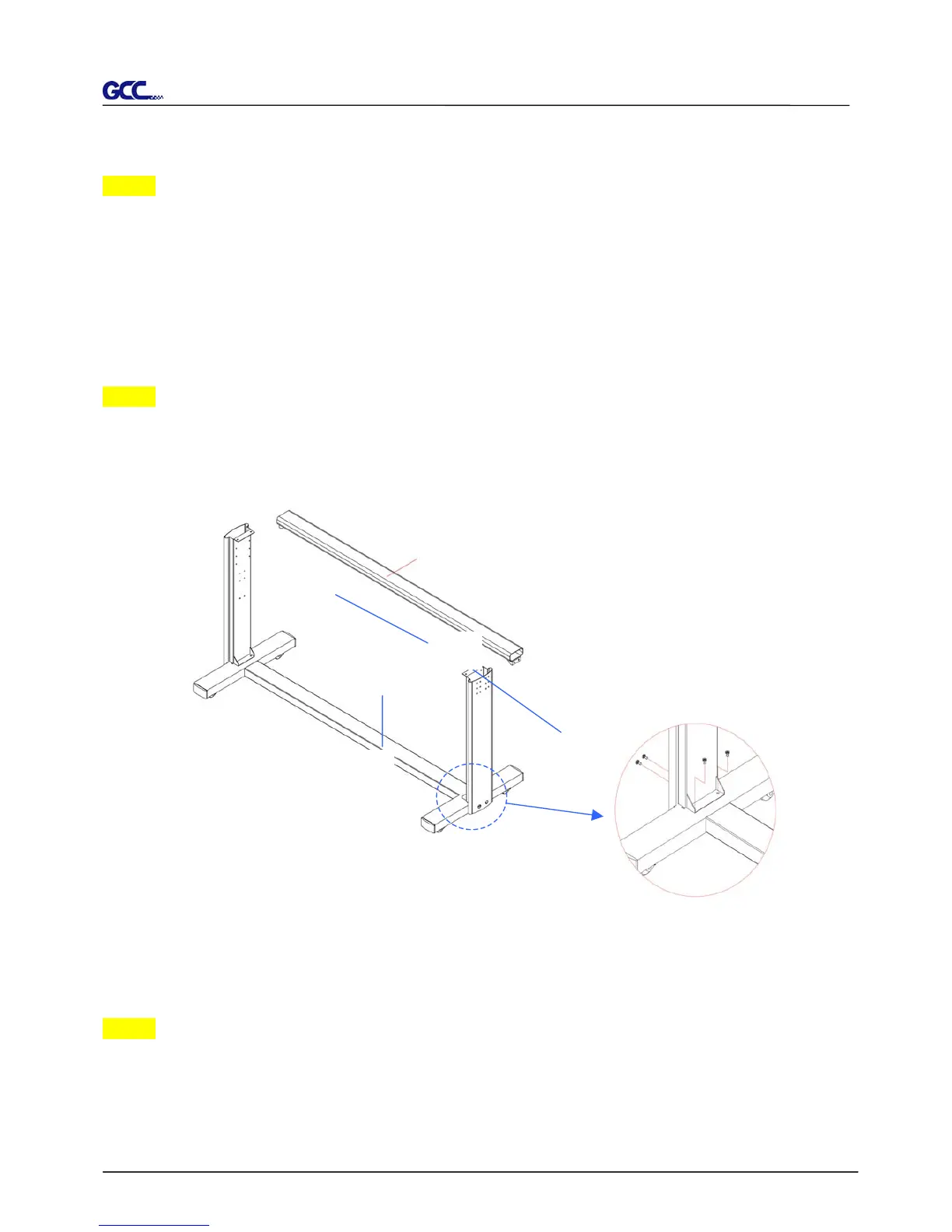
Place the stands upright on the H-stand and follow the number XYZ to assemble.
(See Figure 2-1 & 2-2)
Step 3
Then, connect PartY and X. Insert 4 screws into the holes on H-stand and fasten them as
shown in Figure 2-2.
Y
X
H-stand
Figure 2-1
Z Stand beam
Figure 2-2



 To Next Page