Jaguar II User Manual
Installation and Operation of Sign Cutting Plotter 2-3
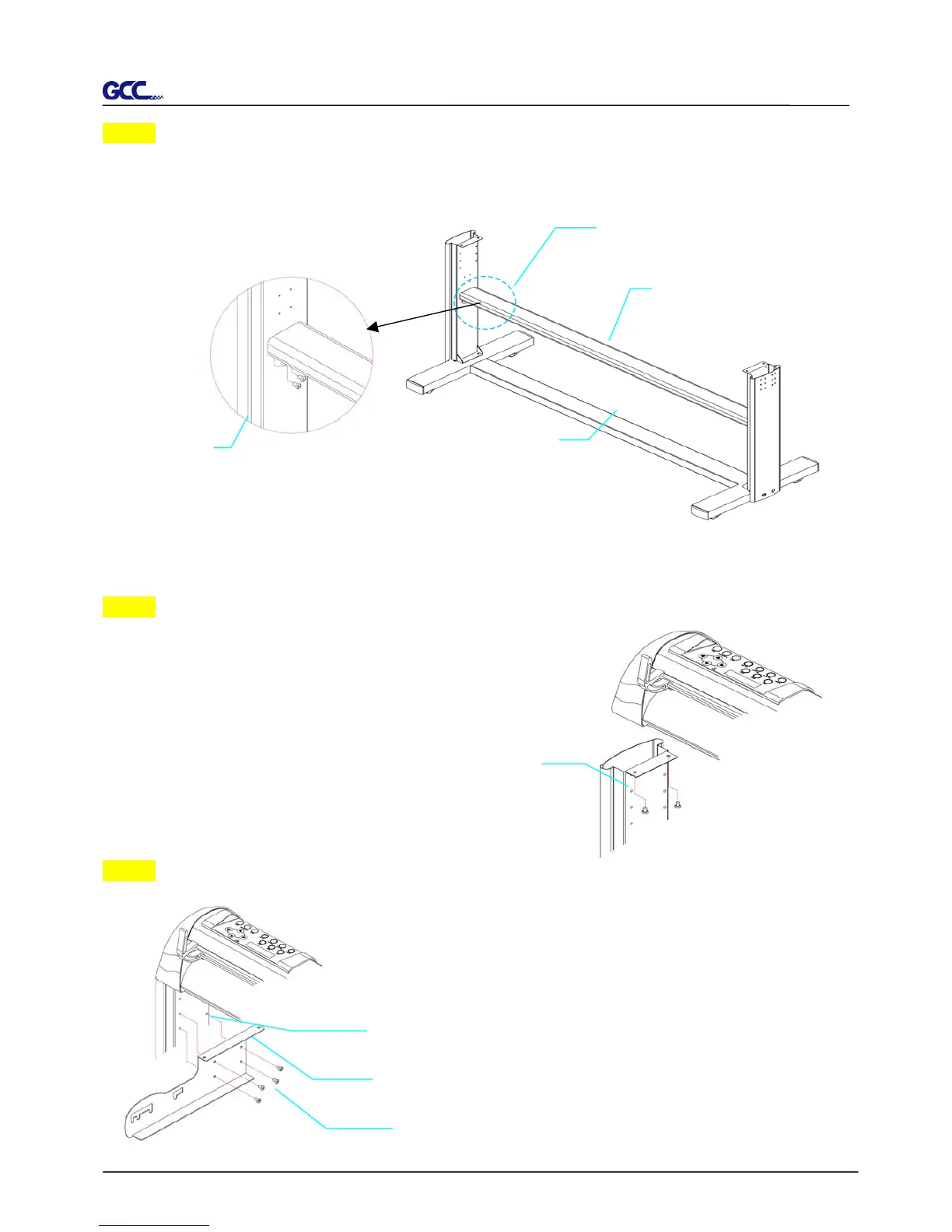
Step 4
Position the stand beam perpendicularly to part Y and put the screws into the holes and tighten
them as Figure 2-3. Then the complete picture of stand will be like Figure 2-4.
Step 5
Remove the cutting plotter from the carton. Position your
stand under the plotter, and then insert the screws into the
holes on plotter’s bottom and tighten them up
as shown in Figure 2-5.
Step 6
Insert the roll holder support with the screws into the holes of the
stand, then tighten them up as shown in Figure 2-6. You could
decide roll holder support’s position by inserting into different
holes.
Figure 2-4 Figure 2-3
Zstand beam
Y stand
X H-stand
screw
screws
Figure 2-5
4 screws
6 screws holes
Roll holder support
Figure 2-6



 To Next Page