SETUP
■Programming■
Overview
Youcanconfiguresettingsforthedisplays,units,andsounds.
SETUP
MODE
(1)WhenintheReal-time(boostgauge)
screenfortheOFFmode,pressMODE
todisplaytheunitʼ smainSETUP
screen.
(2)WheninthemainSETUPscreen,
turntheSETDIALtoselectanitemto
change.
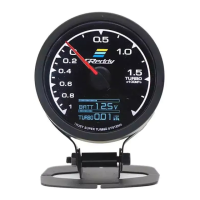
OFFmodeʼ sReal-time
(boostgauge)display
screen
Configurations
PATTERN・・・
ConfigurestheReal-time(boostgauge)displayʼ spatterntype.-
Refertopage22.
DIRECTION・・・
Configuresthedisplayʼ sorientation.
Refertopage23
BRIGHT・・・
Configuresthebrightnessofthedisplayandtheswitchʼsbacklighting.
-Refertopage23
UNIT・・・
Configureseithermetricorstandardpressureunits.-
Refertopage24.
ALARM・・・
Configuresthealarmsoundpatternsforthewarningandlimiterfunctions.
-Refertopage24
LAST・・・
ConfiguresiftheLASTBOOSTisactivated.-
Refertopage25
(LastBoost)
ST.TYPE・・・
ConfigurestheSTARTBOOSTprogramtype.
-Refertopage26
(StartType)-Refertopage26
LOCK・・・
ConfigurestheDATALOCKandpassword.
-
Refertopage27‒28
(DataLock)


 To Next Page