PATTERN
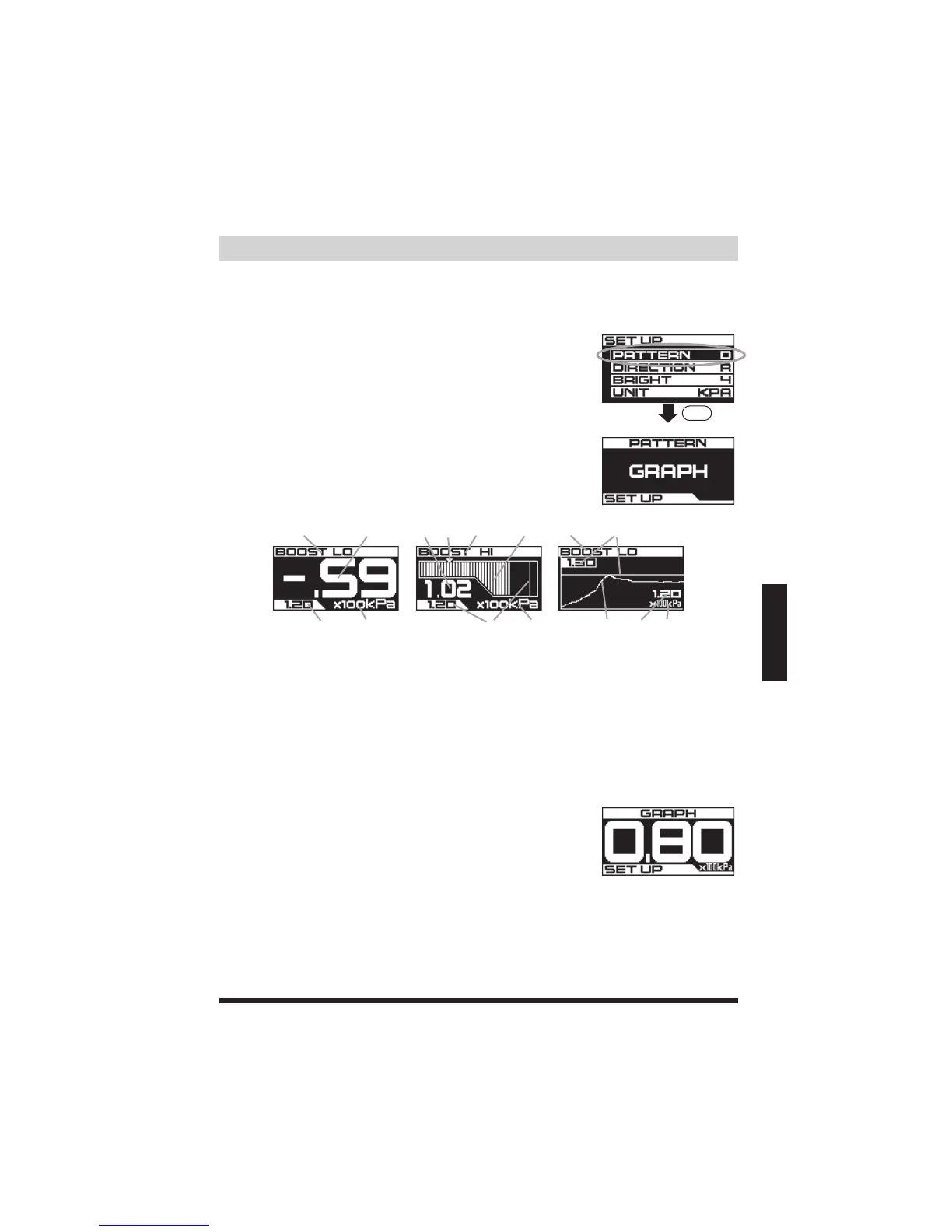
ConfiguretheReal-time(boostgauge)displaysettingstype(forBOOSTLO,HI,
SCRAMBLE,andOFFmodes).
DIGIT
SETUP
BAR GRAPH
PATTERN
■Programming■
1.BoostMode(LO,HI,orSCRAMBLE)
2.NumericReal-timeboostreading.
3.Peakvalue-thereadingwillblinkfor3secondswhenthevalueisupdated
4.Units(kPaorPSI)
5.Boostreading-Thereadingwilldisplaynegativeandpositivepressures.
6.(0PSI)
7.GRAPHdisplay‒Themaptracingwilldisplaythepast10seconds(abovetheprogrammedGraphMinimumValue)
SET
WhenGRAPHisselected.
★Refertopage38forshortcuts.
2
4
1 2
3 4
12
3 4
5
6
1
7
3
Configurations
(1)RotatetheSETDIALtohighlightPATTERNinthe
SETUPscreen.ThenpresstheSETDIALtoconfirm.
(2)RotatetheSETDIALtoselectaReal-time(boost
gauge)displaypattern.(DIGIT/BAR/GRAPH)Pressthe
SETDIALtoconfirm.
*TocancelandreturntothepreviousPATTERNsetting
andthemainSETUPscreen,pressMODE
OncetheGRAPHdisplayisconfirmed,theGRAPHSETUPscreenwillappear.
TurntheSETDIALtoselecttheGraphMinimumValue.ThenpresstheSETDIAL
toconfirm.(anyboostpressureoverthisGraphMinimumValvewillbecharted
ontheGRAPHdisplay,readingsunderwillnotbeshown.)
Settingranges:0~3.00x100kPa

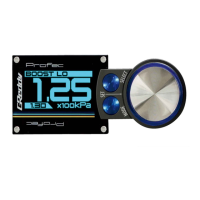

 To Next Page