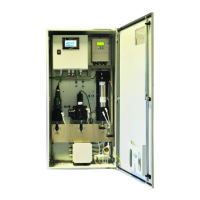
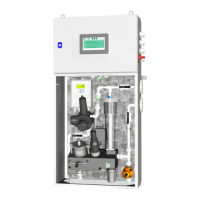
The G36p Oxygen Analyzer is a device designed for continuously measuring oxygen content in various gas environments. It is available in different configurations, including an Inert Gas Oxygen Analyzer for monitoring O2 in inert gas, a Stack Gas Oxygen Analyzer for monitoring O2 in stack gas, and an EGR Oxygen Analyzer for monitoring O2 in the EGR system. The analyzer utilizes a zirconia sensor, which is the most important element for its operation. Zirconium dioxide sensors have a long-established reputation as industry standards. The G36p employs a new type of zirconia sensor, suitable for a wide range of applications.
Function Description
The G36p Oxygen Analyzer measures the content of oxygen with concentrations up to 21.0%. The analyzer can be used to measure oxygen content in N2 or CO2 based inert gas, in stack gas, or in connection with exhaust gas recirculation (EGR). The G36p Oxygen Analyzer is designed for front panel mounting. The zirconia sensor operates by allowing oxygen ions to diffuse through a zirconium dioxide membrane. When the membrane is exposed to an environment containing different amounts of oxygen (e.g., the sensor internal reference gas on one side and sample gas on the other), a voltage is generated that is proportional to the oxygen concentration in the sample gas. This signal is processed by the analyzer, and the oxygen concentration of the sample gas is displayed. The analyzer is CE and MED marked, as well as DNV, Bureau Veritas, and Lloyd's Register Type Approvals.
Important Technical Specifications
- Analyzer types:
- Inert Gas O2 Analyzer: Monitors O2 content in inert gas (N2 or CO2 based).
- Stack Gas O2 Analyzer: Monitors O2 content in stack gas.
- EGR O2 Analyzer: Monitors O2 content in exhaust gas recirculation.
- Sensor type: Zirconia sensor type SEN1 or SEN9.
- Measurement range: 0.0 % ... 21.0 % O2.
- Ambient temperature: 0 °C ... 70 °C.
- Ambient humidity: Up to 100 % at all relevant temperatures.
- Power supply: 24 VDC.
- Power consumption: Max. 40 VA per analyzer – recommended fuse: 4 AT.
- Sample flow: 0.2 ... 8.0 l/m.
- Sample temperature: SEN1: ≤ 250 °C; SEN9: ≤ 650 °C.
- Sample pressure: SEN1: max. 1 bar; SEN9: max. 4 bar.
- Digital display: Touch screen 71 x 39 mm.
- Output signals: Active 4...20 mA – range selectable – default 0.0...25.0 %.
- Load output (max.): 600 ohm/24 VDC.
- Relays: 4 relays, volt free, 24 V AC/DC, 5 A.
- Alarm functions: Low or High O2 level – set points freely configurable. High-High O2 level – set point freely configurable. System failure alarm.
- Response time*: 90 % of measuring scale in less than 45 sec. with sample flow rate of 0.8 l/m, sample line of 1 m.
- Repeatability: +/- 0.1 % of the measuring range.
- Linearity/Accuracy: +/- 0.5 % of the measuring range.
- Drift (one month): +/- 0.1 % of the measuring range.
- Dimensions: 95 × 178 × 71 mm (H×W×D).
- Cut-out dimensions: 75 x 155 mm (H x W).
- Weight (analyzer only): 0.8 kg without packaging.
- Enclosure: IP55 when the included gasket is mounted.
- Optional: O2 analyzer with pressure compensation module, BV’s product certificate.
* Response time depends on the sample flow rate and the length of the sample line.
Usage Features
The G36p Oxygen Analyzer features a touch screen for user interaction. The main menu displays the current oxygen value in percent and provides access to four different functional menus: Graph, Information, Calibration, and Tools.
- Menu Structure: The program menu structure allows for easy navigation and configuration of the analyzer.
- Graph Menu: Displays the oxygen content in a graphical mode with a trend curve over time. The trend screen shows 108 dots in the timeline, with each dot representing a log value. The X timing can be set to 18 minutes (6 log values/minute x 18 minutes = 108 values) or 36 minutes (two values printed at the same X-position).
- Information Menu: Provides details on sensor diagnostic, sensor temperature, raw sensor count, analog output, relay outputs, software version, alarm log, and run time.
- Calibration Menu: Allows for calibration of the analyzer using known oxygen gases or artificial oxygen signals. It supports zero-calibration and span-calibration.
- Tools Menu: Provides access to alarm manual reset, alarm logs, commissioning, calibrate touch panel, and service functions.
- Analog Input/Output: The analyzer supports two active 4...20 mA analog input signals and two 4...20 mA analog output signals. The analog output signal can be scaled by editing the minimum and maximum values (DispMin/DispMax).
- SD Card: The SD card is used for storage of historical trend data and logbook entries. It can also be used to load new software versions to the analyzer. The log files can be read directly from the SD card using a Windows-operated computer.
- Back-flushing & Auto Calibration: The analyzer supports back-flushing and auto-calibration functions, which are particularly relevant for the Stack Gas Oxygen Analyzer and the EGR Oxygen Analyzer. The back-flush period and auto-calibration period can be configured.
- Loading Default Settings & Factory Settings: The analyzer allows for loading default settings and factory settings, which can be useful for restoring the device to a known state.
- Alarm Management: The G36p has three alarms for oxygen level: Low, High, and High-High. Alarm delays can be set for both Low and High O2 alarms, and High-High O2 alarms. Analyzer alarms can be turned ON/OFF, and manual reset functions are available for High or Low alarm and High-High alarm.
Maintenance Features
- Routine Maintenance: The analyzer is designed for minimal maintenance. The LCD should be kept clean using a soft damp cloth. Dirt and oil on the surface of the analyzer need to be removed carefully using neutral detergent and a clean rag.
- Calibration: Regular calibration is crucial for accurate measurements. The analyzer must be calibrated after each startup. The frequency of calibration can be configured (e.g., every 6 hours for artificial calibration).
- Sensor Maintenance: The sensor/sensor house can become hot and cause severe burning if not handled with care. It is recommended to turn off the analyzer before working with the sensor. Removing and replacing the sensor requires careful handling.
- Gas Connection: Gas connections to the sensor should be checked and ensured no leaking. Accurate measuring results depend on a constant flow and pressure of the sample gas and calibration gases.
- Troubleshooting: The manual provides a comprehensive troubleshooting guide for common issues such as no display, display indication errors, incorrect oxygen level indication, and problems with historical data or SD card.
- Spare Parts: A list of spare parts is provided, including O-rings, sensor cables, sensor housings, fuses, and SD cards, to facilitate repairs and replacements. The specific appearance of spare parts is subject to change without notice.

 Need help?
 General

 To Next Page