G36p
Oxygen Analyzer
Version 2.11 – Revision March 2022 43
10 Appendix
10.1 Setting of Analog Input
The analog inputs are not in use by default. If however, the analyzer has been specifically
ordered with preset analog inputs they are set accordingly. See the specific arrangement
in the Testing & Configuration Sheet.
The two analog input signals of the G36p
can be configured for most input requirements
such as pressure, temperature, flow and opacity. The analyzer can be optional arranged
with one or both analog inputs. For the analyzer with pressure compensation module,
Analog Input 1 is per default setup for pressure transmitter.
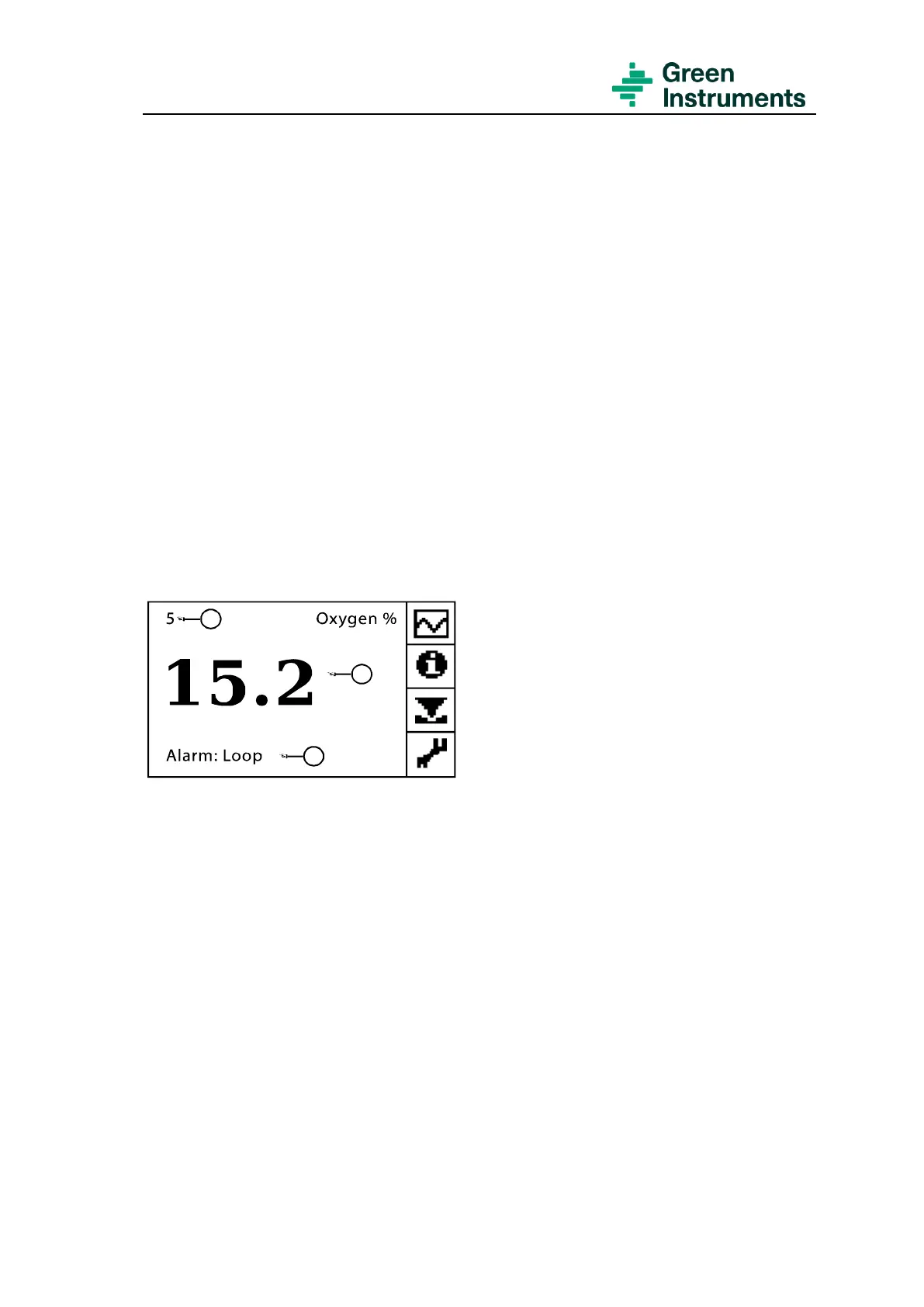
The analog input signal can also be configured to be displayed on the Main Menu. See
Figure 10-1 for details of the Main Menu the analog input is in use.
Figure 10-1: Main menu if the analog input is agreed to be used
• Position 1: Display of Analog input 1 (e.g. pressure in kPa)
• Position 2: Current oxygen value in percent
• Position 3: Display of the current alarm (e.g. Alarm of open analog output loop) –
if there is no alarm, there will be no display here.
The route for setting of the analog input is Tools menu\Service (Password level 1:
9490)\Analog in/out settings\Analog input 1.
Freeze output
No setting is required for this parameter. The default setting is 15 seconds.
Analog Input Scale
The analog input signal should be 4-20 mA.


 To Next Page