4 Menu structure
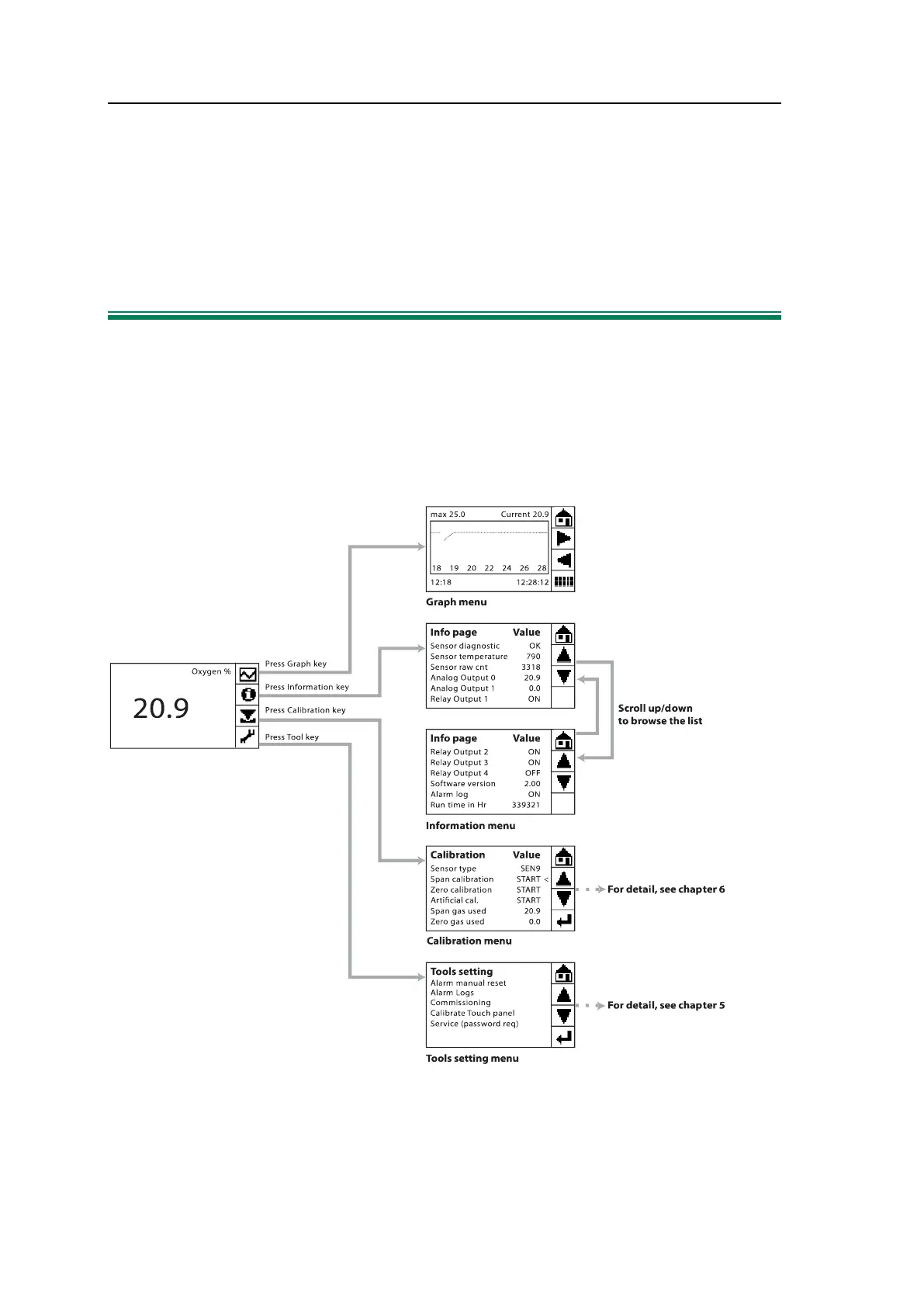
Please see Figure 1
for the Program Menu Structure
4.1 Main Menu
The analyzer is designed with a touch screen. The Main Menu displays the current oxy-
gen value in percent, and to the right four function keys are displayed. The function keys
are connected to four different functional menus: Graph, Information, Calibration and
Tools.
Figure 4-1: The G36p main menu and four functional menus
If the alarm function is on and the alarm condition starts, the alarm message will be dis-
played at the bottom left corner of the screen.


 To Next Page