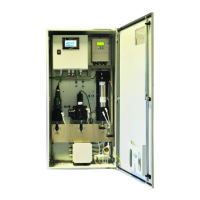
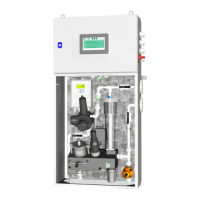
G36p
Oxygen Analyzer
Version 2.11 – Revision March 2022 17
The best way to read the log files is to copy them to the local disk of your computer and
then open them from your computer. This way, you can use any program that can open a
txt-file including Notepad, WordPad, MS Word and MS Excel
The data in the log file – g1x.log includes 5 columns, i.e.:
The SD card shall be replaced after two years due to the limited capacity.
Software and default configuration uploading
The folder bin at the SD card includes two files: G1.bin and g1parm.bin. G1.bin is the
software file and g1parm.bin is the default configuration file.
If Green Instruments delivers a new software version with two files named G1.bin and
g1parm.bin, the following steps will guide you through the installation:
• Replace the old files at the SD card with the new files G1.bin and g1parm.bin that
you have received.
• Set the SD card back in the analyzer. Then, restart the analyzer. Now the analyzer
will automatically check the SD card to see if there is a new software version. If yes,
the new software will automatically be loaded to the internal memory of the analyzer.
• After uploading the new software version, reload our default settings by choosing
Load default settings in Tools setting\Service (password level 2)\Load default set-
tings.
• After uploading the new software version, you have to reset the analyzer following
the instructions in chapter 5.
3.4.7 Other Connections
The CAN connection is not in use by default.


 To Next Page