Model T31739 (Mfd. Since 11/19)
-25-
Positioning Table
The table moves vertically, rotates 360°, pivots
around the column, and tilts 45° left or right. The
support can also be extended to accommodate
long workpieces.
1
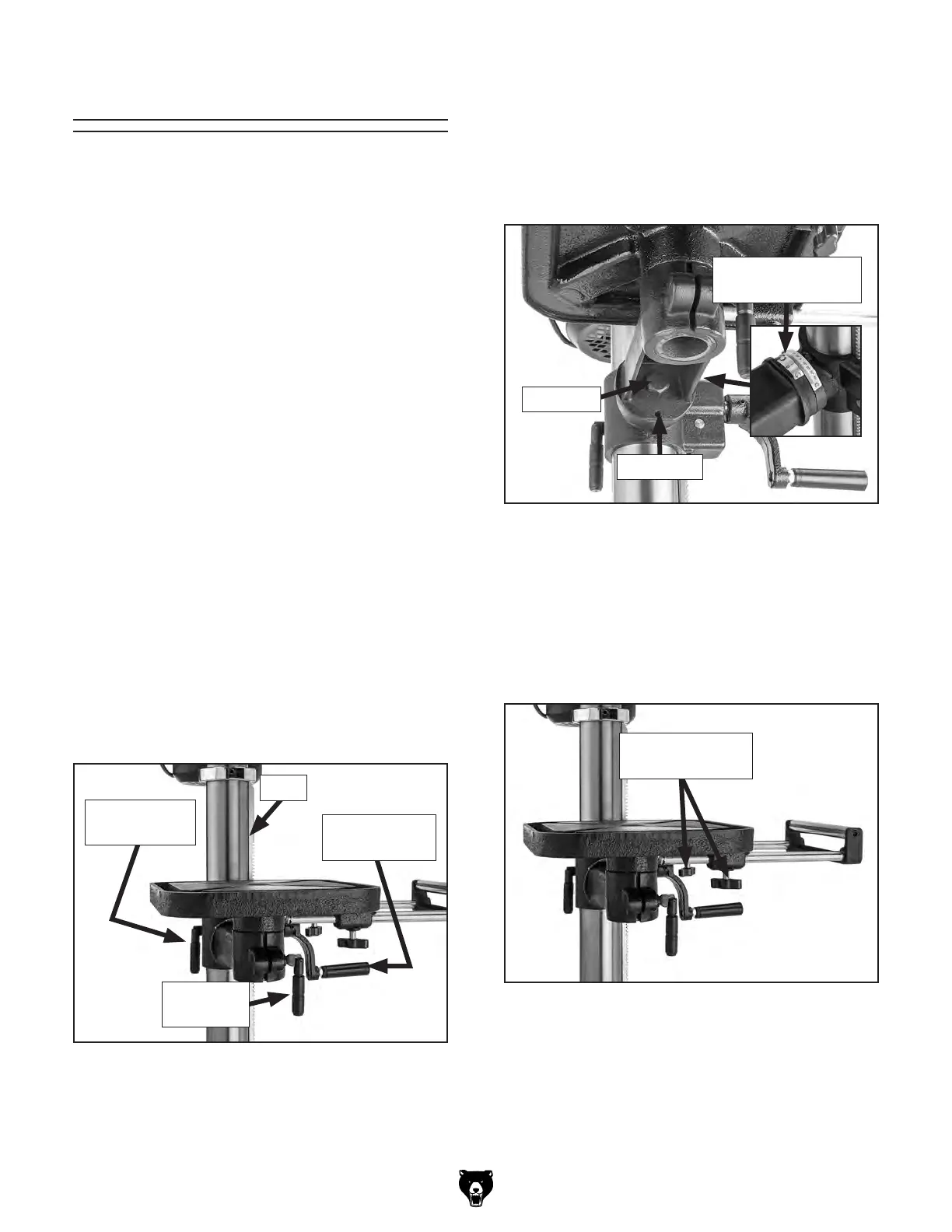
. Loosen table height lock handle (see
Figure 30).
2
. Pivot table to desired location, making sure
guide rack moves around column with table,
as shown in Figure 30.
3
. Retighten table height lock handle.
1. Loosen the lock bolt and set screw shown in
Figure 31.
3
. Retighten set screw and lock bolt to secure
table position.
1.
Loosen pivot lock handle shown in Figure 30.
Rotating Table
2. Rotate table to desired position, then re-
tighten pivot lock handle.
1
. Loosen table height lock handle shown in
Figure 30.
2
. Adjust table height by rotating table height
crank handle (see Figure 30), then re-tighten
table height lock handle.
Raising/Lowering Table
Pivoting Table Around Column
Tilting Table
Figure 30. Table adjustment controls.
Rack
Pivot Lock
Handle
Table Height
Lock Handle
Table Height
Crank Handle
Lock Bolt
Figure 31. Table tilt controls.
Set Screw
Tilt Angle
Pointer and Scale
2. Tilt table until pointer aligns with desired
angle on scale (see Figure 31).
Adjusting Support Arm Extension
1. Loosen support arm extension locks (see
Figure 32).
2. Adjust support arm to desired length.
3.
Tighten support arm extension locks.
Figure 32. Support arm extension locks.
Support Arm
Extension Locks


 To Next Page