Model T31739 (Mfd. Since 11/19)
-33-
Replacing Lasers &
LED Worklight
If either one of the lasers or the LED bulb in the
worklight burn out and need to be replaced, they
must be rewired. A wiring diagram is provided on
Page 36 for your reference.
Items Needed Qty
Phillips Head Screwdriver #1, #2 .................1 Ea.
New Laser & Cord (#PT31739067)
................... 1
1.
DISCONNECT MACHINE FROM POWER!
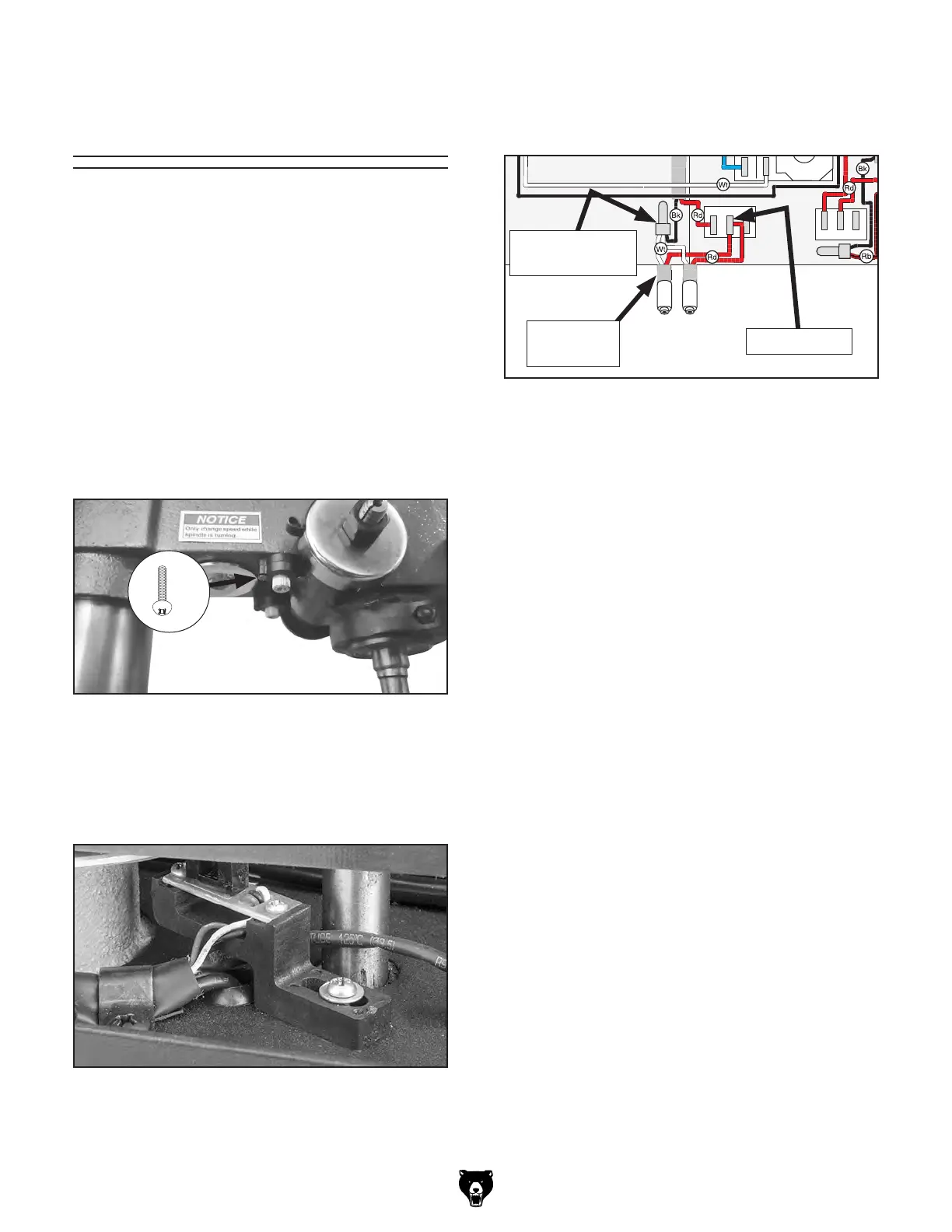
2. Remove (2) Phillips head screws securing
burned out laser in laser seat (see Figure 48).
Figure 50. Laser wiring.
DKLD DZ04
GORBO
XCK-017
DRO
Circuit
Board
E-Stop
Button
LIGHT
SWITCH
LASER
SWITCH
GORBO
XCK-017
DKLD
CB07 6A
ON/OFF
Switch
LAY5-
BE102
21
21
1
2
3
4
Neutral
Hot
Ground
120 VAC
5-15 Plug
120V MOTOR
MOTOR
JUNCTION BOX
Run
Capacitor
25uF
250VAC
DKLD 1801
1W 3.5V
LED LIGHT
+
+
+
-
-
-
Circuit
Board
DKLD
CB07-5C
SPEED SENSOR
LASERS
7. Replace control panel cover and close belt
cover.
8
. Refer to Adjusting Laser on Page 26 to
secure and adjust laser.
Replacing Laser
Laser Cord
(1 of 2)
Laser Switch
Crimp
Wire Connector
4. Remove control panel cover. Find where
laser cord wires connect to laser switch and
crimp wire connector (see Figure 50).
Figure 48. Location of Phillips head screws
securing laser.
x 2
5
. Remove burned out laser wires from their
their connections on laser switch and in crimp
wire connector, then remove laser from head-
stock, pulling wires with it.
6
. Insert new laser wires up through hole in
headstock, through belt cover, and attach
wires to laser switch and crimp wire connec-
tor as they were connected in Step 4.
3.
Open belt cover and identify which cord is
connected to laser by lightly tugging cords
fed into headstock (see Figure 49).
Figure 49. Worklight and laser cords fed into
headstock.


 To Next Page