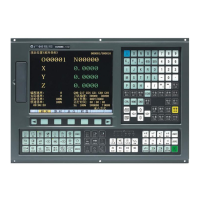
GSK218M CNC System Connection and PLC Manual
139
1.2.2 PLCGRA interface
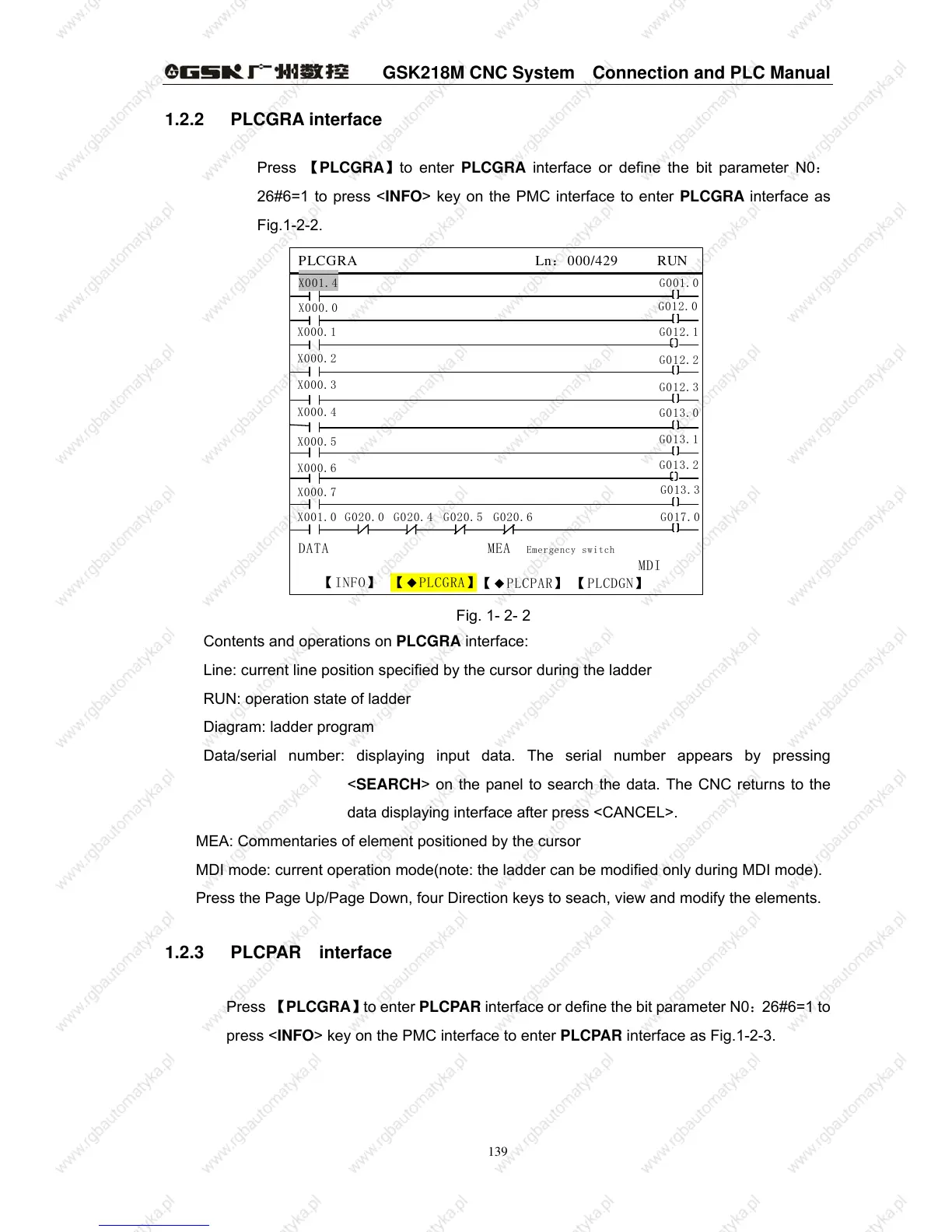
Press 【PLCGRA】to enter PLCGRA interface or define the bit parameter N0:
26#6=1 to press <INFO> key on the PMC interface to enter PLCGRA interface as
Fig.1-2-2.
DATA MEA Emergency switch
MDI
PLCGRA Ln:000/429 RUN
G012.0
X001.4
【INFO】 【◆PLCGRA】
【
◆PLCPAR】 【PLCDGN】
G001.0
X000.0
X000.1
X000.2
X000.3
X000.4
X000.5
X000.6
X000.7
G012.1
G012.2
G012.3
G013.0
G013.1
G013.2
G013.3
G017.0
X001.0 G020.0 G020.4 G020.5 G020.6
Fig. 1- 2- 2
Contents and operations on PLCGRA interface:
Line: current line position specified by the cursor during the ladder
RUN: operation state of ladder
Diagram: ladder program
Data/serial number: displaying input data. The serial number appears by pressing
<SEARCH> on the panel to search the data. The CNC returns to the
data displaying interface after press <CANCEL>.
MEA: Commentaries of element positioned by the cursor
MDI mode: current operation mode(note: the ladder can be modified only during MDI mode).
Press the Page Up/Page Down, four Direction keys to seach, view and modify the elements.
1.2.3 PLCPAR interface
Press 【PLCGRA】to enter PLCPAR interface or define the bit parameter N0:26#6=1 to
press <INFO> key on the PMC interface to enter PLCPAR interface as Fig.1-2-3.



 To Next Page