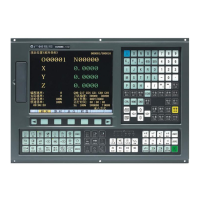
GSK218M CNC System Connection and PLC Manual
144
DATA MEA: Emergency switch
MDI
PLCGRA Ln:000/429 RUN
G012.0
【RETURN】
G001.0
G013.1
【 】【 】 【 】W 【 】
X001.4
X000.0
X000.1
X000.2
X000.3
X000.4
X000.5
X000.6
X000.7
G012.1
G012.2
G012.3
G013.0
G013.2
G013.3
G017.0
X001.0 G020.0 G020.4 G020.5 G020.6
Fig. 2- 2- 2
The basic instrucitns are divided into 7 kind of graphic display:
【 】 :normally open contact
【 】 :normally close contact
【—( ) 】 : output coil
【—
{( )
】: output coil reverse
【——】: horizontal conductive line
【 】: vertical conductive line
【 】: deleting vertical conductive line
Auxiliary soft key:
【 X 】 : Page Down
【 W 】 : Page Up
【 Esc 】 : return to the up menu.
2.3 Operations of ladder
Add element: position the cursor to the required, press the corresponding menu to input the
element name, press <ENTER> to confirm the addition after it is displayed
behind the data. If the current position has element, the new element will replace



 To Next Page