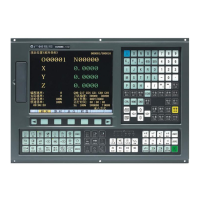
GSK218M CNC System Connection and PLC Manual
74
2 Preparation for Operation
2.1 Emergency stop
General If you press Emergency Stop button on the machine operator’s panel, the machine
movement stops in a moment.
The button is locked when it is pressed, Although it varies with the machine too
builder,
the button can usually be unlocked by twisting it.
Signal Emergency stop signal
*ESP ( X001.4 G001.0 )
[Classfication] Input signal
[Function] Activating an emergency stop signal stops the machine instantly.
[Operation] When the emergency stop *ESP becomes 0, the emergency stop is
applied to the machine and the CNC is reset.
Signal address
2.2 CNC ready signal
General When the CNC is turned on and become ready for operation, the CNC ready signal is
set to 1.
Signal CNC ready signal
MA(F001#7)
[Classfication] Output signal
Emergence stop
Red
*ESP
X001
#7 #6 #5 #4 #3 #2 #1 #0
*ESP
G001



 To Next Page