DA98A AC Servo Drive Unit
User Manual
“cn- on”: The main circuit is charged and the servo system is running;
[Note 10] The alarm “Err --” displayed means the system is normal and no alarm is issued.
6.3 Parameter setting
45
z Other parameters can be modified after parameter No.0 is set to its
corresponding value.
z Setting of parameters effect immediately and accident may occur by false
action resulted by false setting.
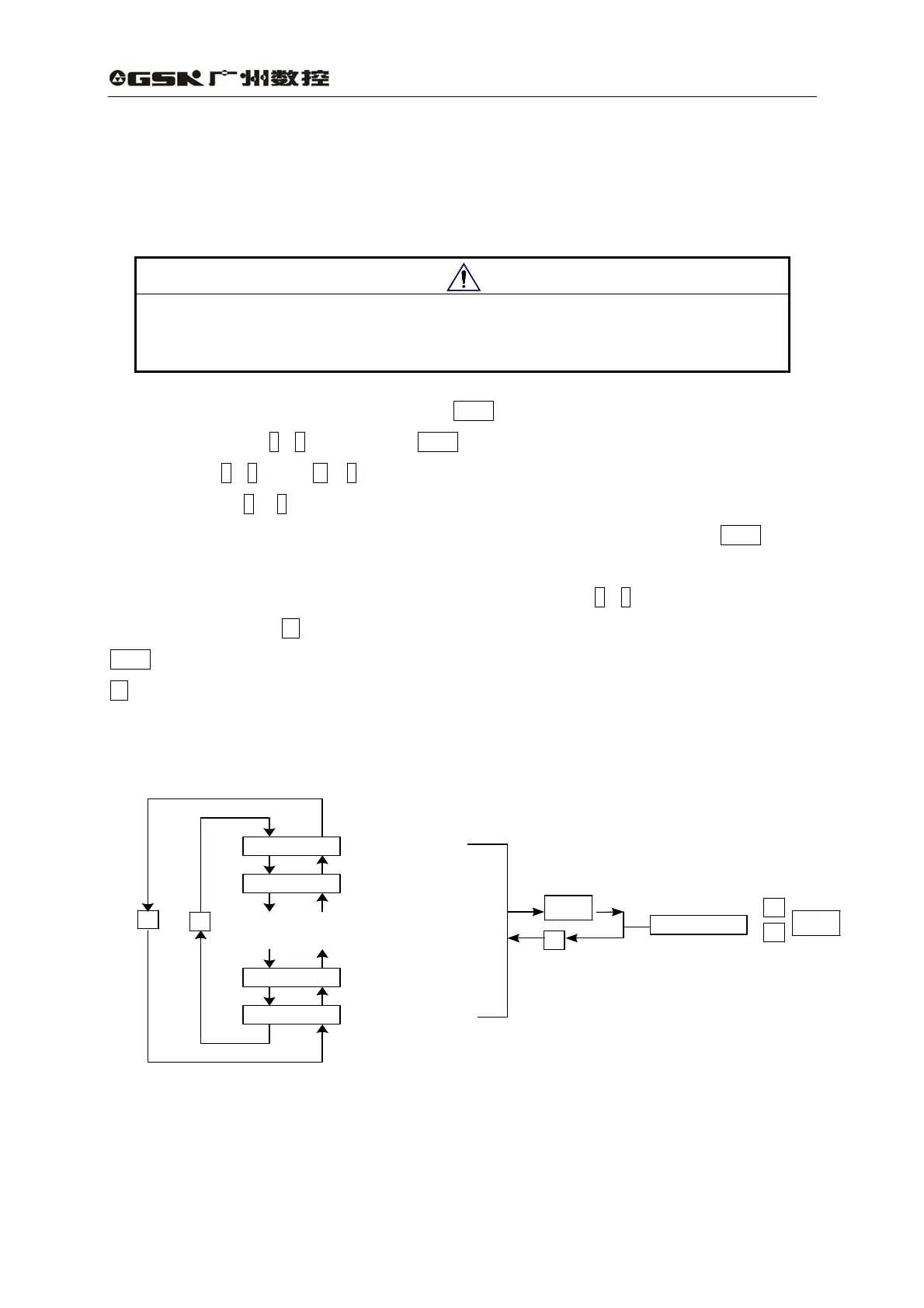
Select “PA-”in the first level and press Enter to enter parameter setting mode. Select
parameter number by ↑,↓key, then press Enter key to display the parameter value, the value can
be modified by ↑,↓. Press ↑ or ↓key for once to increase or decrease 1 for the parameter value,
press and hold on ↑ or ↓ key to continuously increase or decrease the value. When the parameter
value is modified, the decimal point of rightmost LED nixie tube lights up, press Enter key to
confirm the modification, and then the decimal point of rightmost LED nixie tube is put out. And the
modified value will immediately take effect in the control, press ↑,↓key to go on modify the
parameters, then press ←to go back to parameter selection mode after modification. Do not press
Enter key to confirm the modification if the parameter value modified is not appropriate. Press
←key to cancel the modified value to recover its original value and back to the parameter
selection mode.
Fig. 6.6 Operation block diagram of parameter setting
Note
PA- 0
PA- 99
PA- 1
PA- 98
: :
: :
↑
↓
Enter
←
1000.
↑
↓
Enter
Parameter No.99
Parameter No.98
Parameter No. 1
Parameter No.0



 To Next Page