DA98A AC Servo Drive Unit
User Manual
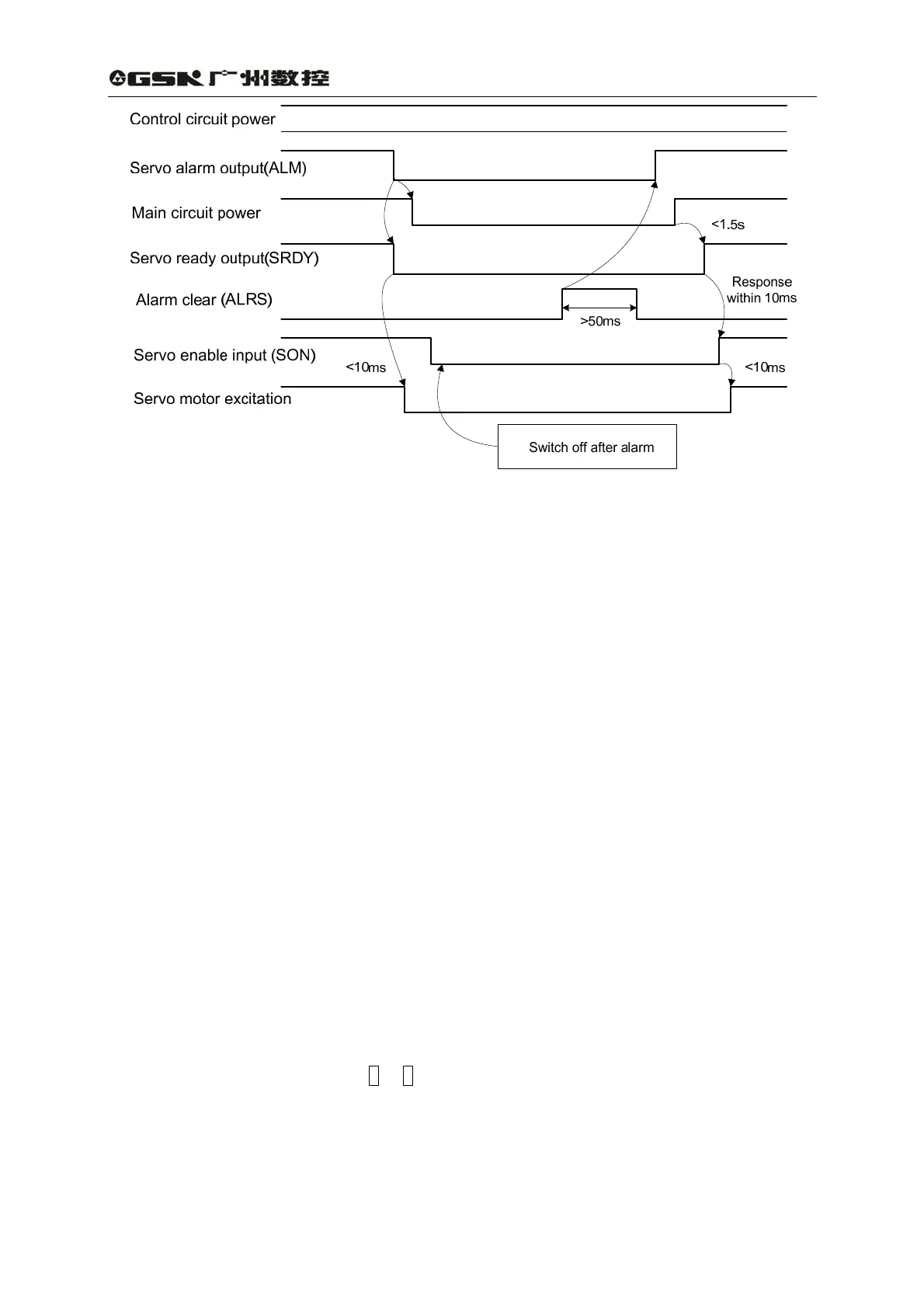
Fig. 7.3 Time sequence of alarm
7.2 Trial run
1) Check before running
After installation and wiring, check the following items before power on:
z Make sure the terminal connection of power supply and the input voltage are
reliable and right.
z Whether the power and motor wires are short circuit or grounded.
z Whether the cable connection of encoder is right.
z Whether the control signal terminals connection, the power polarity and voltage,
current are right.
z Whether the drive unit and motor are properly secured.
z Whether the motor shaft is loaded.
2) Trial run after power on
A: Trial mode
(1) Connect CN1 to make input control signal: the servo enable(SON)is set for OFF,
CCW drive stop(FSTP) for ON, CW drive stop(RSTP)for ON.
(2) Switch on the control circuit power (main power is off), AC servo drive unit monitor
is turned on. If an alarm is issued, check the connection.
(3) Set control mode (parameter No.4) for trial speed mode (for 2).
(4) Switch on the main power.
(5) If there is no alarm or any abnormality occurring, set servo enable (SON) for ON,
and the motor is excited for zero speed.
(6) Enter trial speed mode by pressing keys, the prompt of it is “S” , and the unit is
r/min. When the system is in speed control mode, the speed instructions are input
by pressing keys or ↑ or ↓ keys for alteration, and the motor runs by the specified
speed.
B: JOG mode
(1) Connect CN1 to make input control signal: the servo enable (SON) set for OFF,
CCW drive stop(FSTP)for ON, CW drive stop(RSTP)for ON.
(2) Switch on the control circuit power (main power is off), AC servo drive unit monitor
is turned on. If an alarm is issued, check the connection.
51



 To Next Page