DA98D User Manual
45
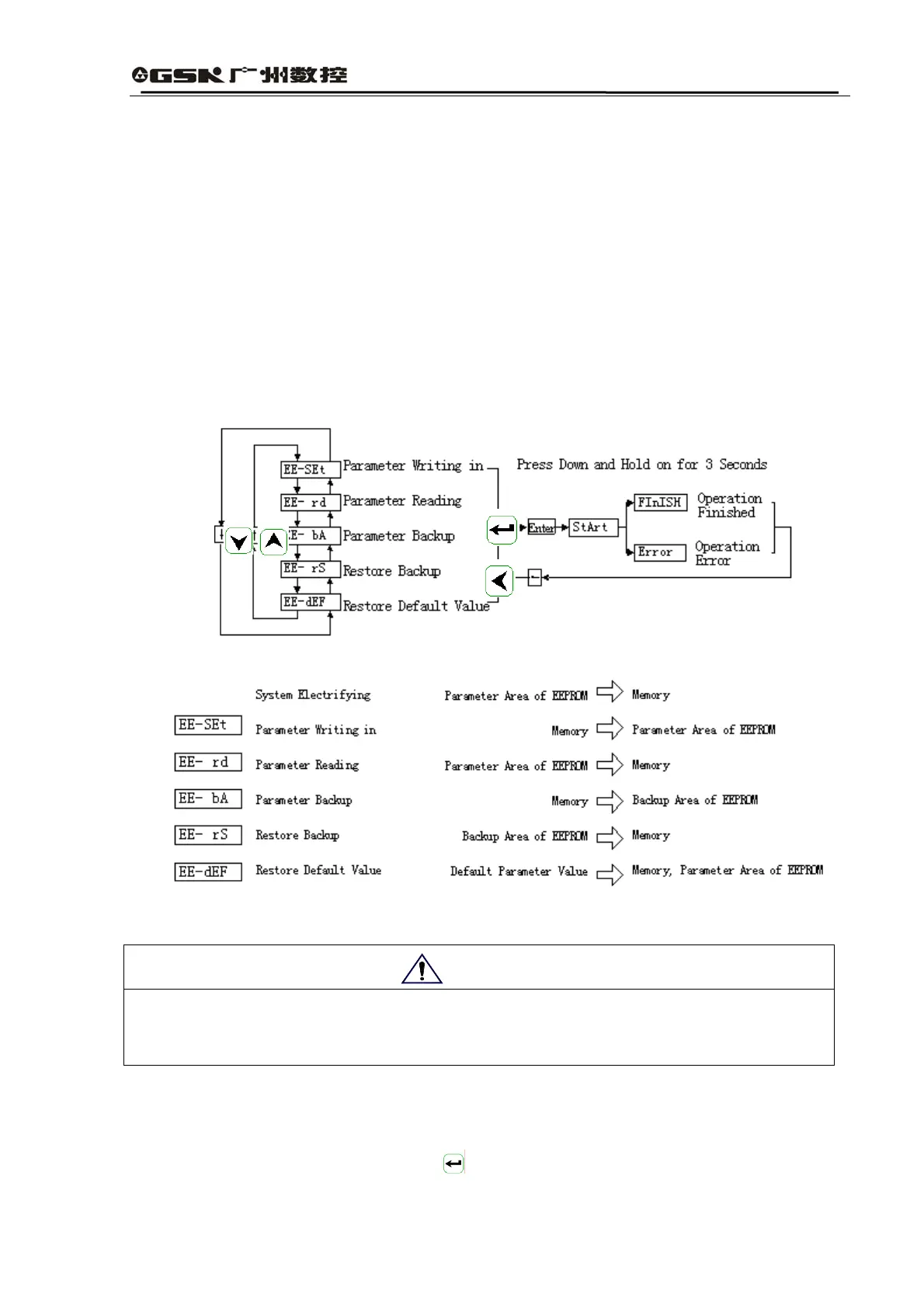
z EE-rS Recovery backup, i.e., read data in the recovery area of EEPROM into the memory.
What needs to be noted is that the parameter writing in operation is not implemented in this
operation, so it is still the data in the parameter area of EEPROM that is red into the memory.
If the user wants to permanently use the parameter in the backup area of EEPROM, he or
she can conduct the parameter writing in operation.
z EE-dEF Restore default value, i.e., all the default parameter values (factory values) will
first be red into the memory and then written into the parameter area of EEPROM, thus the
default parameter value will be used after the power is switched on the next time. When the
user adjusts the parameter in a disorderly way and the system cannot work, he or she can
implement this operation to restore all the parameters back to the factory leaving conditions.
Since different driver models correspond to different default parameter values, the driver
models must be ensured to be correct when restoring the default parameters.
Fig. 6.7 Operation Chart for Parameter Management
Fig. 6.8 Operation Meaning for Parameter Management
● It is recommended that speed trial operation and JOG operation should be conducted when the
motor does not have load for preventing equipment accidents.
● During the trial operation, the driver SON should be valid while CCW and CW drive stopping
should be invalid.
6.5 Speed Trial Operation
Select “Sr-” in the first layer and click to enter the trial operation mode. The hint character
Attention



 To Next Page