DA98D User Manual
43
“cn- oFF” : The main circuit is not discharged and the servo system does
not work;
“cn- CH” : The main circuit is charged but the servo system does not work
( the servo is not on or alarm occurs);
“cn- on” : The main circuit is charged and the servo system is under
operation,
Note 2: Linear velocity only displays 4 digits.
6.3 Parameter Setting
z Only after No.0 parameter is set as the corresponding value can other parameters be
changed.
z Except No.1 parameter, the parameter will take effect immediately after it is set. Wrong
parameter setting may cause wrong operation of the equipment, which will result in
accidents.
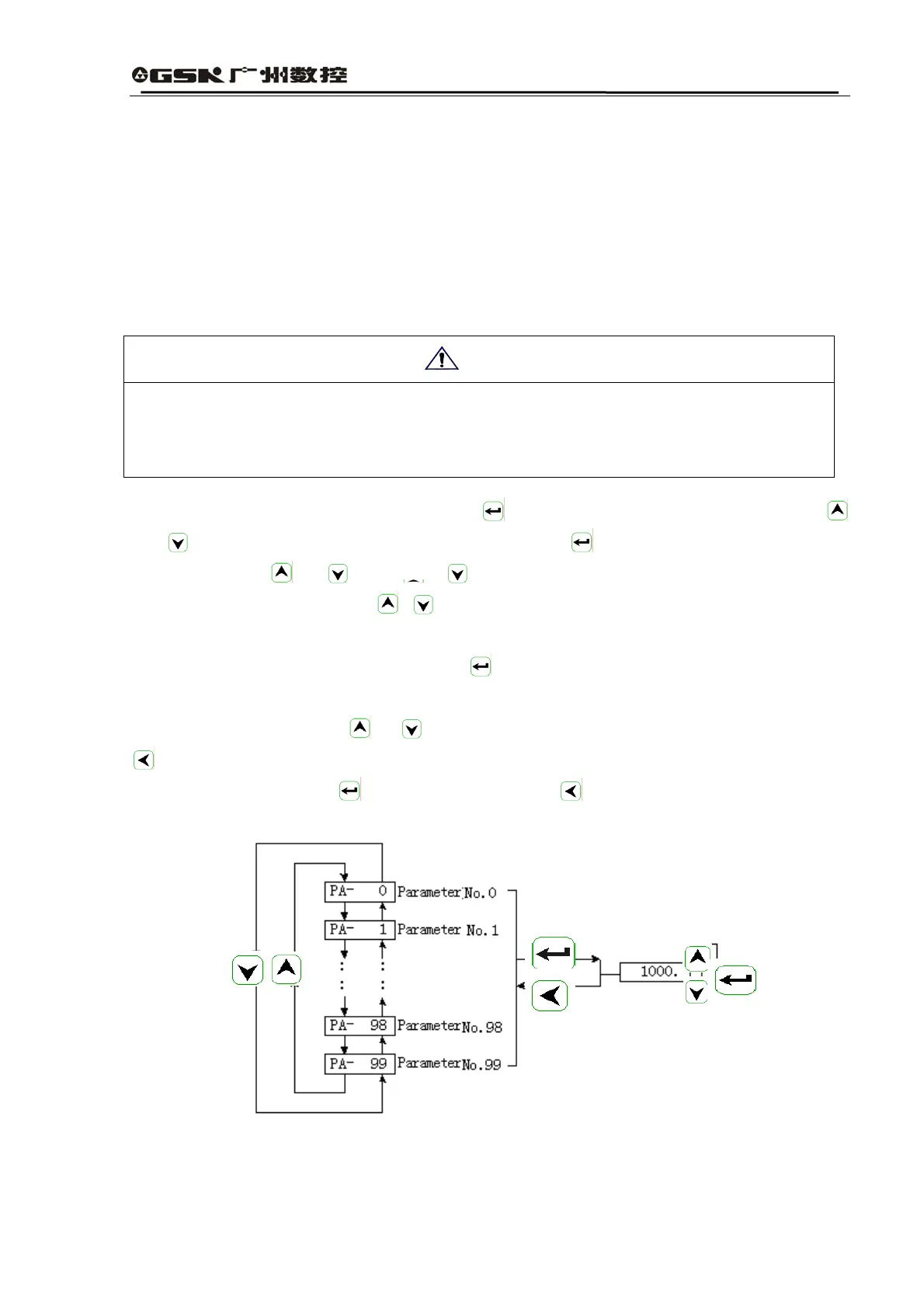
Select “PA-” in the first layer, then press down
to enter the parameter setting mode. Use
and
to select serial number of the parameter and enter to display the value, which can be
changed by using
and . Click or for one time, the parameter value will be increased
or decreased by 1; press down
or and hold on, the parameter value will be increased or
decreased continuously. When the parameter is changed, the decimal point on LED nixie tube at the
furthest right side will shine, then press down
to confirm the validity of the parameter changed
and the decimal point will stop shining. The changed parameter value will be immediately reflected
in the control operation. Use
or to go on with parameter changing, after which click down
to return to the parameter selecting mode. If you are not satisfied with the changed parameter
value, do not press down
for confirmation but use to cancel the parameter changing
operation, restore the original value and return to the parameter selecting mode.
Fig. 6.6 Operation Chart for Parameter Setting
Attention



 To Next Page