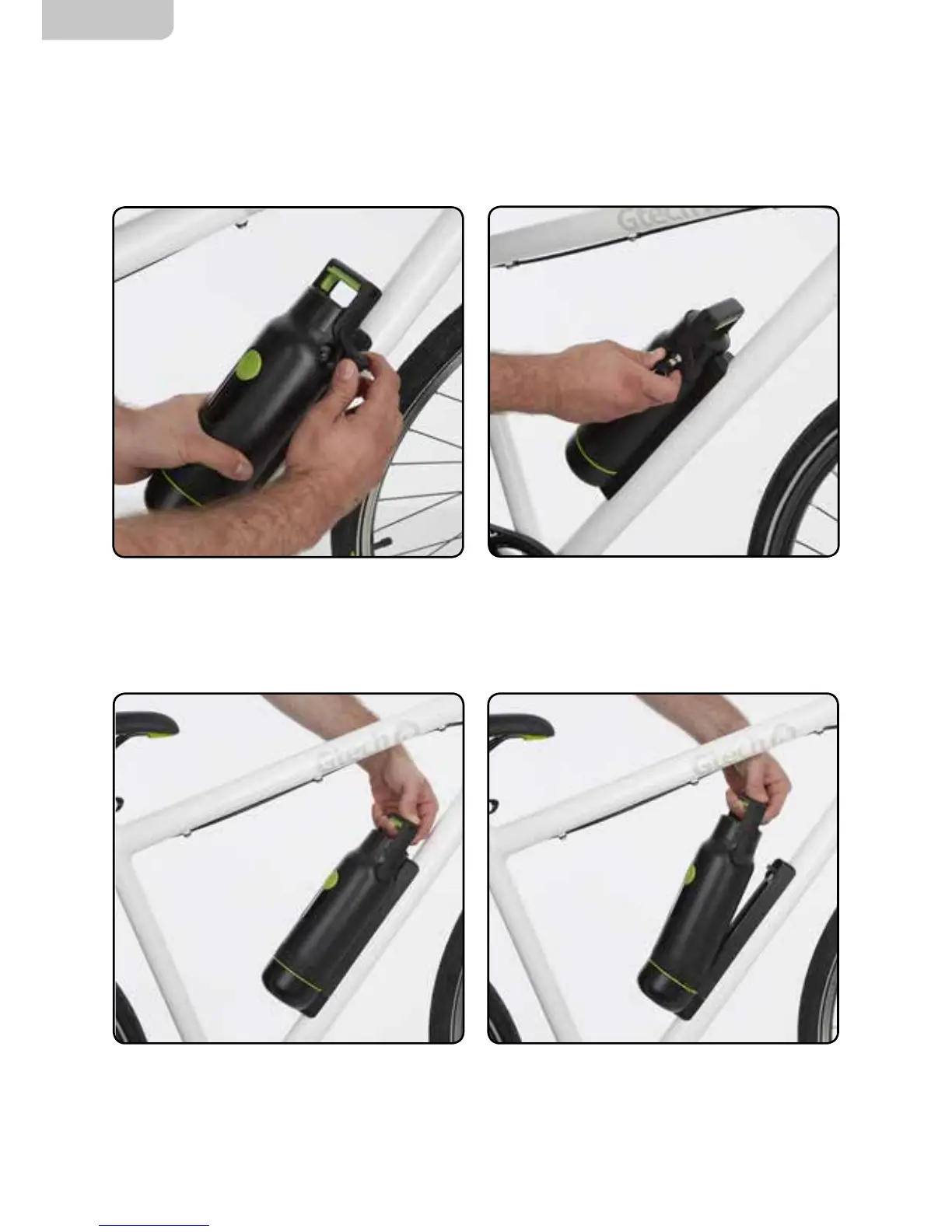
To remove the battery, squeeze the green trigger,
while pulling the carry handle upwards to release
the battery from the cradle.
Pull the battery away from the frame to remove it.
To unlock the battery, rst remove the rubber
lock cover.
Removing the battery
If you have locked your battery in place, you must unlock it before trying to remove it from
the battery cradle:
Insert the battery key into the lock and turn
anti-clockwise to unlock the battery.
Replace the rubber lock cover.


 To Next Page