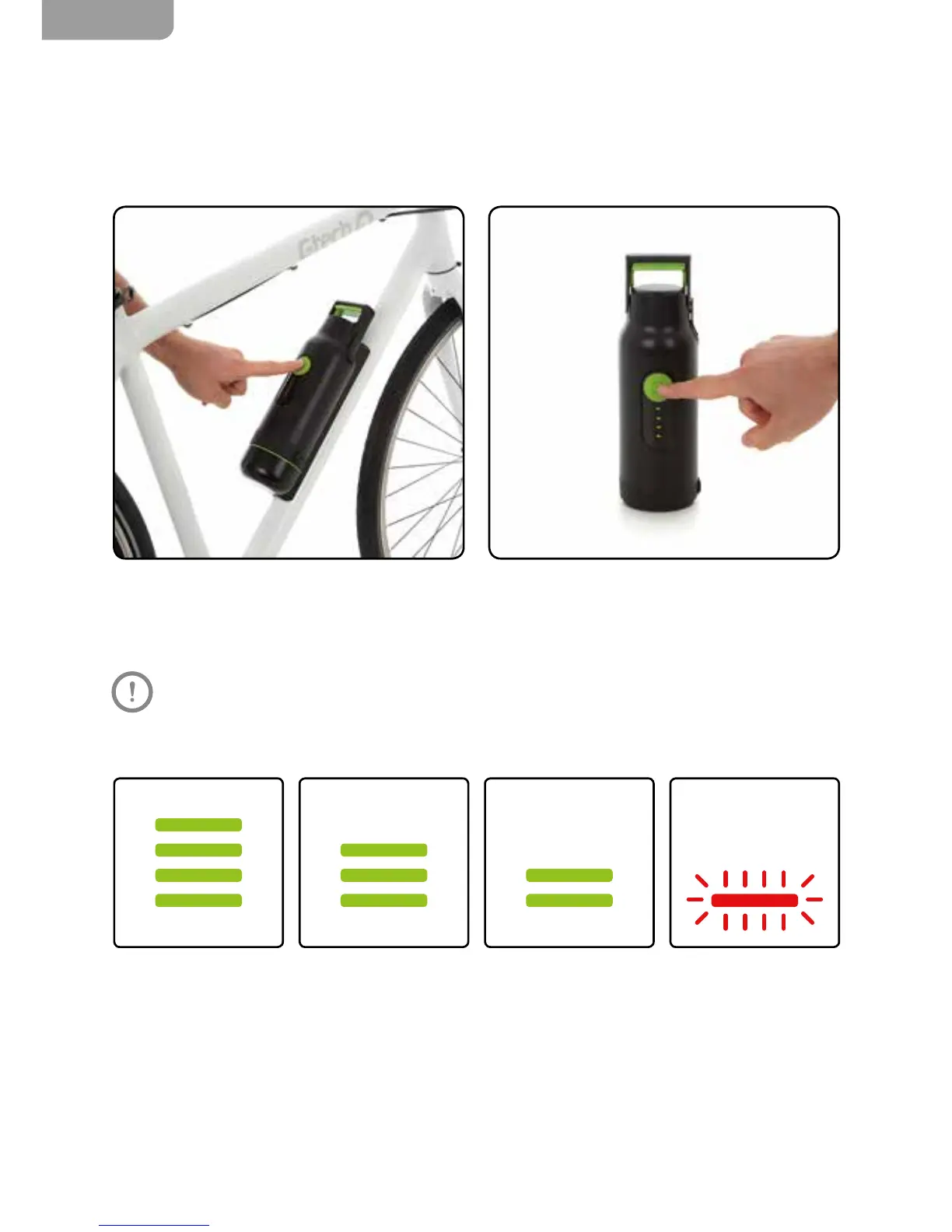
To turn the battery off, press and the hold the
green power button for two seconds.
The LEDs go through 4 phases, each phase indicating approximately 7 miles.
4 green 3 green 2 green 1 ashing red
You can still check how much charge is left in
your battery when it is not attached to the bike.
Briey press the green power button to display
the level of charge.
Don’t worry if you forget to turn off your battery – it will turn itself off after 11 minutes,
the amount of charge used will be minimal.


 To Next Page