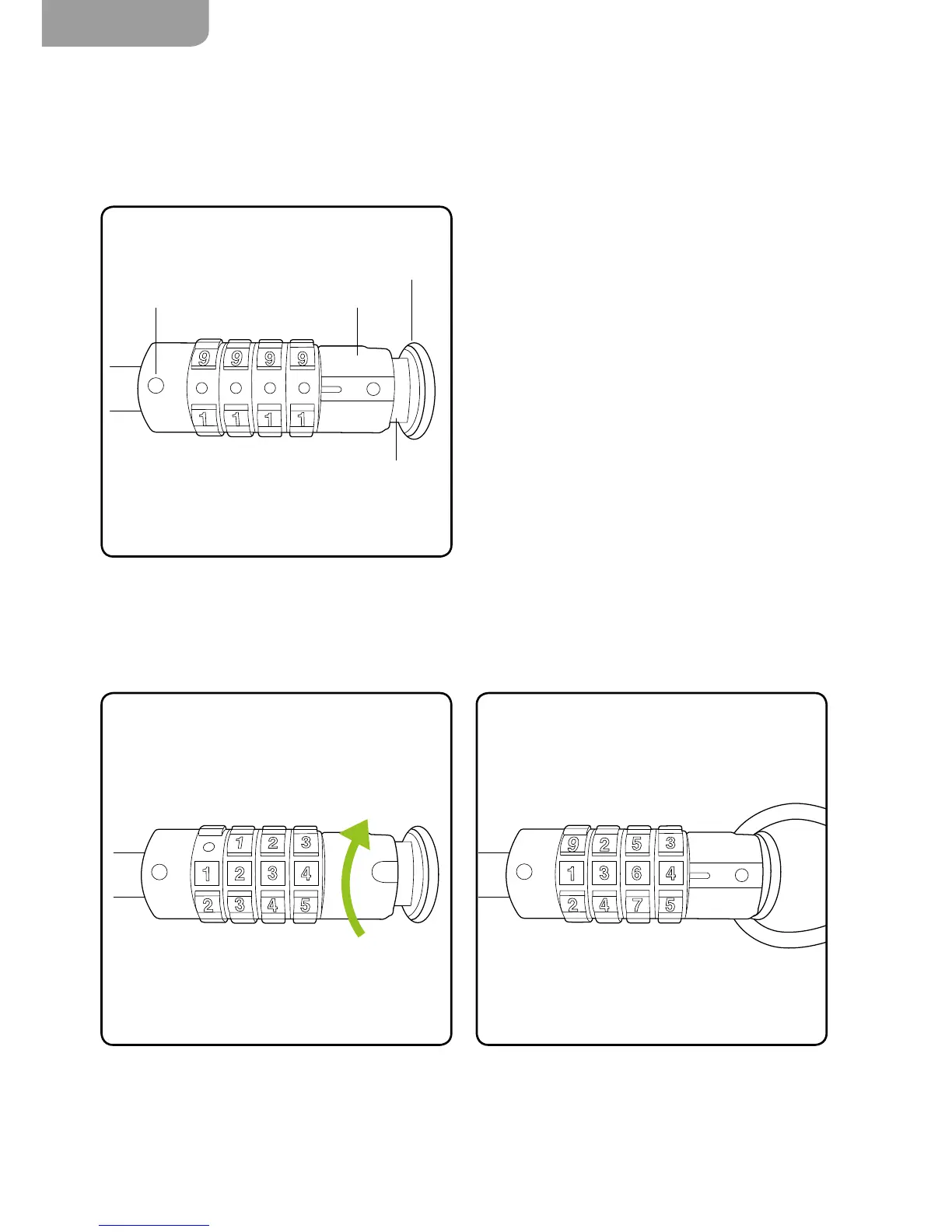
Cable Lock
How to unlock
Changing the code sequence
The cable lock is an optional accessory, available from www.gtech.co.uk
1. With the locking knob pulled out, twist the
reset mechanism away from you.
2. Turn the numbers to select the code sequence
of your choice.
1. Twist the reset mechanism back towards you,
then place the looped cable end into the cable
groove and close the locking knob.
2. Turn the numbers to a random sequence to
securely lock the cable.
1. Line up the guide point to 0-0-0-0.
2. Pull the locking knob out.



 To Next Page