Preparation
Storing the Gtech tool .................................................................... 7
Setting the handlebars .................................................................... 7
Setting the saddle height ................................................................ 8
Adjusting the saddle height ............................................................. 9
Adjusting the saddle travel and angle ............................................ 10
Adjusting and setting the forks ...................................................... 11
Attaching the battery .................................................................... 13
Removing the battery ................................................................... 13
Attaching the front mudguards ..................................................... 14
Attaching the rear mudguards ...................................................... 15
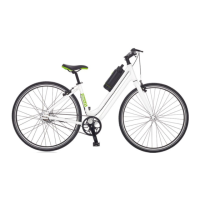
Loosen the three bolts in the order shown,
turning anticlockwise, using the Gtech tool.
Rotate the handle bar clockwise to the correct
position. The handle bars should be aligned
straight with the main frame. Tighten the three
bolts in the same order, turning clockwise, using
the Gtech tool.
Setting the handlebars
1
2
3
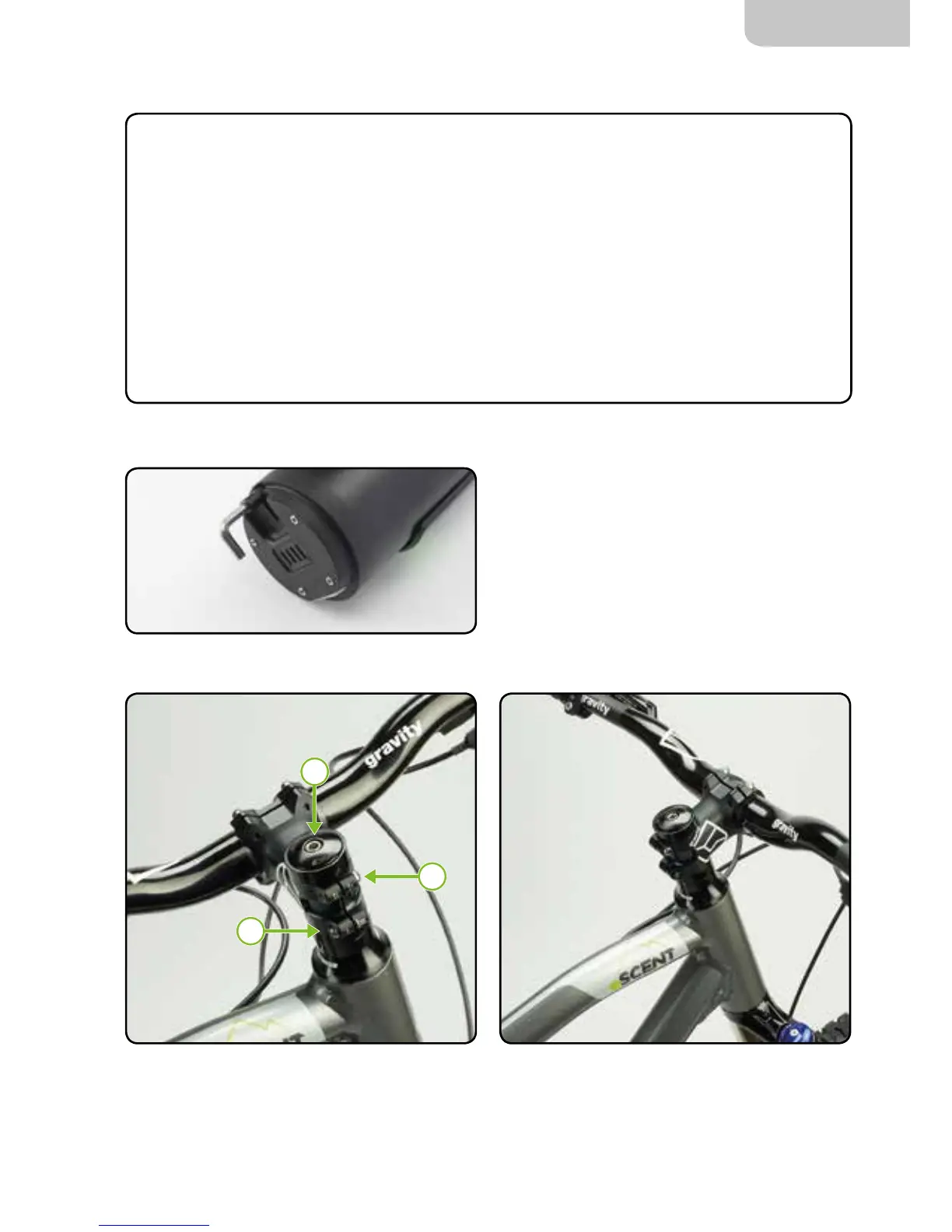
You will need to use your Gtech tool for the
following instructions and throughout the manual.
The Gtech tool is located in the bottom of your
battery and can also be stored here when the
battery is attached to the bike.
Storing the Gtech tool


 To Next Page