15
Remote Control
TELETEXT MODE*
14
Remote ControlRemote Control
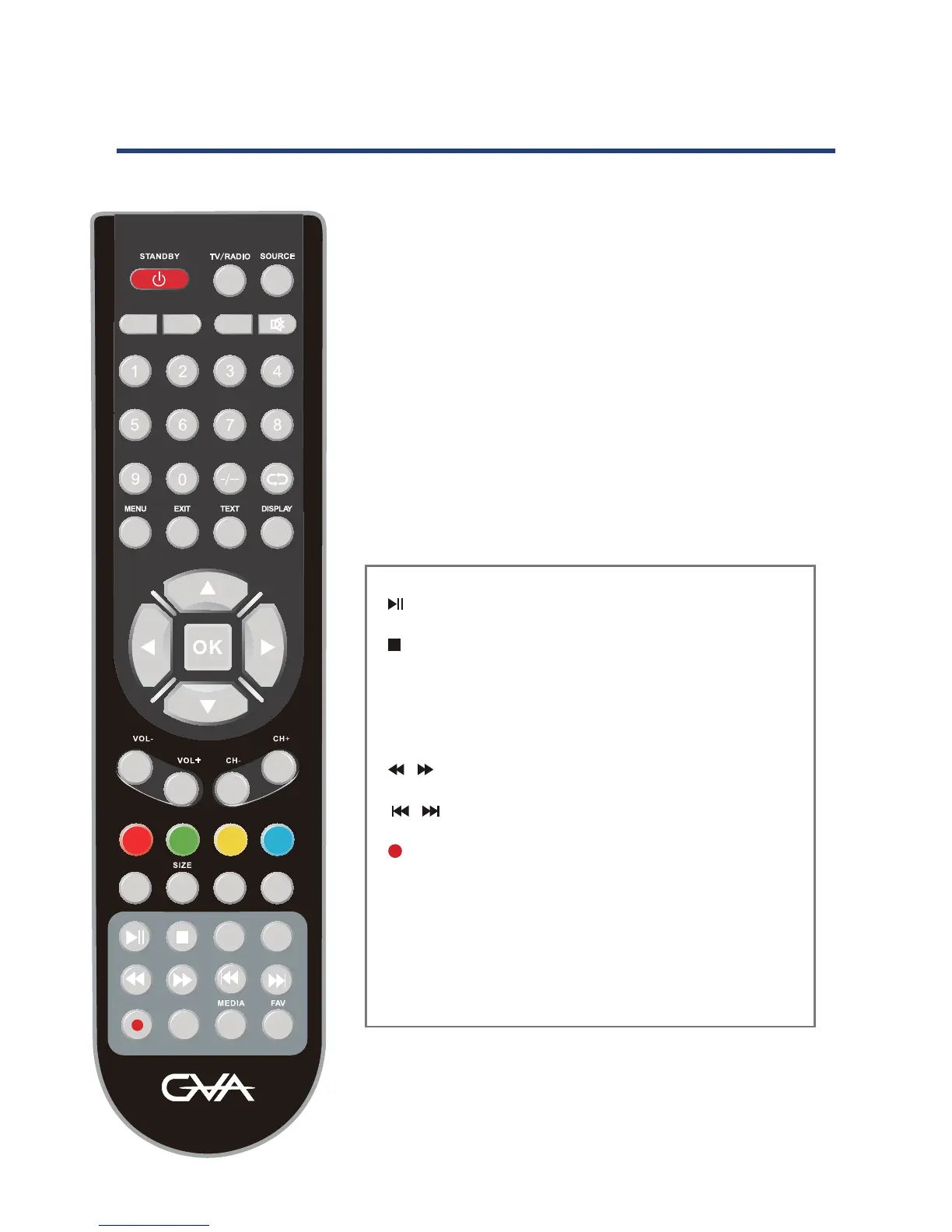
STANDBY:
SOURCE: Press to cycle through the input source.
PMODE: Select picture mode.
SMODE: Select sound mode.
TV/RADIO:
SLEEP: Sets the TV sleep time.
MUTE: Press to mute the sound. Press again or press V+ to
un-mute the TV.
-/-- : For direct access adigital TV channel
: Return to the previous channel viewed.
MENU: Brings up the main menu to the screen.
EXIT: Press to close the on-screen display.
DISPLAY: Press to display the source and channel’s
information.
/ / / /OK : Allows you to move, select and setup
the OSD options.
VOL+/-: Volume up/down.
CH+/-: Channel up/down.
ATV MODE
EP
FAV+ FAV-
PVR G
FREEZE
ZOOM
SUBTITLE
HOLD
PMODE
S
OURCE
SMODE
AUDIO
SLEEP
MUTE
TV/ RADIO
INDEX
GVA32DLED
Select TV/RADIO modes
0-9: TV channel number select.
TEXT: Press to switch between TV and Teletext mode.
HOLD: Freeze the current page.
SIZE: Change the picture size.
SUBTITLE: Displays subtitles.
AUDIO : Select different audio modes.
: Play/Pause playback, or toggle DTV Time Shift.
: Stop playback.
FAV+/-: In FAV display mode,press to increase or
delete the highlighted channel.
/ : Fast Rewind/Fast Forward up to 16x.
/ : Previous/next chapter/track.
(PVR): Start recording when in DTV Mode.
EPG: Launched the EPG (Electronic Program Guide).
MEDIA: Press to select MEDIA mode.
FAV: Display your favourite channel list.



 To Next Page