30
PC Menu
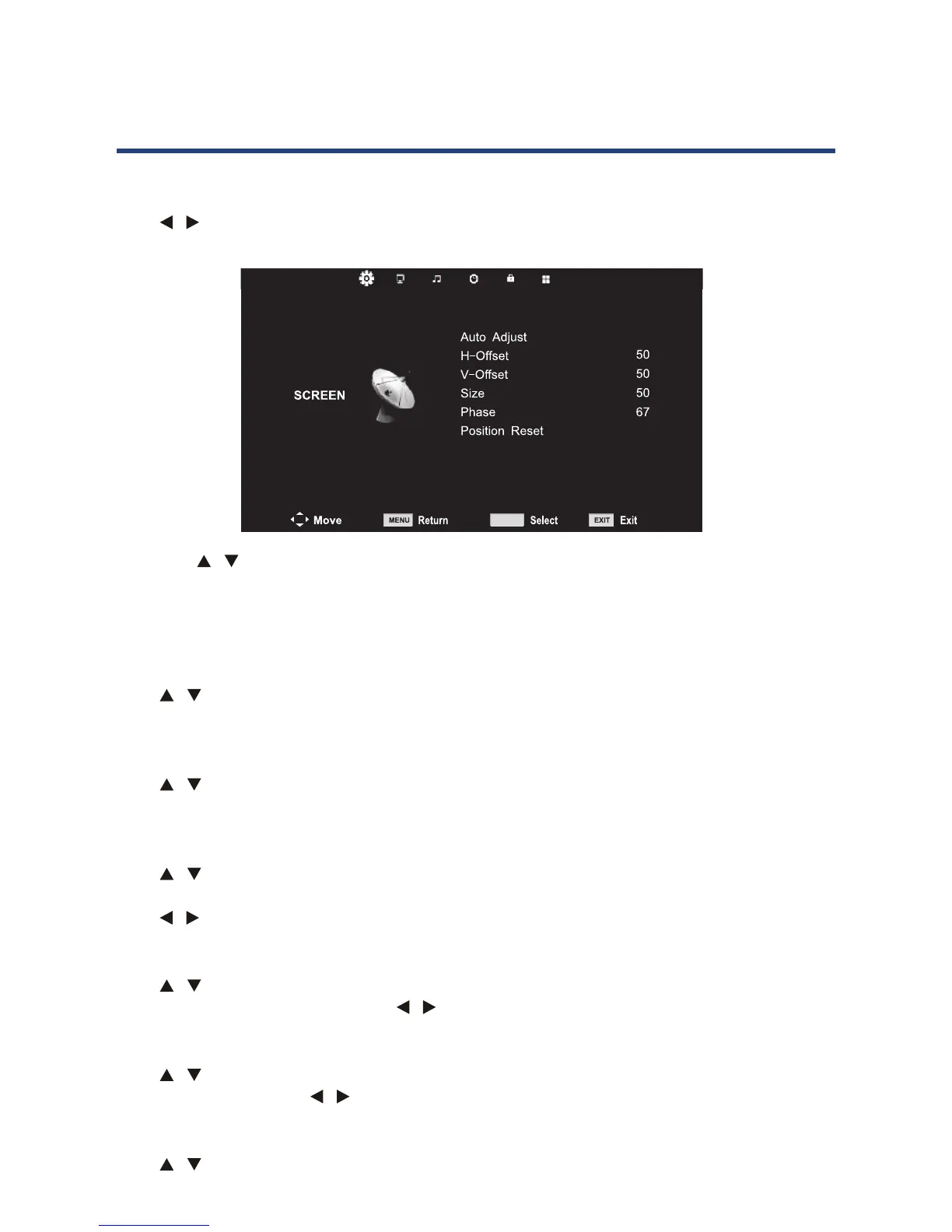
Screen menu
Press MENU button to display the main menu.
Press / button to select SCREEN in the main menu. It will highlight the rst option. (Only
available when inputting PC-RGB signal).
1. Press button to select the option that you want to adjust in the CHANNEL menu.
2. Press OK button to adjust.
3. A
MENU button to save and return back to the
previous menu.
Auto Adjust
Press button to select Auto Adjust, then press OK button to start adjusting
automatically.
Press button to select , then press OK button to enter sub menu. Press
to adjust.
Press button to select V-O , then
press OK button to enter sub menu.
Press to adjust.
Size
Press button to select Size, then press
OK button to enter sub menu. Press to adjust.
Phase
Press button to select Phase, then press OK button
to enter sub menu. Press to adjust.
Position Reset
Press button to select Position Reset , then press
OK
button to reset all position setting. (Except Phase)
NOTES:
• NOISE REDUCTION in PICTURE option
is invalid.
• SOUND menu and description are the
same as that for DTV mode.
• LOCK menu and description are the
same as that for DTV mode.
• TIME menu has no clock option.
• HEARING IMPAIRED and PVR FILE
SYSTEM in OPTION menu are invalod
30
Screen menu
Press MENU button to display the main menu.
Press button to select SCREEN
available when inputting PC-RGB signal.)
PC Menu
OK
• Press / button to select the option that you want to adjust in the CHANNEL menu.
• Press OK button to adjust.
• After nishing your adjustment, press MENU button to save and return back to the
previous menu.
Auto Adjust
Press / button to select Auto Adjust, then press OK button to start adjusting
automatically.
H-Oset
Press / button to select , then press OK button to enter sub menu. Press
to adjust.
V-Oset
Press / button to select V-Oset , then
press OK button to enter sub menu.
Press / to adjust.
Size
Press / button to select Size, then press
OK button to enter sub menu. Press / to adjust.
Phase
Press / button to select Phase, then press OK button
to enter sub menu. Press / to adjust.
Position Reset
Press / button to select Position Reset , then press
OK button to reset all position setting. (Except Phase)
NOTES:
• NOISE REDUCTION in PICTURE
option is invalid.
• SOUND menu and description are
the same as that for DTV mode.
• LOCK menu and description are the
same as that for DTV mode.
• TIME menu has no clock option.
• HEARING IMPAIRED and PVR FILE
SYSTEM in OPTION menu are invalid



 To Next Page