21
DTV Manual Tuning
Press / button to select DTV Manual Tuning, then press OK button.
Press
/ button to select channel, then press OK button to search program.
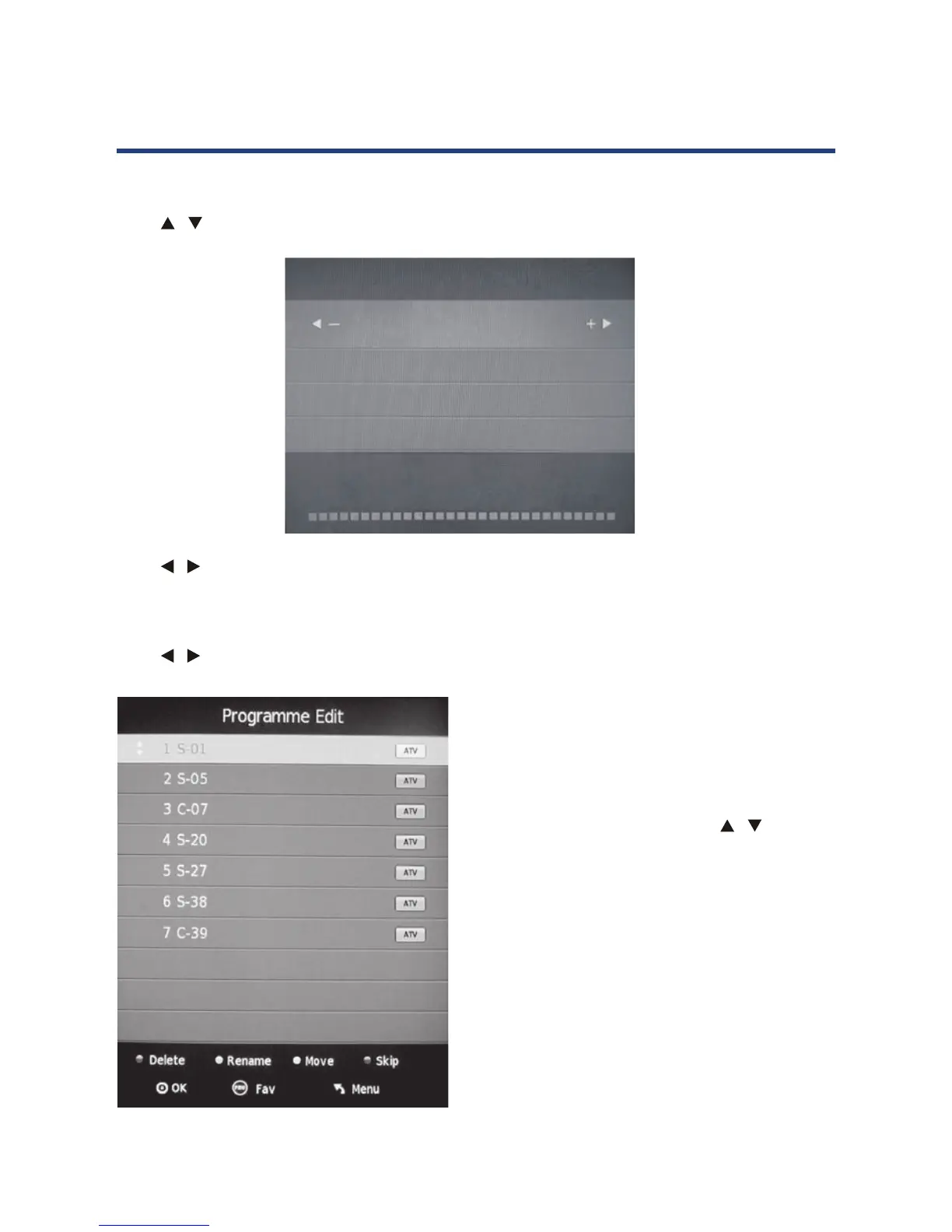
Program Edit
Press / button to select Program Edit, then press OK button to enter sub menu.
21
DTV Manual Tuning
Program Edit
Signal Information (DTV mode only)
Press button to select DTV Manual Tuning, then press OK button.
Press
button to select channel, then press OK button to search program.
Press
button to select Program Edit, then press OK button to enter sub menu.
This option has 5 functions in ATV mode
and 3 options in DTV mode.
1. Use Red button to delete the current channel.
2. Use Green button to rename the current
channel. (only ATV mode)
3. Use Yellow button and the
arrow button
to move the current channel. (only ATV mode)
4. Use Blue button to skip the current channel.
5. Use FAV button to set the current channel
to your favourite channel. If the channel
is already one of your favourite channel,
pressing FAV button again will set it back to a
normal channel.
In DTV mode, Press
button to select Signal
Information, then press OK button to display signal
details including Channel, Quality and Strength.
DTV Manual Tuning
VHF CH 5
NO SIGNAL
Bad Freq: 104.50 Mhz Good
21
DTV Manual Tuning
Program Edit
Signal Information (DTV mode only)
Press button to select DTV Manual Tuning, then press OK button.
Press
button to select channel, then press OK button to search program.
Press
button to select Program Edit, then press OK button to enter sub menu.
This option has 5 functions in ATV mode
and 3 options in DTV mode.
1. Use Red button to delete the current channel.
2. Use Green button to rename the current
channel. (only ATV mode)
3. Use Yellow button and the
arrow button
to move the current channel. (only ATV mode)
4. Use Blue button to skip the current channel.
5. Use FAV button to set the current channel
to your favourite channel. If the channel
is already one of your favourite channel,
pressing FAV button again will set it back to a
normal channel.
In DTV mode, Press
button to select Signal
Information, then press OK button to display signal
details including Channel, Quality and Strength.
DTV Manual Tuning
VHF CH 5
NO SIGNAL
Bad Freq: 104.50 Mhz Good
This option has 5 functions in ATV mode
and 3 options in DTV mode.
1. Use Red button to delete the current channel.
2. Use Green button to rename the current
channel. (only ATV mode)
3. Use Yellow button and the / arrow button
to move the current channel. (only ATV mode)
4. Use Blue button to skip the current channel.
5. Use FAV button to set the current channel
to your favourite channel. If the channel
is already one of your favourite channel,
pressing FAV button again will set it back to a
normal channel.
Signal Information (DTV mode only)
In DTV mode, Press button to select Signal
Information, then press OK button to display signal
details including Channel, Quality and Strength.
Operating the Menus



 To Next Page