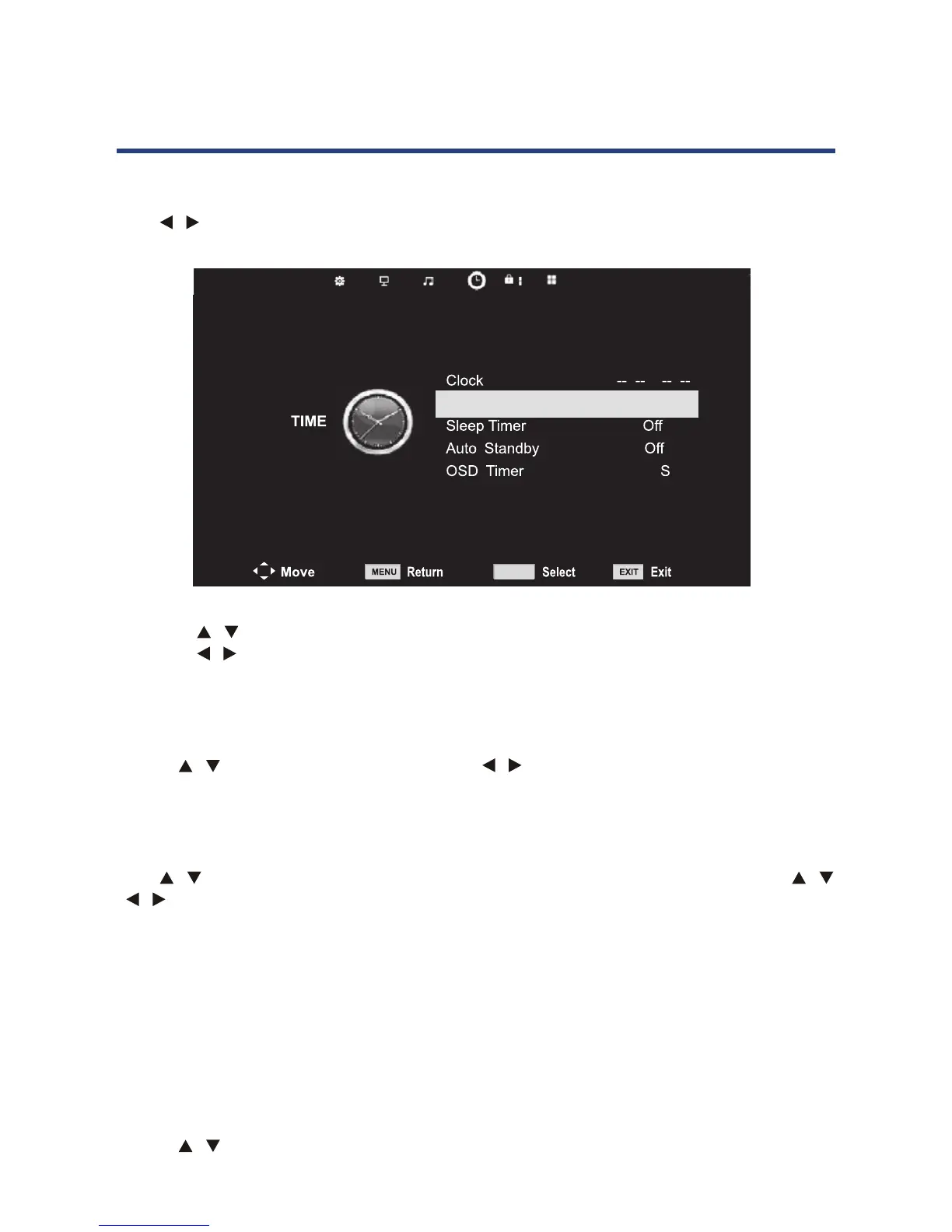
24
Time menu
Press MENU button to display the main menu.
Press / button to select TIME in the main menu.
24
Time menu
1. Press button to select the option that you want to adjust in the TIME menu.
2. Press button to adjust.
3.
MENU button to save and return back to the
previous menu.
Clock
Use the keys to select Clock, then use the keys to set the time.
NOTE: You cannot change the time manually in DTV mode, as the time comes directly from a
signal source.
Time Zone
Press button to select Time Zone, then press OK button to enter sub menu. press /
button to select time zone. Press OK to save. (Only in DTV mode)
Sleep Timer
20, 30, 60, 90, 120, 180 or 240 minutes.
Auto Standby
When the auto standby function is set, the TV will change to standby mode automatically
after the time you have select.
OSD Timer
Use the keys to select this option, then set your preferred duration for on-screen display
messages. Choose between 5, 10, 15, 20, 25 or 30 seconds.
Press MENU button to display the main menu.
Press button to select TIME in the main menu.
Time Zone
NSW/ACT
OK
1. Press / button to select the option that you want to adjust in the TIME menu.
2. Press / button to adjust.
3. After nishing your adjustment, press MENU button to save and return back to the
previous menu.
Clock
Use the
/ keys to select Clock, then use the / keys to set the time.
NOTE: You cannot change the time manually in DTV mode, as the time comes directly from a
signal source.
Time Zone
Press / button to select Time Zone, then press OK button to enter sub menu. press /
/
/ button to select time zone. Press OK to save. (Only in DTV mode)
Sleep Timer
You can select to have the sleep timer o, or set it to switch o the TV automatically after 10,
20, 30, 60, 90, 120, 180 or 240 minutes.
Auto Standby
When the auto standby function is set, the TV will change to standby mode automatically
after the time you have select.
OSD Timer
Use the
/ keys to select this option, then set your preferred duration for on-screen
display messages. Choose between 5, 10, 15, 20, 25 or 30 seconds.
Operating the Menus (DTV)



 To Next Page