25
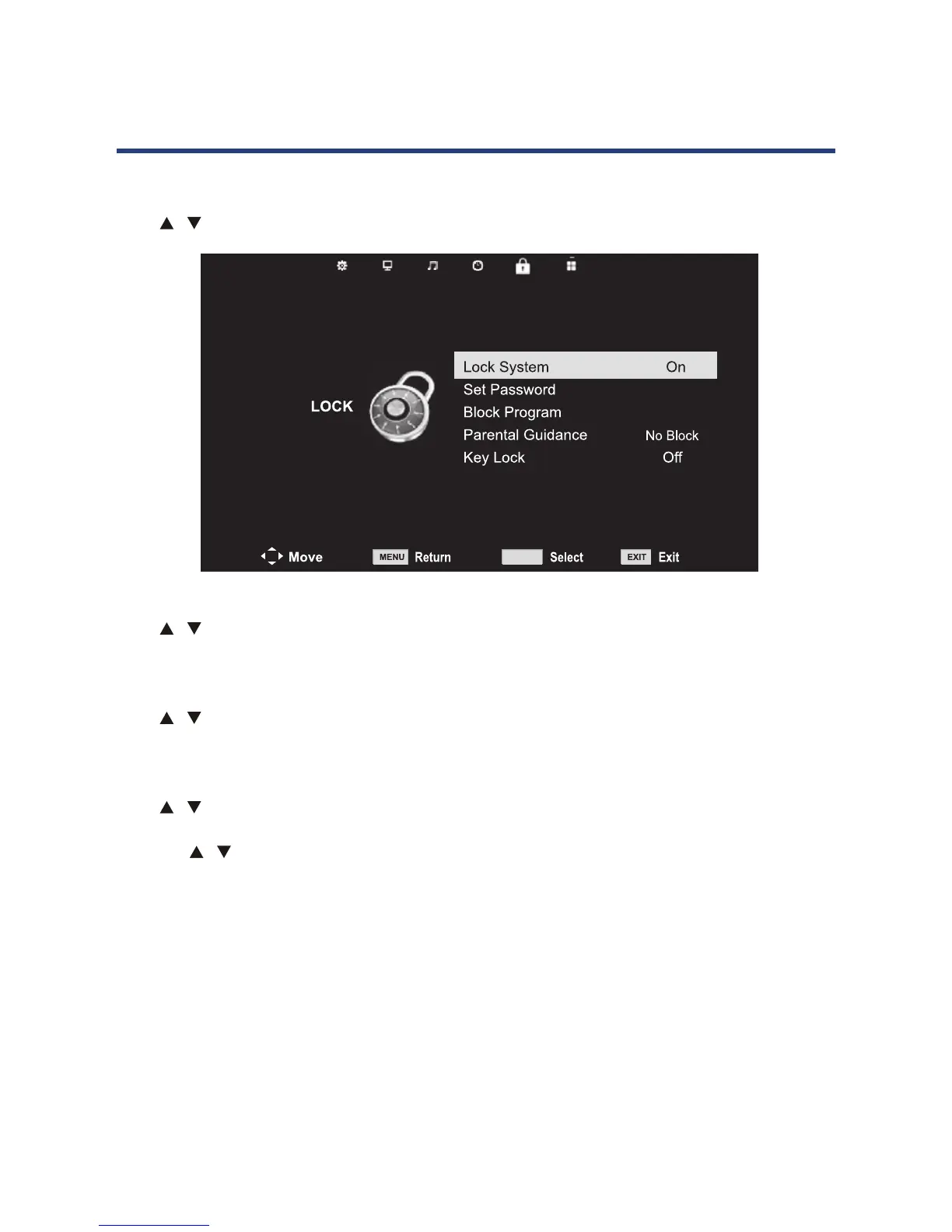
Lock System
Press button to select Lock System, then press OK button and enter password to make
the following 3 options valid. (Default password is ‘ 0000’)
Set Password
Press button to select Key Lock, then press OK button to enter sub menu to select
(Available options are: ON, OFF)
Block Program
Press button to select Set Password, then press OK button. Enter existing password,
enter new password, then enter new password a second time.
Parental Guidance
gniwollofehtmorfesoohC Parental Control levels: Block R and Above, Block AV and Above,
Block MA and Above, Block M and Above, Block PG and Above, Block G and Above, Block
ALL and No Block.
Key Lock
Press button to select Key Lock, then press OK button to enter sub menu to select
(Available options are: ON, OFF)
Lock menu
Press MENU button to display the main menu.
Press button to select LOCK in the main menu.
OK
Hotel Mode
Lock System
Press / button to select Lock System, then press OK button and enter password to
access the following option. The default password is ‘ 0000’.
Set Password
Press / button to select Set password, then press OK. Enter the existing password, then
then the new password twice to conrm.
Block Program
Press / button to select Block Password, then press OK button to enter the submenu. In
the block program submenu:
Press the / button to select the channels you want to lock, then press the green button
on your remote control. (To unlock a channel, input the password you set.) Press OK to save
the setting; press the MENU button to go back to the previous menu.
Parental Guidance
Choose from the following Parental Control levels: Block R and Above, Block AV and Above,
Block MA and Above, Block M and Above, Block PG and Above, Block G and Above, Block ALL
and No Block.
Key Lock
When Key Lock is set to On, only the Standby, Eject, Play/Pause and Stop buttons on the TV
will function. The available options are: ON, OFF.
NOTE: If you forget your password, input: 4711. This is the master password for TV
operations. It will clear your set password and go back to the default password.
Operating the Menus (DTV)



 To Next Page