file: n:\article\cos14310m5-v1_08hpc-en\20150130_cos14310m5-v1.08hpc-en_instructions_for_use_h-p-cosmos_treadmill.doc
© 2015 h/p/cosmos sports & medical gmbh author: fh email@h-p-cosmos.com created 30.01.2015 printed 30.01.2015 page: 147 of 216
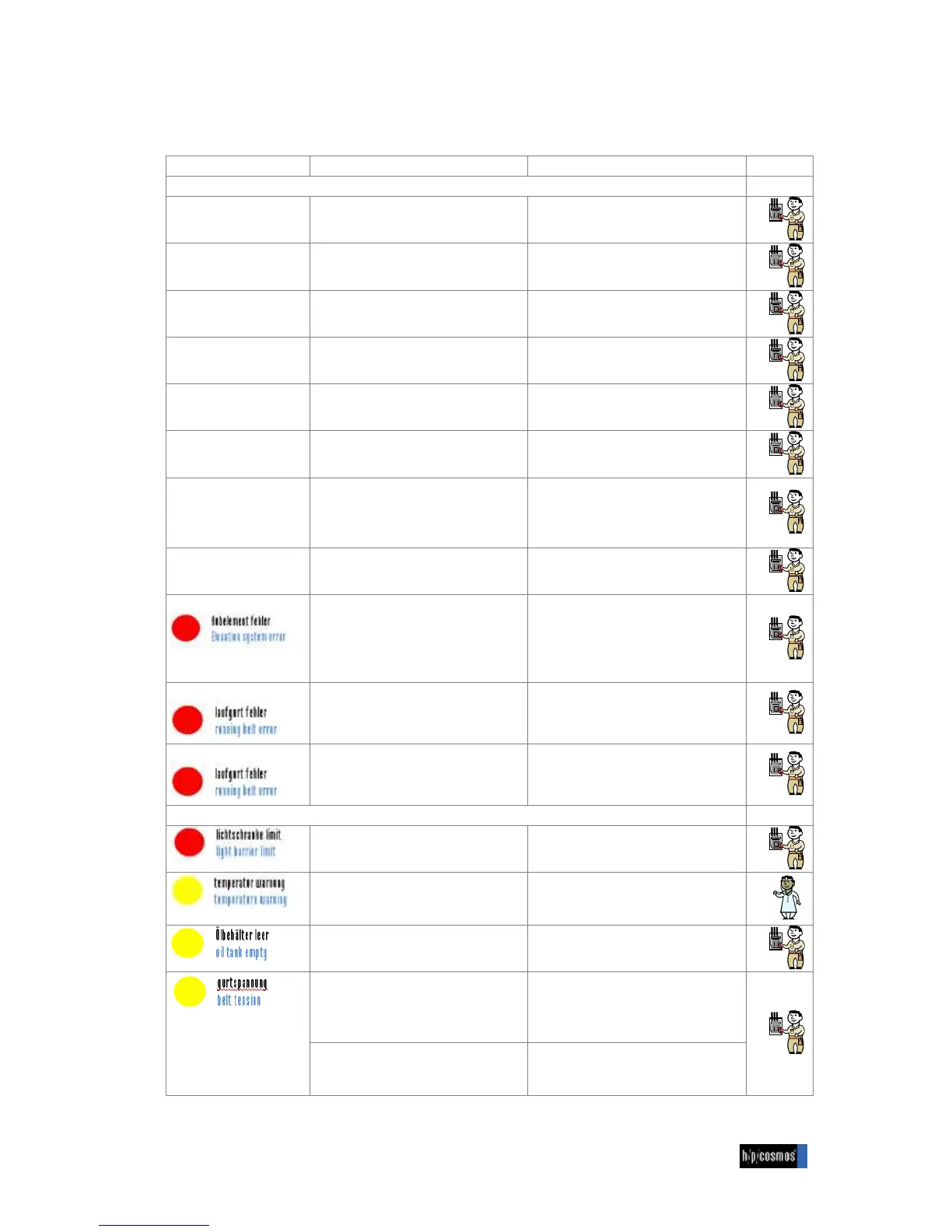
9.12 Additional error messages at saturn 450/300
Explanation / Display / Activity
Error message “para control 5”
Slope time value is outside
the monitoring period
The elevation system is out of time range.
N Check the hydraulic oil level.
In case it is too low, fill oil tank
The ramp moves faster than the
predetermined value.
N Maybe valve pressure of hydraulic
aggregate is too high.
Setpoint ramp is too high
The ramp maximum elevation is out of
range.
N Check the sensor for proper fixation.
The ramp minimum elevation is out of
range.
N Check the sensor for proper fixation.
Hydraulic aggregate
overtemperature
The oil temperature of hydraulic
aggregates is too high.
N Check room cooling system.
Hydraulic cooler
overtemperature
The cooler from the hydraulic aggregate is
switched off.
N Check the motor protection of cooler
Hydraulic oil
overtemperature
The oil temperature of the hydraulic
aggregate is too high
N Check the oil temperature display
(adjusted to 80°C)
N Check the cooler of hydraulic aggregate
(is the fan running)
Run over limit switch max /
min
The elevation system activated the
hardware switch for max. / min. position.
N Check the elevation sensor proper
fixation.
The ramp isn’t starting after command.
N Check whether the hydraulic unit is
running.
N Check oil temperature
N Check oill level of hydraulic aggregate.
N Check if the profibus system is running.
The belt is out of range and the treadmill
stops.
The lightbarrier channel 4 is activated
N Check the position of belt
The lightbarrier channel 4 is activated and
the treadmill stops.
N Check the position of belt
The treadmill deosn’t stop
N Check if the lightbarriers are clean.
Running surface is too hot
N Stop treadmill! In case of application
with wheels on the treadmill, change
position permanently
The oil tank of automatic belt lubrication is
empty.
N Please refill the oil tank of the treadmill.
Yellow light is displayed at the control pult
permanently.
N Check it whether the belt tension
sensors are working properly by SPS
N If one of the sensors is defective it must
be replaced
Yellow light is blinking irregularly.
N That could be displayed during fast
change of speed or high speed.


 To Next Page