2-4
Grounding the device
Correctly connecting the grounding cable is crucial to lightning protection and EMI protection.
Before you install and use the device, make sure the device is reliably grounded.
Connect the grounding cable to the earthing system in the equipment room. Do not connect it to
a fire main or lightning rod.
To ground the device:
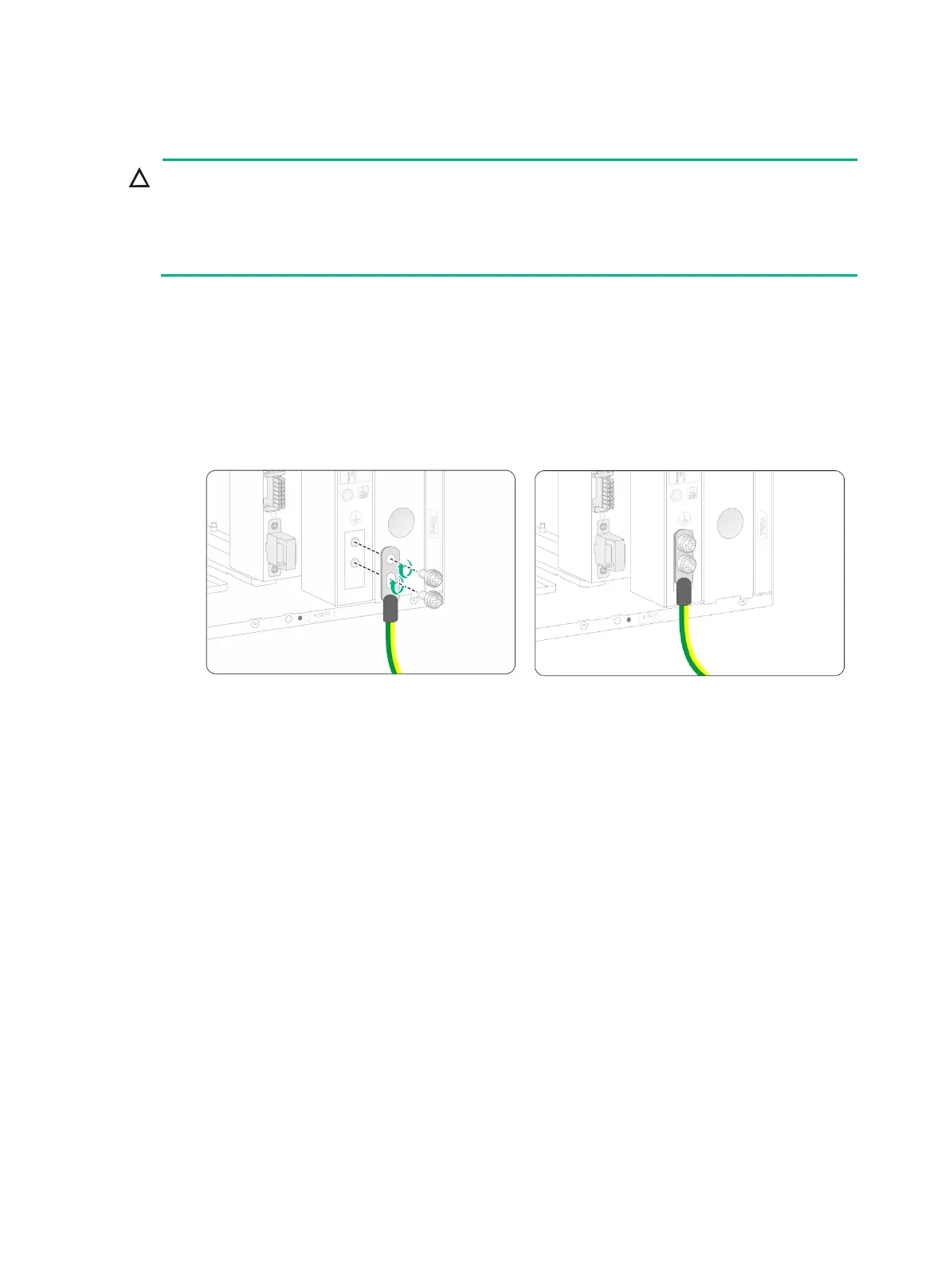
1. Remove the grounding screws from the grounding holes on the chassis.
2. Use grounding screws to attach the two-hole grounding lug of the grounding cable to the
chassis.
3. Connect the ring terminal of the grounding cable to a grounding post of the grounding strip,
and fasten the grounding cable to the grounding strip with the hex nut.
Figure2-4 Connecting the grounding cable


 To Next Page