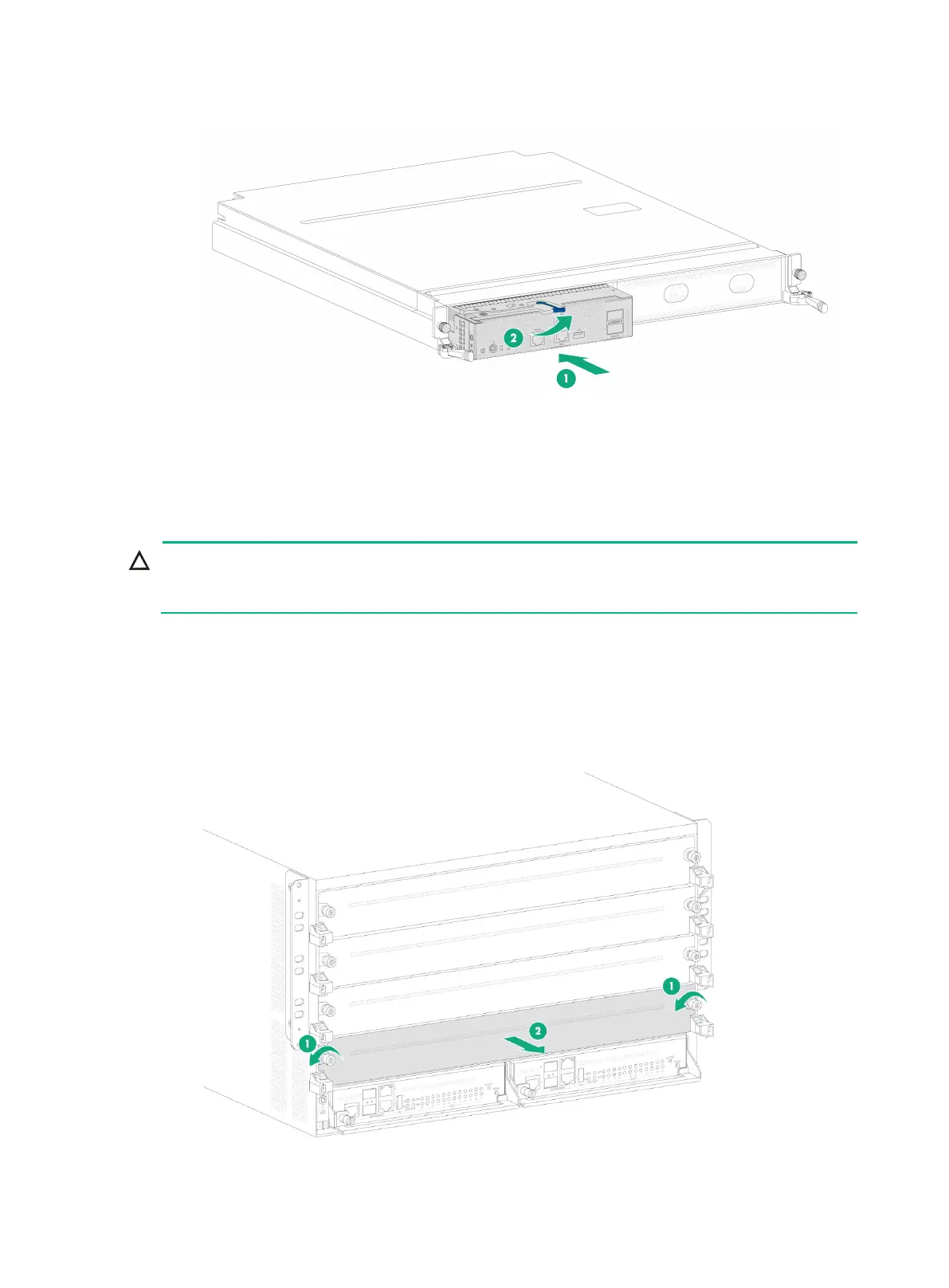
3-5
Figure3-5 Installing a firewall module on an interface switch module
4. Install the interface switch module in the device. For more information about installing the
interface switch module, see "Installing interface switch modules."
Installing interface switch modules
If you are not to install an interface switch module in an interface switch module slot, keep the filler
panel in the slot.
The interface switch modules are hot swappable.
To install an interface switch module:
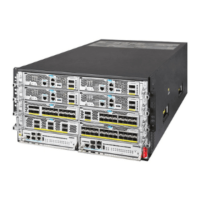
1. Remove the filler panel from the target interface switch module slot.
Keep the removed filler panel secure for future use.
Figure3-6 Removing the filler panel


 To Next Page