6-1
6 Connecting a power cord
!
Provide a dedicated circuit breaker for each power input.
Before connecting a power cord, make sure the circuit breaker is turned off at the power input
Connecting an AC power cord
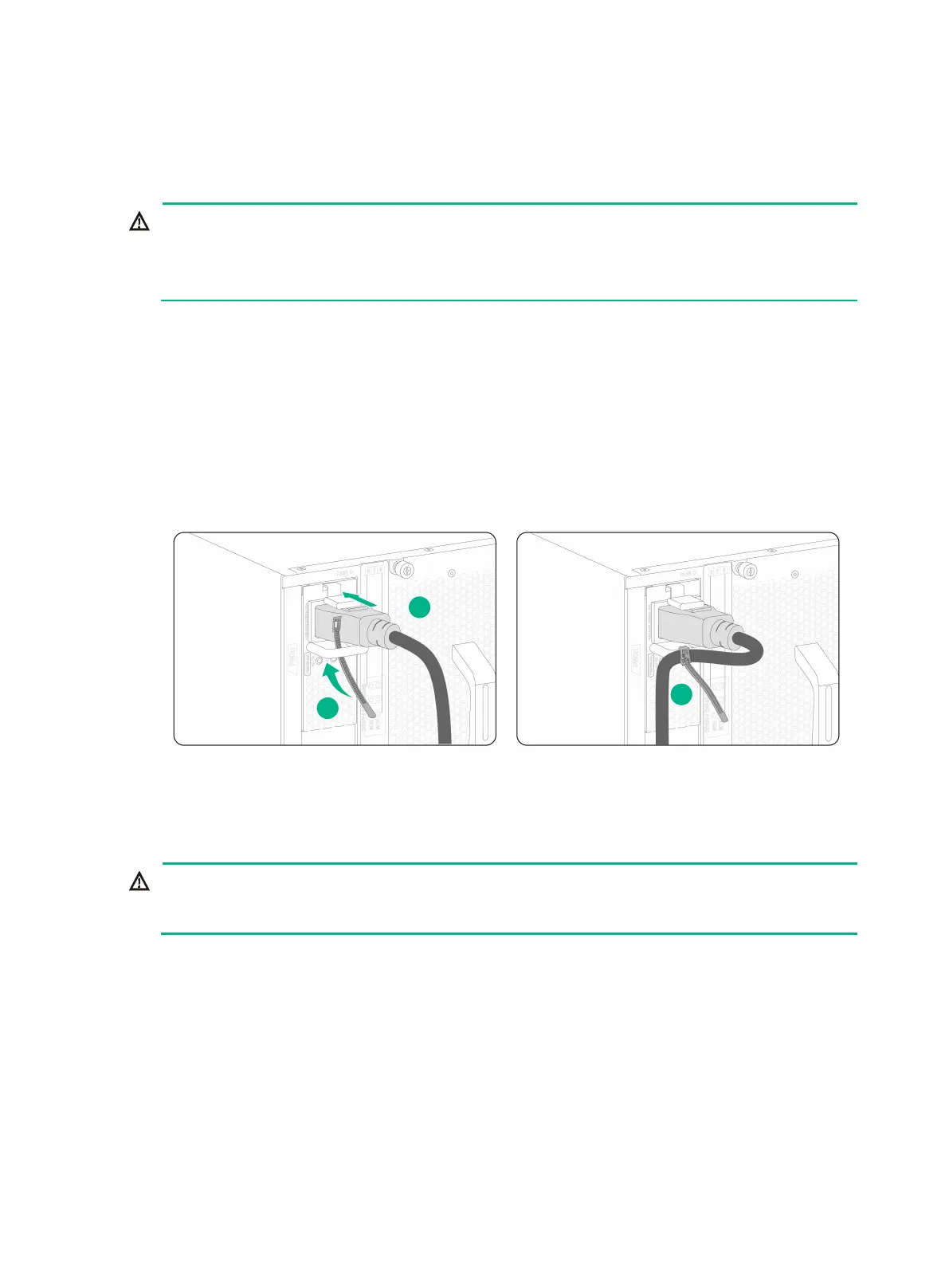
1. Connect the female connector of the AC power cord to the AC input receptacle on the power
supply.
2. Use a releasable cable tie to secure the power cord to the handle of the power supply
3. Connect the other end of the power cord to an AC power source.
Figure6-1 Connecting an AC power cord
Connecting a DC power cord
!
efore you connect a DC power cord, make sure the circuit breakers for both of the positive and
negative power input wires are turned off.
1. Connect the DC power cord connector to the DC input receptacle on the power supply.
2. Fasten the screw on the connector to secure the connector to the receptacle.
3. Connect the other ends of the DC power cords to a DC power source, with the positive wire (+)
to the positive terminal and the negative wire (-) to the negative terminal.


 To Next Page