5-1
5 Installing power supplies
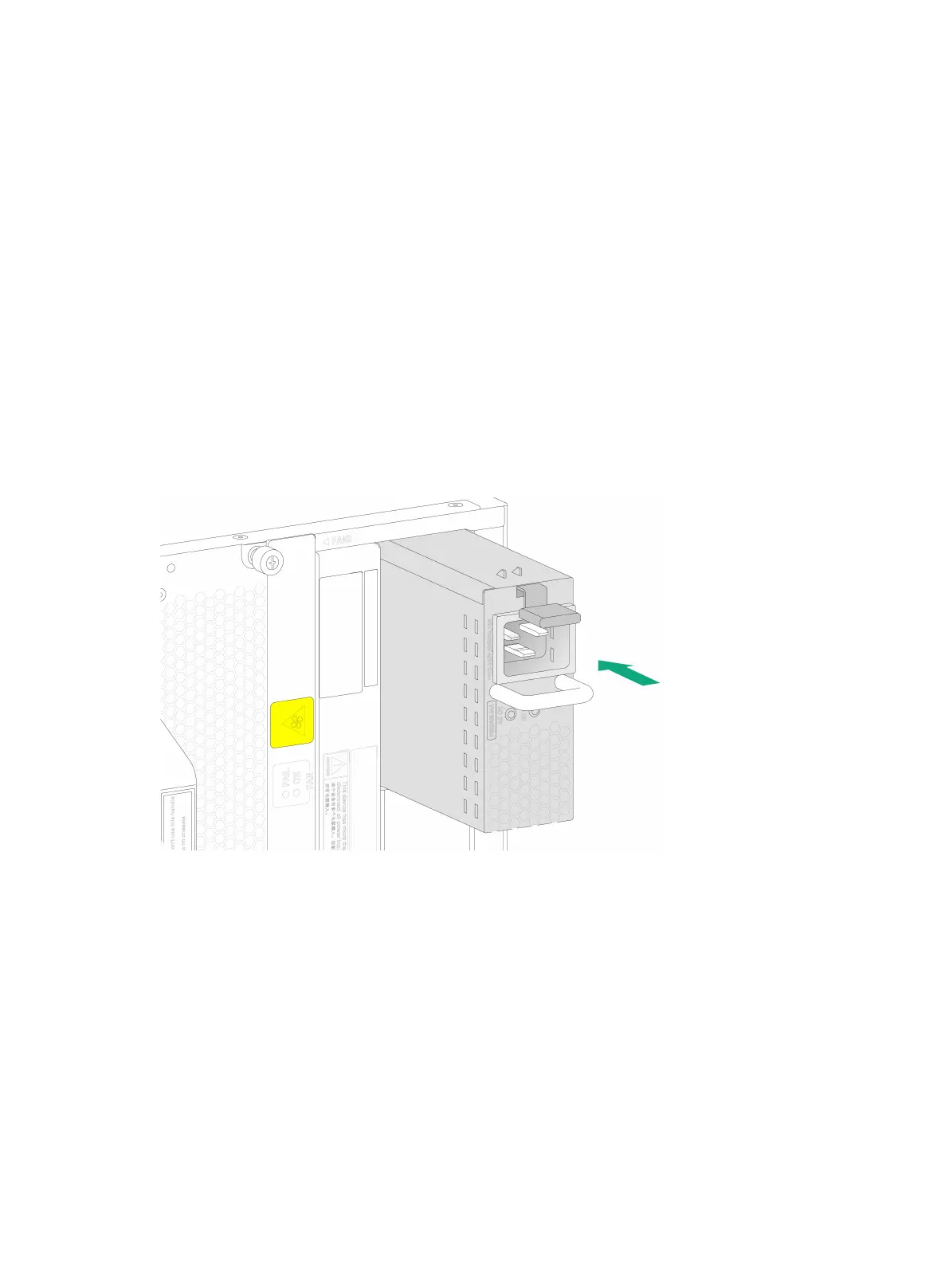
The power supply slots are located on the left and right sides of the chassis real panel. To install a
power supply in a left power supply slot, orient the power supply with the latch above the handle. To
install a power supply in a right power supply slot, orient the power supply with the latch below the
handle.
The device supports AC power supplies, DC power supplies, and HVDC power supplies. The
installation procedure is similar for the power supplies. This procedure installs an AC power supply.
To installing an AC power supply:
1. Put your forefinger into the hole in the filler panel and pull out the filler panel along the guide
rails.
2. Correctly orient the power supply.
3. Align the power supply with the power supply slot. Then slide the power supply along the guide
rails into the slot until the latch locks in place.
Figure5-1 Installing an AC power supply


 To Next Page