4-1
4 Installing fan trays
To install a fan tray in slot FAN1 on an M9000-X06 or M9000-AI-X06 gateway, orient the fan tray
with the LEDs to the left of the handle. To install a fan tray in slot FAN2, orient the fan tray with the
LEDs to the right of the handle.
To install a fan tray on an M9000-X10 or M9000-AI-X10 gateway, orient the fan tray with the LEDs
above the handle.
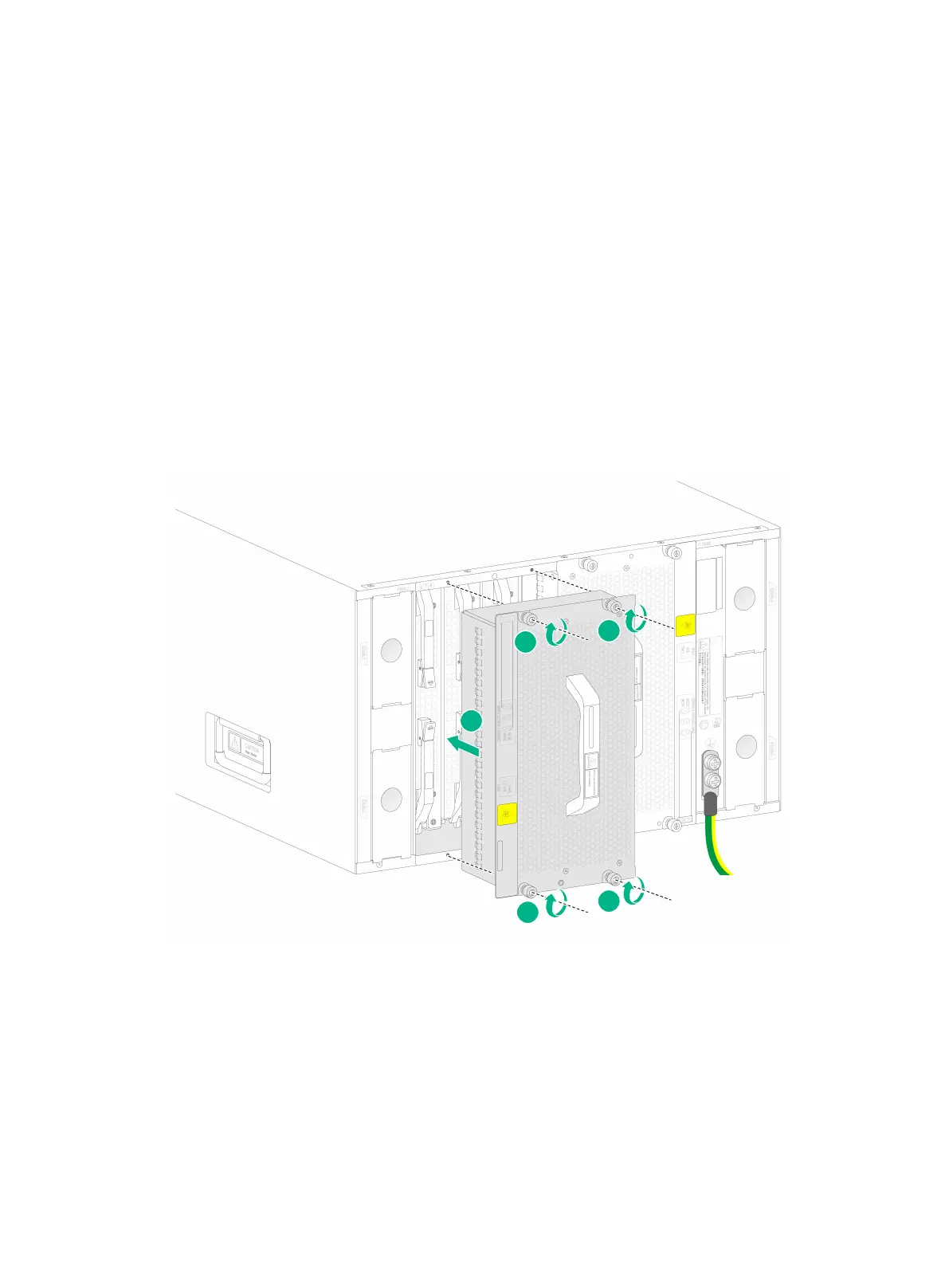
To install a fan tray:
1. Correctly orient the fan tray and align the fan tray with the fan tray slot.
2. Holding the fan tray handles, steadily insert the fan tray way into the slot.
Keep the fan tray as steady as possible while inserting it into the slot.
3. Use a Phillips screwdriver to fasten the captive screws on the fan tray.
Figure4-1 Installing a fan tray



 To Next Page