10-1
10 Power-on check
!
Locate the emergency power
-off switch in the room before power-on
so you can quickly shut power
off when an electrical accident occurs.
Before powering on the device, make sure all fan trays and modules are present.
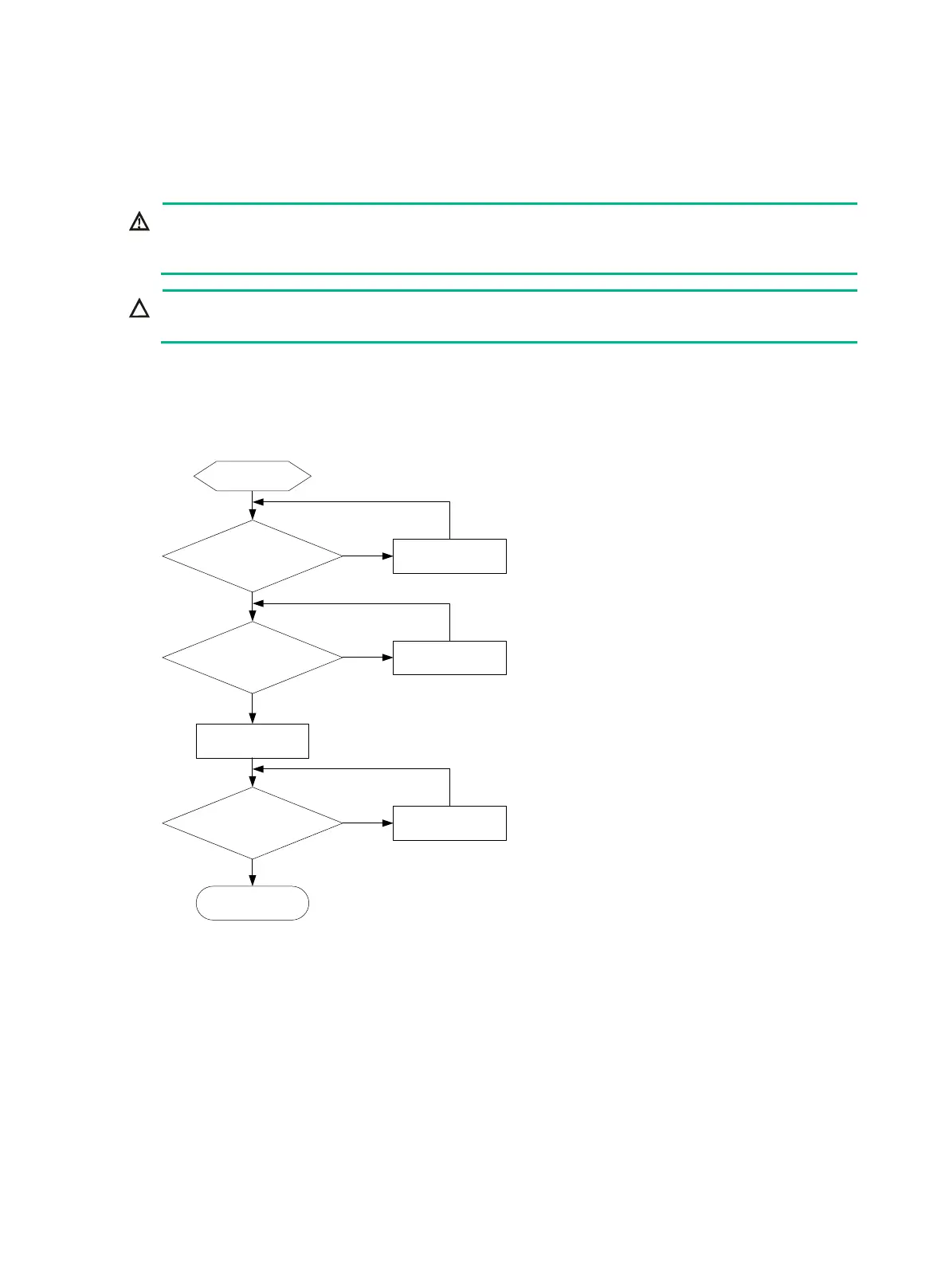
Power-on check flow
Figure10-1 Power-on check flow
Checking the LEDs
After the device powers up, you can determine whether the device and the components are
operating correctly by observing the LEDs on the MPUs and other components.
The device MPU provides LEDs for modules installed on the device to indicate their operating
status. Table 10-1 and Table 10-2 describe the LEDs on the MPUs. For more information about
device LEDs, see the installation guide for the device.
Is the ground
resistance value
acceptable
?
Is the input voltage
normal?
Power on the
gateway
Is LED status normal
?
End
No
No
Yes
No
Troubleshoot
Troubleshoot
Yes
Troubleshoot
Yes
Start


 To Next Page