3-2
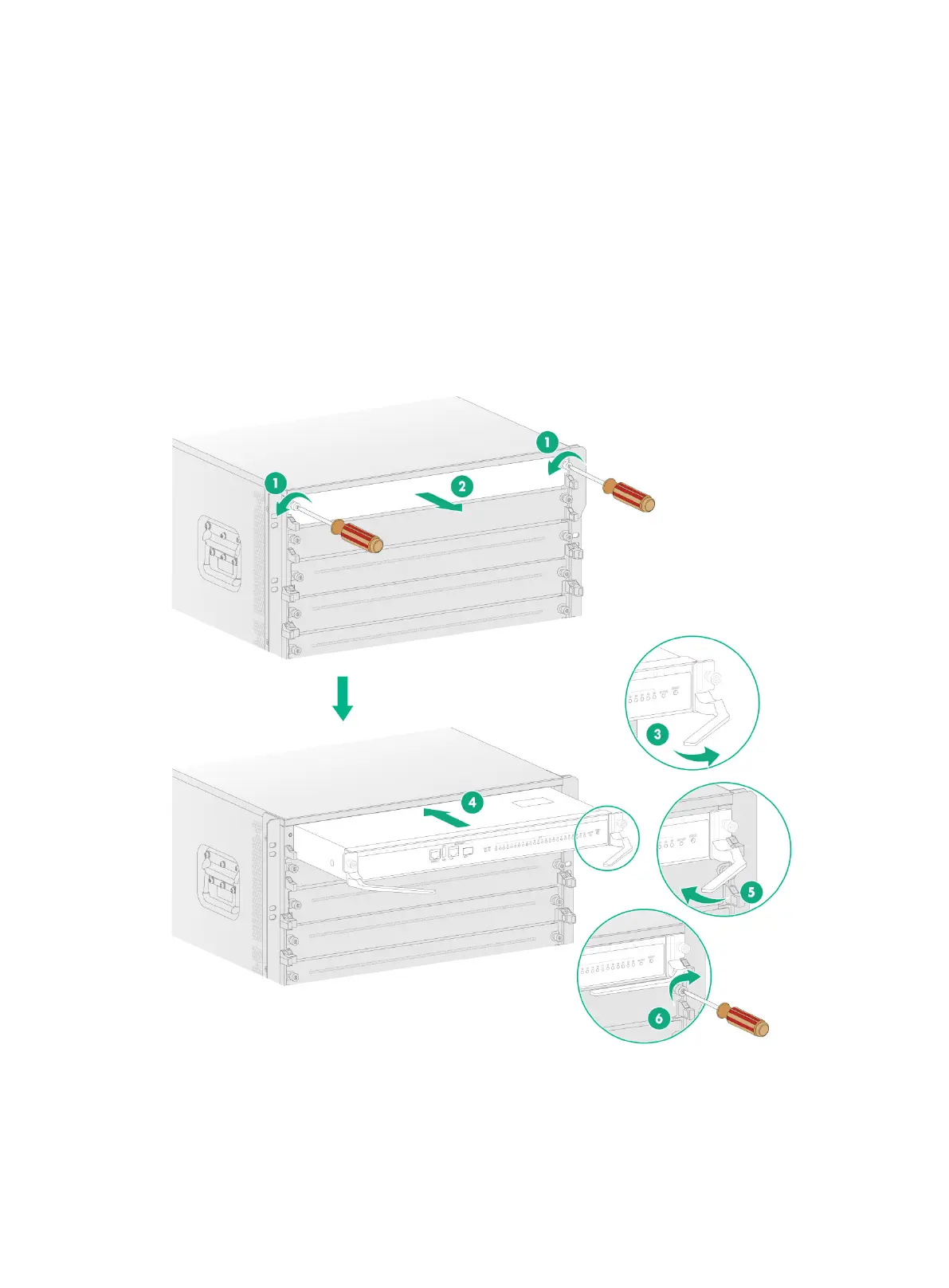
Installing an MPU for an M9000-X10/M9000-AI-X10 gateway
1. Remove the filler panel from the target MPU slot. Keep the removed filler panel secure for
future use.
2. Correctly orient the MPU, insert it into the slot, and then push it steadily into the slot along the
guide rails.
3. Fully open the ejector levers of the MPU.
4. Continue to push the MPU by its front panel until the ejector levers make close contact with the
slot edges.
5. Close the ejector levers until they come in close contact with the MPU front panel.
6. Use a Phillips screwdriver to fasten the captive screws on the MPU.
Figure3-2 Installing an MPU for an M9000-X10/M9000-AI-X10 gateway


 To Next Page