1-1
1 Preparing for installation
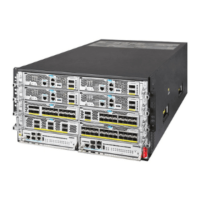
This document describes the installation procedure for H3C SecPath M9000-X multiservice security
gateway series and H3C SecPath M9000-AI-X multiservice security gateway series.
Table1-1 H3C SecPath M9000-X and M9000-AI-X multiservice security gateway series models
Gateway series Model
M9000-X
M9000-X06
M9000-X10
M9000-AI-X
M9000-AI-X06
M9000-AI-X10
ESD prevention
To prevent electronic components from electrostatic discharge (ESD) damage, wear an ESD wrist
strap and insert it into the ESD socket on the chassis. Make sure the ESD wrist strap makes good
skin contact and is reliably grounded before you service the device or its components.
The device has an ESD socket on both the front and rear panels.
Examining the installation site
Make sure the installation site meets the cooling and space requirements.
Space
For easy installation and maintenance, make sure the rack has enough space (in height and depth)
to accommodate the device. To install the device in an enclosed rack, make sure the rack meets the
following requirements:
Depth—A minimum of 1100 mm (43.31 in) (recommended).
Distance from the front rack posts to the front door—A minimum of 140 mm (5.51 in).
Distance from the front rack posts to the rear door—A minimum of 950 mm (37.40 in).


 To Next Page