8-1
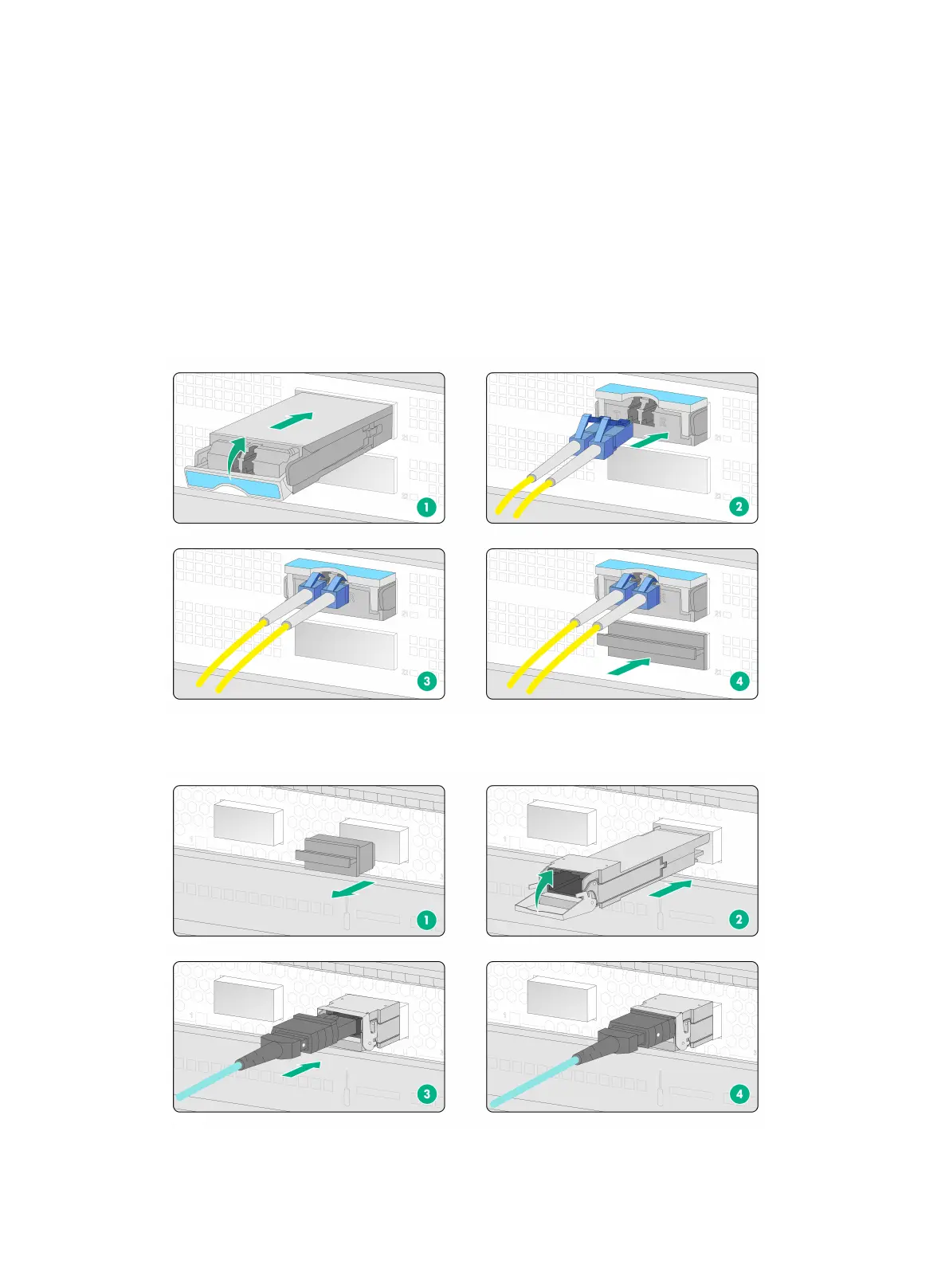
1. Remove the dust plug and dust cap from the transceiver module and fiber connector,
respectively.
2. Connect the fiber cable to the transceiver module.
LC connector—Align the connector with the transceiver module and push it into the
transceiver module slightly until it clicks into the place.
MPO connector—Orient the connector with the white spot on it facing right. Insert the
MPO fiber connector horizontally into the transceiver module. Push the MPO fiber
connector into the transceiver module slightly until it clicks into the place.
3. Use cable ties to bind fiber cables every 150 mm (5.91 in).
4. Label fiber cables according to the cable labeling specifications.
Figure8-1 Installing a transceiver modules and fiber cable (with LC fiber connector)
Figure8-2 Installing a transceiver modules and fiber cable (with MPO fiber connector)


 To Next Page