EasyManua.ls Logo

Hach H160 - User Manual

Hach H160
52 pages
Print Icon
To Next Page IconTo Next Page
Loading...
DOC022.53.80058
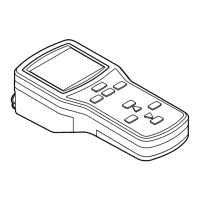
Waterproof Handheld
H160 and H170
USER MANUAL
September 2009, Edition 1
© Hach Company, 2009. All rights reserved. Printed in The U.S.A

Table of Contents

Questions and Answers

  • R
    Randall KennedyAug 16, 2025
    Why does the display not stop flashing during calibration of my Hach H160?
    • I
      ipageAug 16, 2025
      If the display doesn't stop flashing during calibration of your Hach Handhelds device, it could be due to dirty probe sensor surfaces or the probe needing reconditioning. Follow the cleaning and reconditioning instructions. It might also be that the referring junction is not flowing, or the buffers may be contaminated or expired, in which case you should replace the DO probe membrane and fill solution. If the error persists, replace the probe. Interference from direct sunlight can also cause this issue, so attach a temperature sensor to the 3.5 mm phono jack, as DO readings are highly temperature dependent and a temperature sensor must be attached. If trouble persists, the probe may have reached the end of its useful life and may need to be replaced.
  • R
    Richard AdamsAug 19, 2025
    What to do if my Hach H160 meter displays 14.00 or 0.00?
    • D
      davidgarciaAug 19, 2025
      If your Hach Handhelds meter continually displays 14.00 or 0.00 with the electrode attached and the ISFET icon is not displayed when the ISFET probe is attached, it could be that the meter or the probe is not detecting the ISFET probe. Turn on the meter, and if the ISFET icon is still not displayed, replace the ISFET probe. It could also be due to being out of calibration, so carefully follow the two point calibration instructions. Ensure the probe is in the solution and gently shake it to remove any trapped air bubbles on the sensor surface. A dirty probe can also cause this, so follow the cleaning instructions. If the problem persists, the probe may be damaged and needs replacement.
  • H
    hannah21Aug 26, 2025
    How to fix E03 error on Hach H160?
    • B
      Benjamin PierceAug 26, 2025
      The E03 error on your Hach Handhelds indicates a glass electrode offset error, meaning the mV reading in the pH 7.00 buffer is greater than 0.000mV ±30 mV. This offset error suggests a poor pH electrode condition, so follow the cleaning instructions. If the E03 error persists, replace the electrode.
  • I
    iphillipsAug 28, 2025
    What does E04 mean on my Hach H160?
    • S
      Stacy RobinsonAug 28, 2025
      The E04 error on your Hach Handhelds indicates a glass electrode slope error, meaning the glass electrode slope is less than 85‰ or over 102‰ of the 59.16 mV per pH unit. A slope error suggests a poor pH electrode condition, so follow the cleaning instructions. If the E04 error persists, replace the electrode. You can override the E04 error by pressing the pH key for temporary use of a damaged electrode.
  • C
    Christina ValenciaAug 31, 2025
    What does E06 error mean on Hach H160 Handhelds?
    • A
      Ashley PhillipsAug 31, 2025
      The E06 error on your Hach Handhelds is displayed if the ISFET slope is out of the specification and indicates a poor electrode condition or damaged probe. If the E06 error indicator persists, replace the electrode.
  • R
    Randy CamachoSep 3, 2025
    What to do if my Hach Handhelds shows E08 error?
    • A
      Andrew PotterSep 3, 2025
      The E08 error on your Hach Handhelds indicates that calibration is taking over 4 minutes. Follow the cleaning instructions.
  • A
    Amy PetersSep 6, 2025
    How to fix no display on Hach H160 Handhelds?
    • S
      Stephanie ValenzuelaSep 6, 2025
      To resolve the 'No display' issue on your Hach Handhelds, push the power button. The auto power off feature may have cleared the display.
  • N
    Nicole OrtizSep 9, 2025
    What does E13 mean on Hach H160 Handhelds?
    • D
      Dana SteeleSep 10, 2025
      The E13 error on your Hach Handhelds indicates that the ISFET probe temperature sensor is out of range. Replace the electrode.
  • D
    Devin ColeSep 12, 2025
    What does E20 mean on Hach H160 Handhelds?
    • M
      Mr. Roy JohnsonSep 12, 2025
      The E20 error on your Hach Handhelds indicates that the conductivity probe temperature sensor is out of range. Replace the electrode.
  • M
    Michelle BaxterNov 21, 2025
    Why is my Hach H160 Handhelds giving an unstable reading?
    • W
      wallacejoseNov 21, 2025
      If your Hach Handhelds shows an unstable reading, it could be due to several reasons. The probe might be dirty, so follow the probe cleaning procedures. Also, the probe/meter connectors might be dirty, so clean the probe contacts on the probe cable connector and on the meter with methanol and a cotton swab and let dry completely before reconnecting. The reference junction might not be flowing, so follow warm buffer cleaning procedures. If using an IFSET probe, ensure it's properly hydrated by soaking it for at least five minutes in the pH 7.00 buffer. Interference from other devices or direct sunlight can also cause unstable readings, so remove other devices from the solution and shield the probe from direct sunlight if working outside. If the probe is in a very low ionic strength solution...

Hach H160 Specifications

General IconGeneral
BrandHach
ModelH160
CategoryHandhelds
LanguageEnglish