13
Installation
3.2 Mounting the controller
3.2.1 Wall mounting
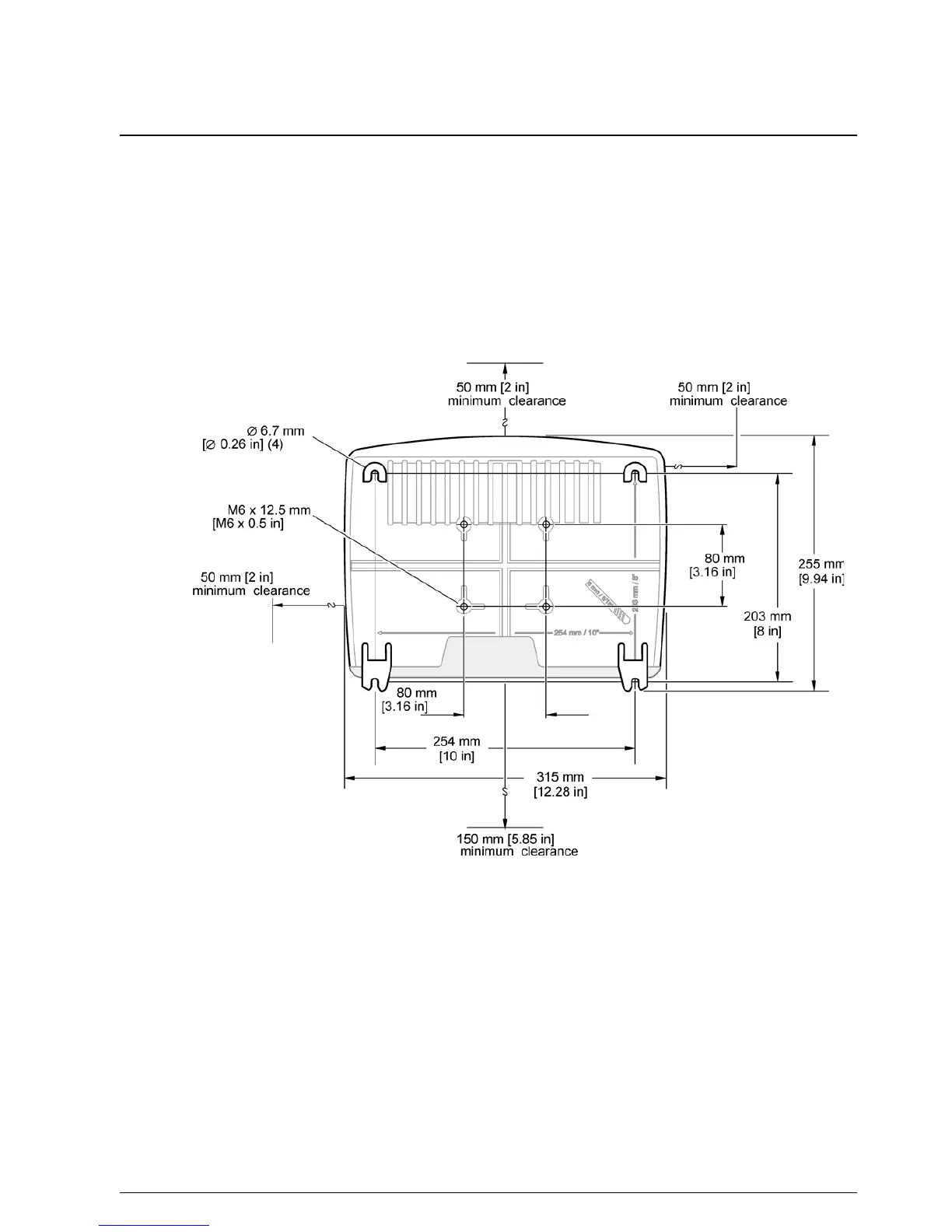
Leave a minimum of 5 cm (2 in.) of space at the top and sides for cooling purposes and
display module installation. Leave a minimum of 15 cm (6 in.) of space underneath for the
cable connections. Refer to Figure 3 for proper wall mounting dimensions.
1. Install four bolts into the wall.
2. Hang the sc1000 controller over the bolts and attach the supplied washers and
hand-tighten the two bottom bolts.
Figure 3 sc1000 controller mounting features



 To Next Page
 Loading...





