48
Installation
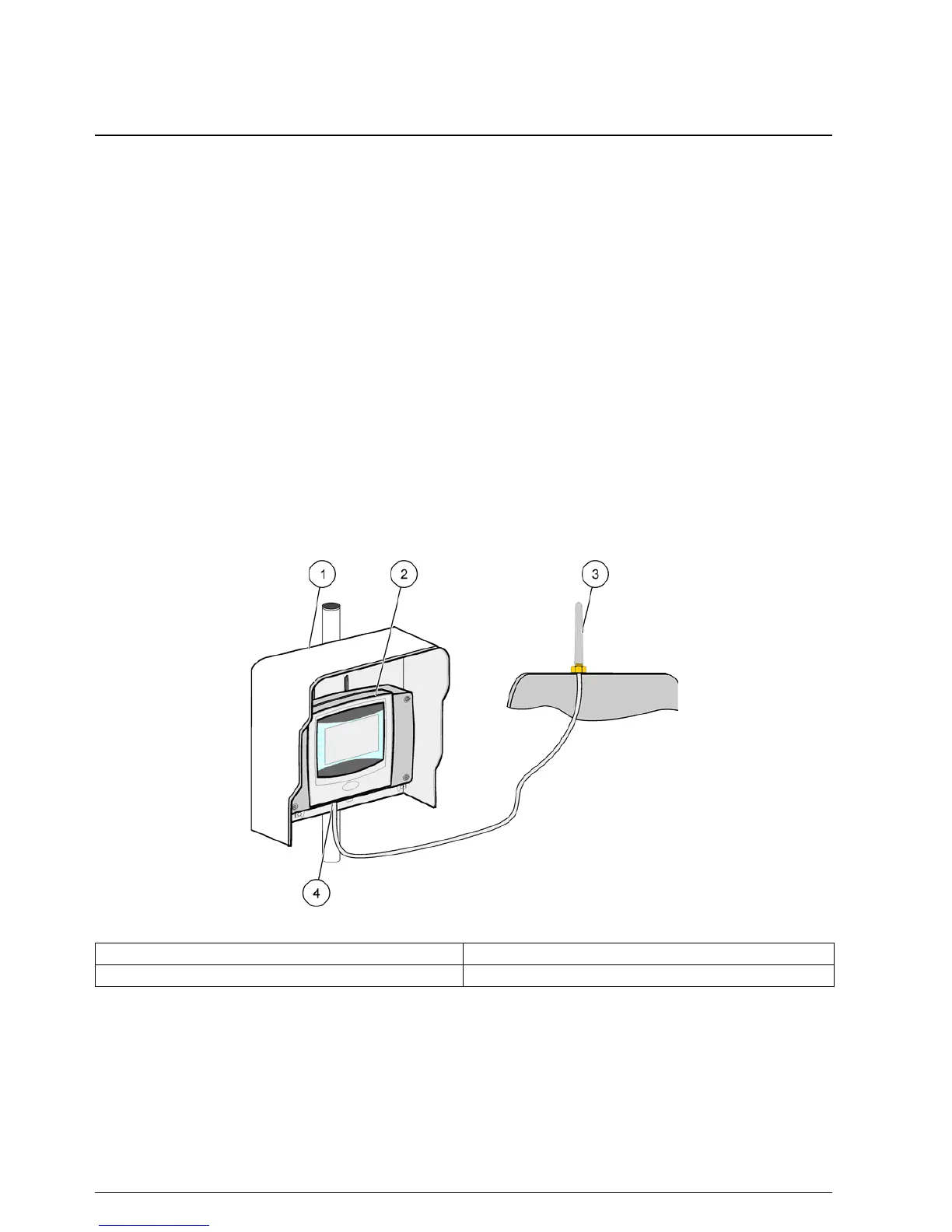
3.10.4 Connect the external GSM antenna to the display module
Important Note: To guarantee proper functionality, only use the antenna that is supplied
by the manufacturer.
The standard antenna is directly attached to the GSM antenna connection at the display
module. In case of low radio signal strength, connect a roof antenna or an external
outdoor antenna.
If the distance between the position of the antenna and the display module is too long,
use one 10m extension cable (LZX955) to extend the connection.
To connect an external GSM antenna:
1. Mount all necessary components.
2. Connect an extension cable between the display module and the external GSM
antenna if necessary.
3. Remove the standard antenna.
4. Attach the antenna cable to the GSM antenna connection at the display module
(Figure 7). Use the supplied adapter to connect the antenna connector and the GSM
antenna connection (Figure 35).
Figure 35 Connect the external GSM antenna
1 Sun roof (optional) 3 External GSM antenna (LZX990)
2 Display module 4 GSM antenna connection at the display module



 To Next Page