47
Installation
3.10.3 Insert the SIM card into the display module
Important Note: The touch screen is scratch sensitive. Never place the touch screen on a
hard and scratching surface.
To insert the SIM card into the display module:
1. Disconnect the display module from the probe module.
2. Place the display module on a soft and flat base.
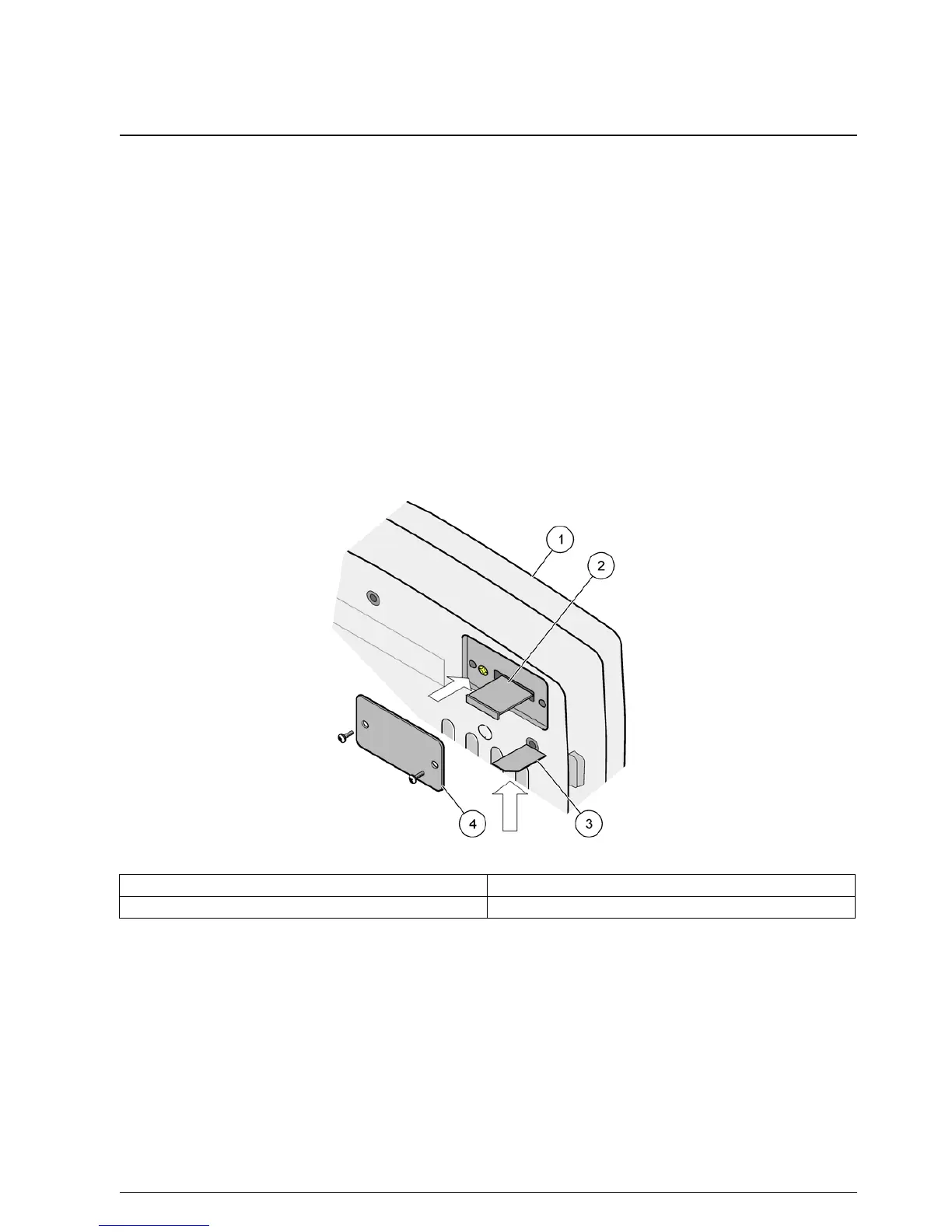
3. Remove the SIM card cover from the back side of the display module (Figure 34).
4. Press the button to eject the card holder for the SIM card.
5. Put the SIM card into the SIM card holder, and put the SIM card holder into the SIM
card slot.
6. Attach the cover with the two cover bolts.
7. Connect the display module to the probe module.
Figure 34 Insert the SIM card
1 Display module 3 SIM card
2 SIM card holder 4 SIM card cover



 To Next Page