49
Installation
3.11 Storage card (SD card)
Note: The manufacturer recommends to use SanDisk® SD card with a capacity of 1 Gigabyte.
Important Note: If the sc1000 controller or the storage card is damaged and does not
save and backup data correctly, the manufacturer cannot be held liable for any data loss.
The display module contains a built-in storage card slot. The storage card is used to store
and transfer log files from all devices, update sc1000 controller software or restore
settings without network access.
3.11.1 Insert the storage card into the display module
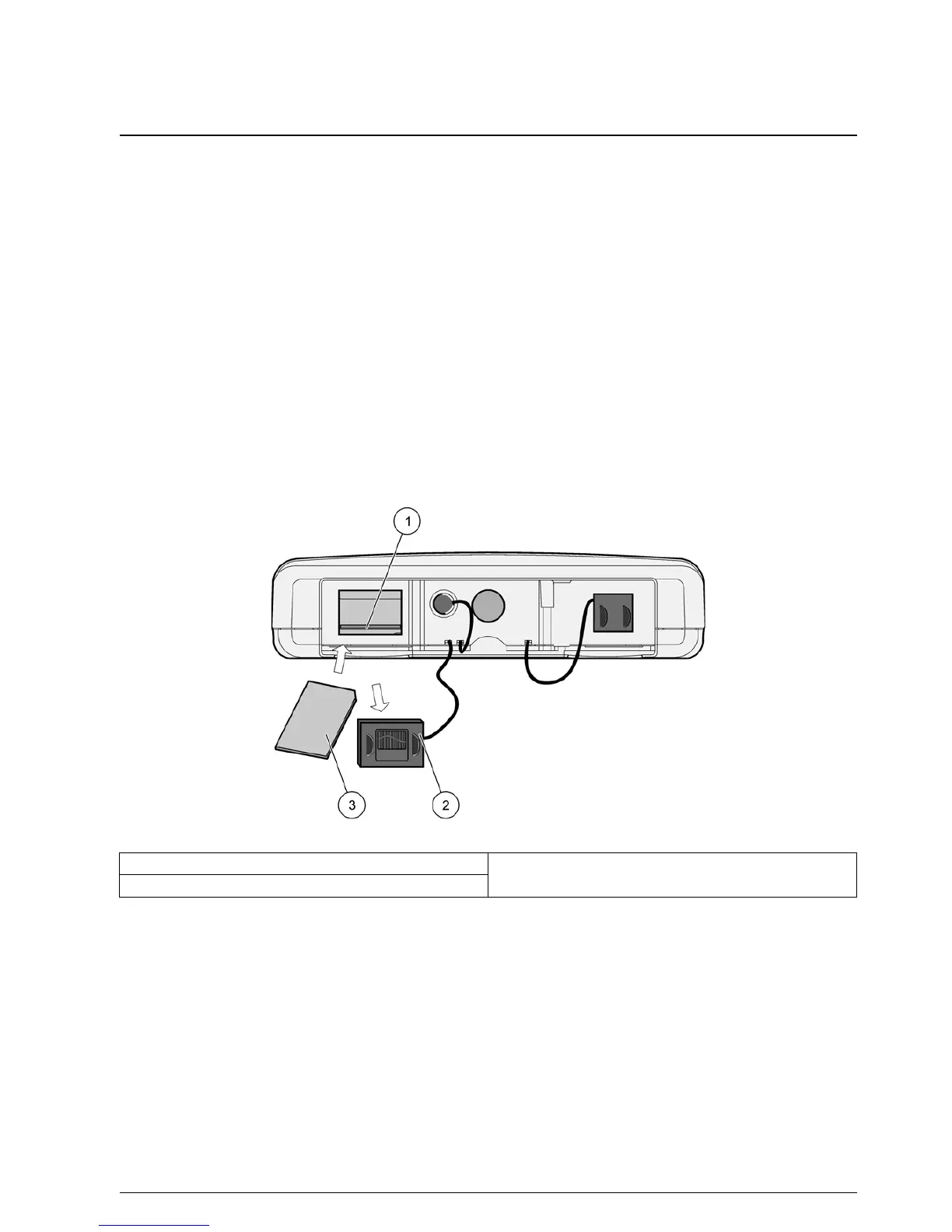
To insert the storage card into the display module (Figure 36):
1. Remove the storage card cover at the display module.
2. Insert the storage card into the storage card slot.
3. Close the storage card cover.
Figure 36 Insert the storage card to the display module
1 Storage card slot 3 Storage card
2 Storage card cover at the display module



 To Next Page
 Loading...





