| HD Ready LCDTV | User Manual |
p.10
ANTENNA CONNECTION
WARNING:
- Switch off the TV before
connecting any external device.
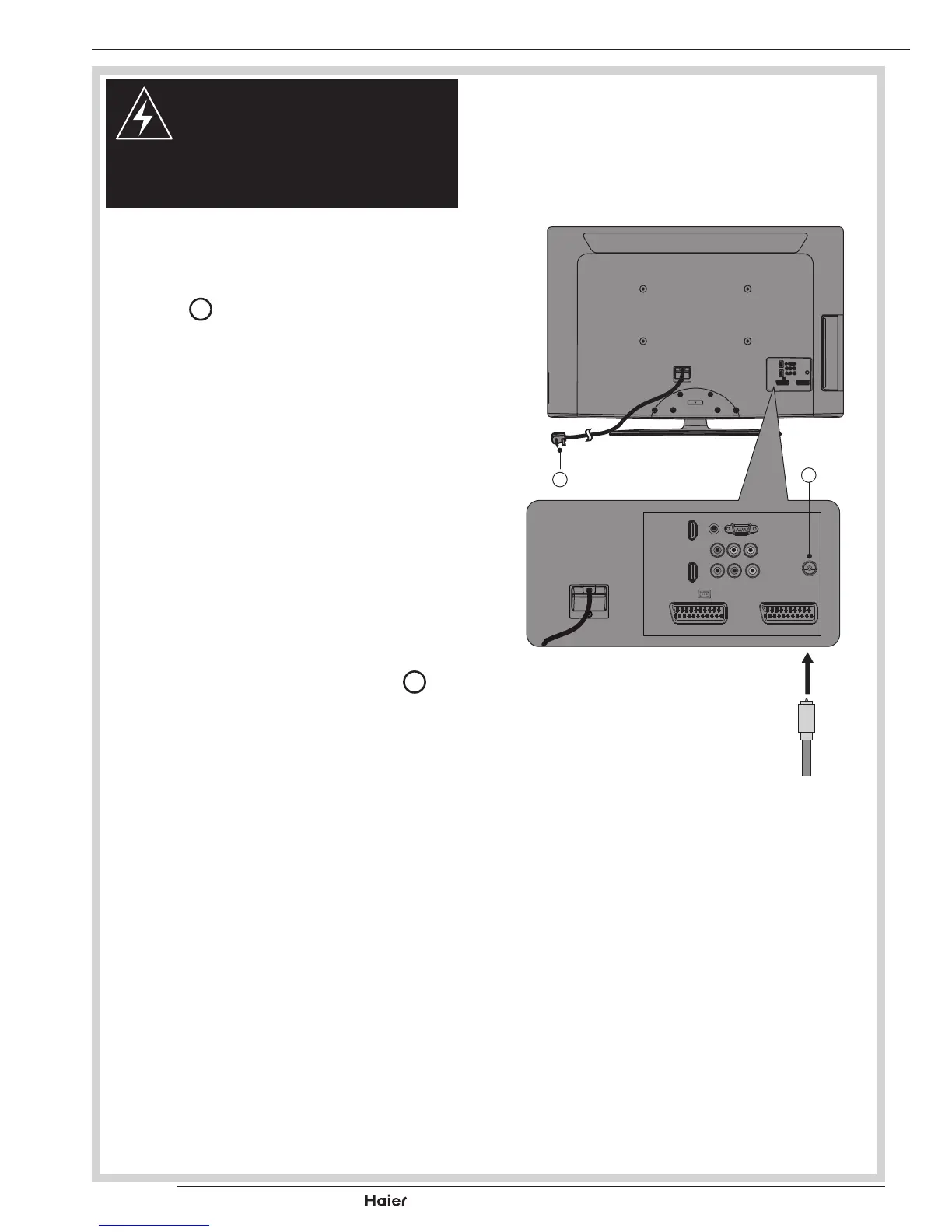
CONNECTING THE ANTENNA
1. Connect the Antenna Plug to the Antenna
Input
T
located at the rear of the TV.
See g. 10.
2. Foroptimumpicturequality,adjustantenna
direction if needed.
3. To improve the picture quality in a poor
signalarea,youmayuseasignalamplier
(notincluded).
AC POWER CORD CONNECTION
NOTE: Make sure your local Voltage is
230V/240V~,50Hz.
1. ConnecttheACPowerCord
a
to the
mains socket.
See g. 10
Antenna Plug
fig. 10
a
T



 To Next Page