| HD Ready LCDTV | User Manual |
p.06
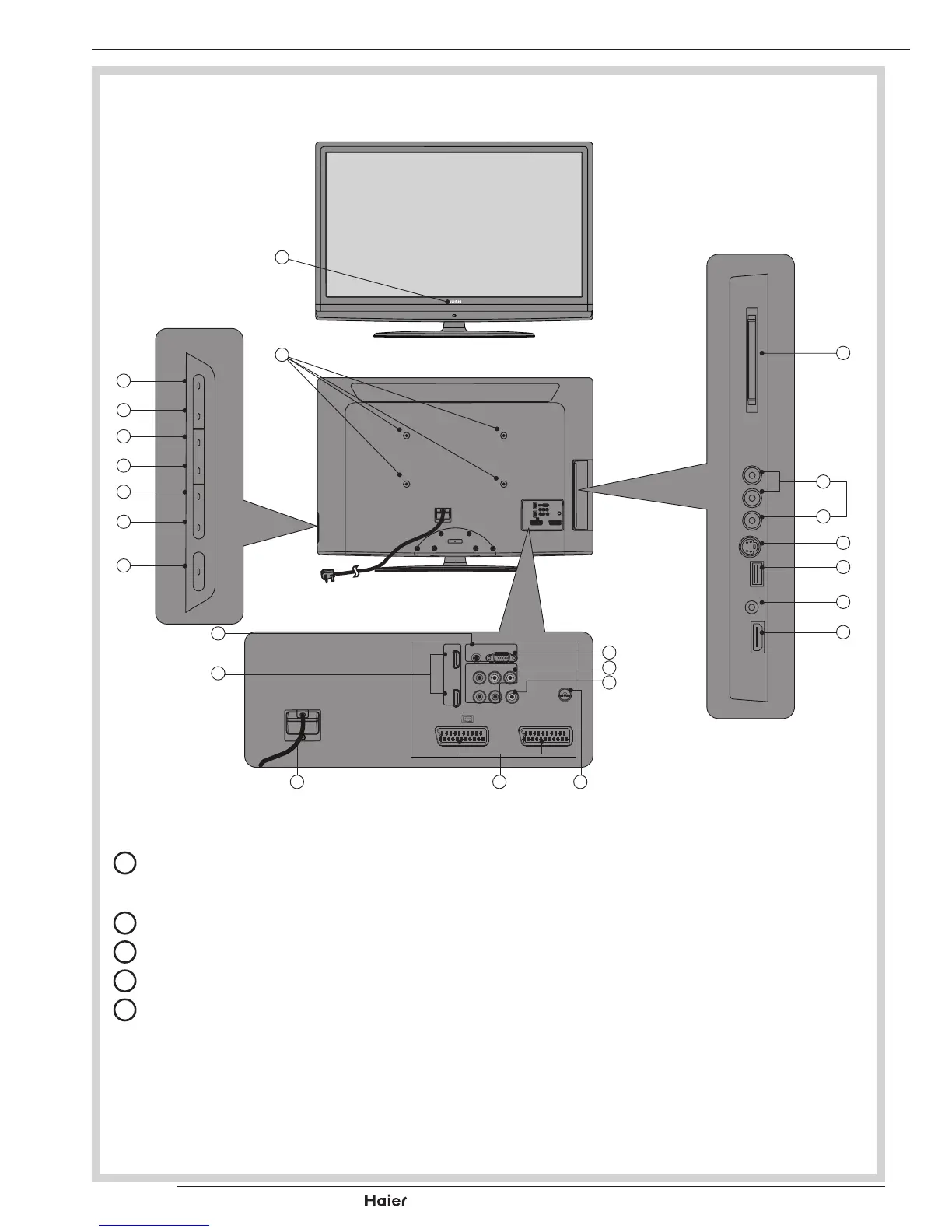
KNOW YOUR MACHINE
A
C
D
E
F
G
H
B
1 x LCD TV
Front View
Side Connections
Rear View
Control Panel
Rear Connections
I
W
X
V U
T
Q
R
S
J
K
L
M
N
O
P
A
PowerLED:IftheLEDcolorisBlue,meanstheTVsetispoweron.IftheLED
colorisRed,whichmeansthisTVsetisinstandbymode.
B
WallMountHole:Forwallmountuseonly.
C
Source:Usethisbuttontotogglebetweenvideoinputsources.
D
MENU: Press to open the on-screen menu.
E
Vol +: Press to increase the Volume. In Menu mode, functions as the right ar-
rowtogotothenextmenuorincreaseasetting.



 To Next Page