| HD Ready LCDTV | User Manual |
p.32
MENU OPERATION
Subtitle
- UsetheUporDownCursor
X
to
togglebetween:
• Analog Subtitle: To display
the transmitted subtitle on the
screen.Thistextcaneitherbe
permanentlydisplayed(assuming
thattheserviceisavailablewiththe
broadcast)oronlywhenmuteis
active.
• 1
st
and 2
nd
Subtitle: Use the
DigitalSubtitlefunctionwhentwo
or more subtitle languages are
broadcast. If subtitle data in a
selected language is not broadcast,
thedefaultlanguagesubtitlewillbe
displayed.
• Subtitle Type: To choose the
normal type or hearing impaired
type of subtitle.
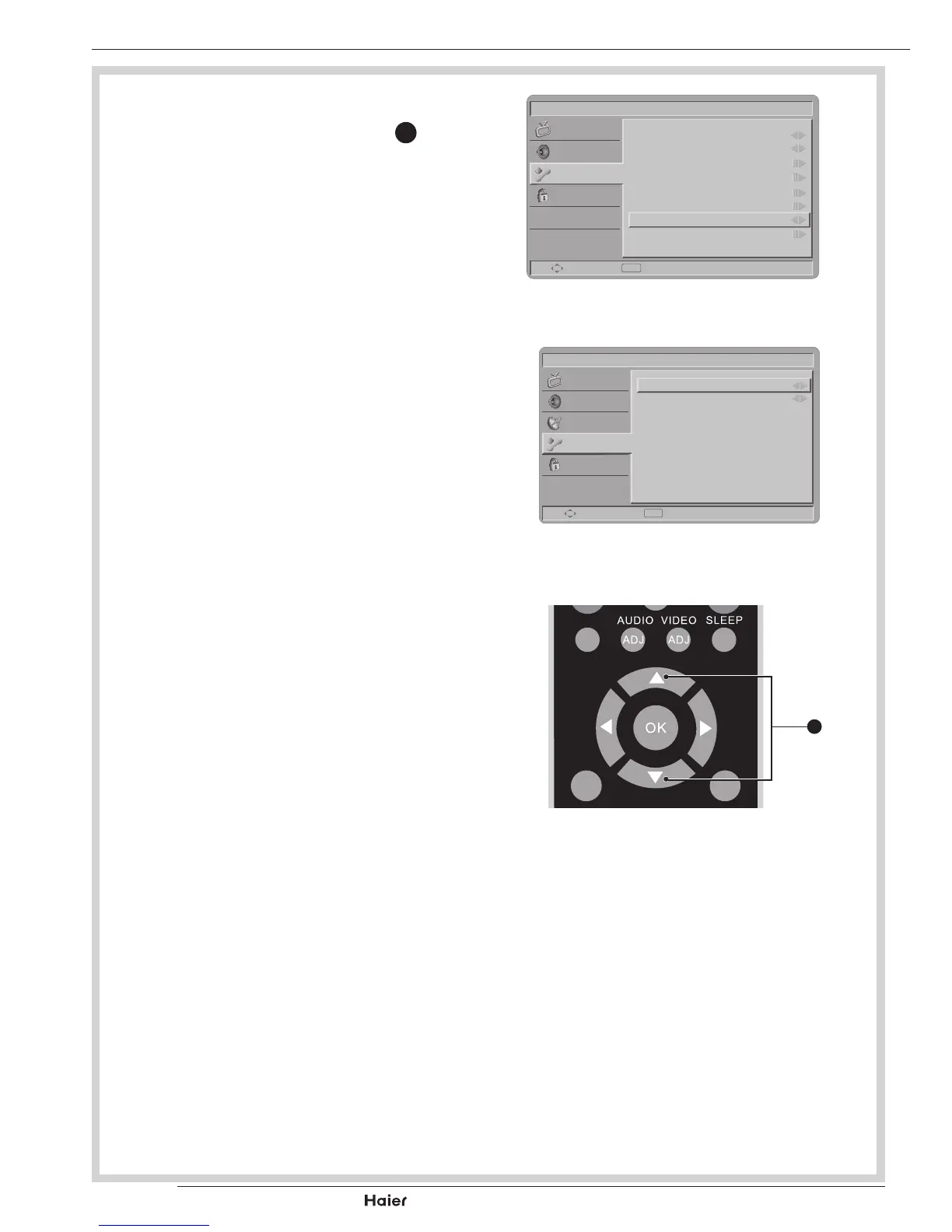
Teletext Language
- DigitalTeletextLang.:Toselectthe
teletextlanguage.
- Decoding page Lang.: To set the
teletextlanguagetotheregional
location. See g. 53, 54.
Common Interface
- The common interface is for a
ConditionalAccessModule(CAM).
ThisfunctiondisplaysyourTVsoftware
information.
Picture
Menu Language
Picture Format
Time
Teletext Language
Subtitle
Common Interface
HDMI Scan Info
Reset Default
English
Wide
Auto
Select Exit
EXIT
Sound
Features
Parental
fig. 53
Picture
Digital Teletext Lang.
Decode Page Lang.
English
WEST EUR
Select Exit
EXIT
Sound
TV
Features
Parental
fig. 54
DUAL
MENU
/EXIT
INFO
fig. 55
X



 To Next Page