| HD Ready LCDTV | User Manual |
p.22
MENU OPERATION
OSD SETTING
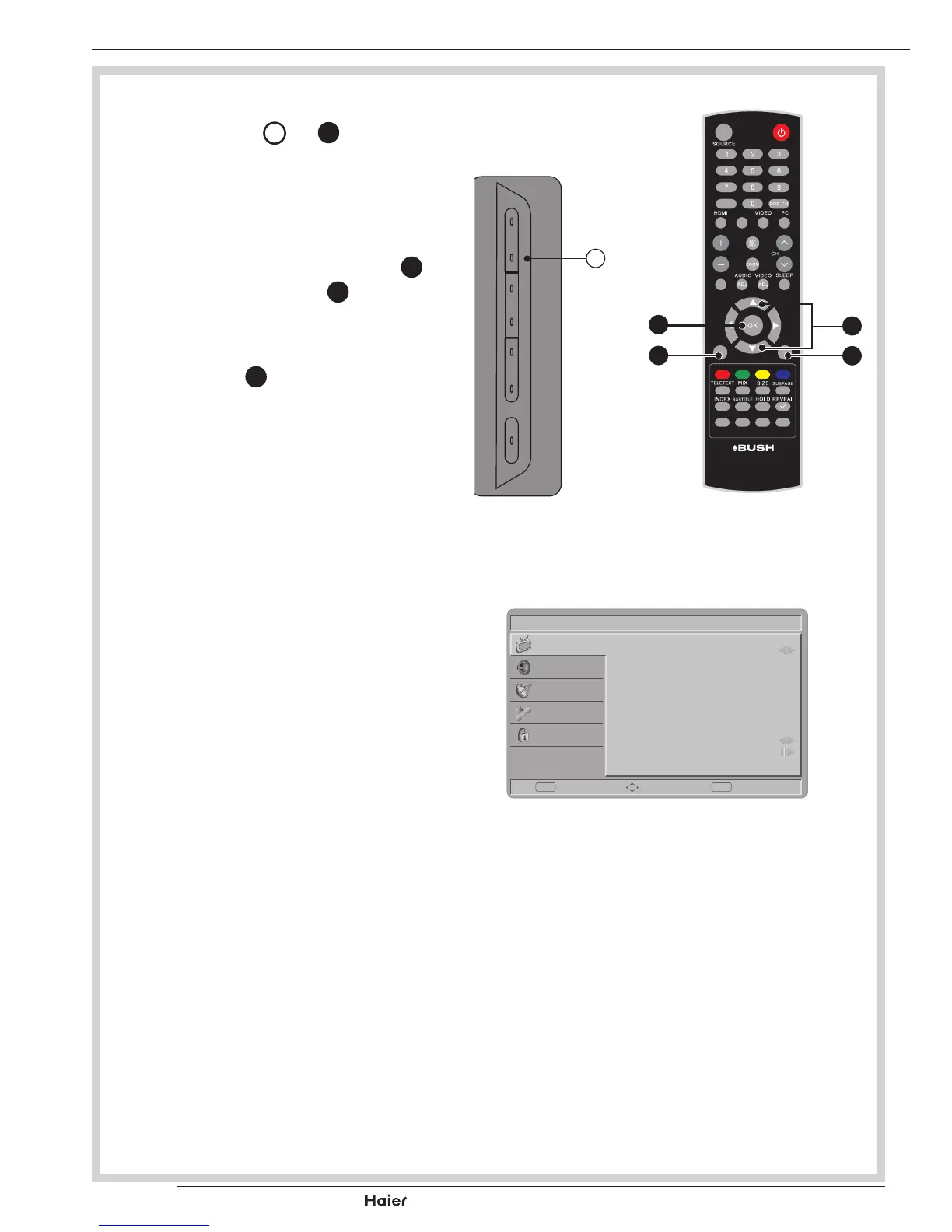
1. Press MENU
D
or
b
to enter the
OSDsetting.Thereareveitemsin
the list: Picture, Sound, TV, Features
and Parental.
See g. 33, 34 and 35.
2. UsetheUporDownCursor
X
to
select and press OK
Y
toconrm
your choice.
See g. 34.
3. Press EXIT
b
toexitthescreen.
See g. 34.
Picture
- Showsmorepicturemodesand
functions based on your favourite
channelsandenablesyoutoadjust
the colour and brightness setup.
Sound
- Provides more audio selections. You
can also set the audio environment
of the LCD TV.
TV
- Enablesyoutoadjustspecialfunc-
tions for country, audio language and
the TV channels.
Features
- Enablesyoutoadjustsettingsofthe
TV channels and language.
Parental
- Enables you to control special func-
tions for the TV channels.
FAV
DUAL
EPG
YPbPr
CH-LIST USB FREEZE
MENU
/EXIT
INFO
D
fig. 33
fig. 34
X
Y
a
b
Vol
Picture
Smart Picture
Brightness
Contrast
Tint
Colour
Sharpness
Colour Temperature
Advanced Control
Standard
45
50
60
0
5
Cool
Enter Select Exit
EXITOK
Sound
TV
Features
Parental
fig. 35



 To Next Page