| HD Ready LCDTV | User Manual |
p.39
OAD OPERATION
OAD for Software Update function:
1. Whenyougettheupdatingnewsfromthe
TVshop’sweb,youcanupdatetheoperation
softwareusingtheDownloadmenu.Thedata
for various units are transferred consecutively
on a special receiving channel.
2. youneedtosearchthechannelwithupdating
codestream.(Note:youcangetinformation
fromtheTVshoporinternet.)
Operation
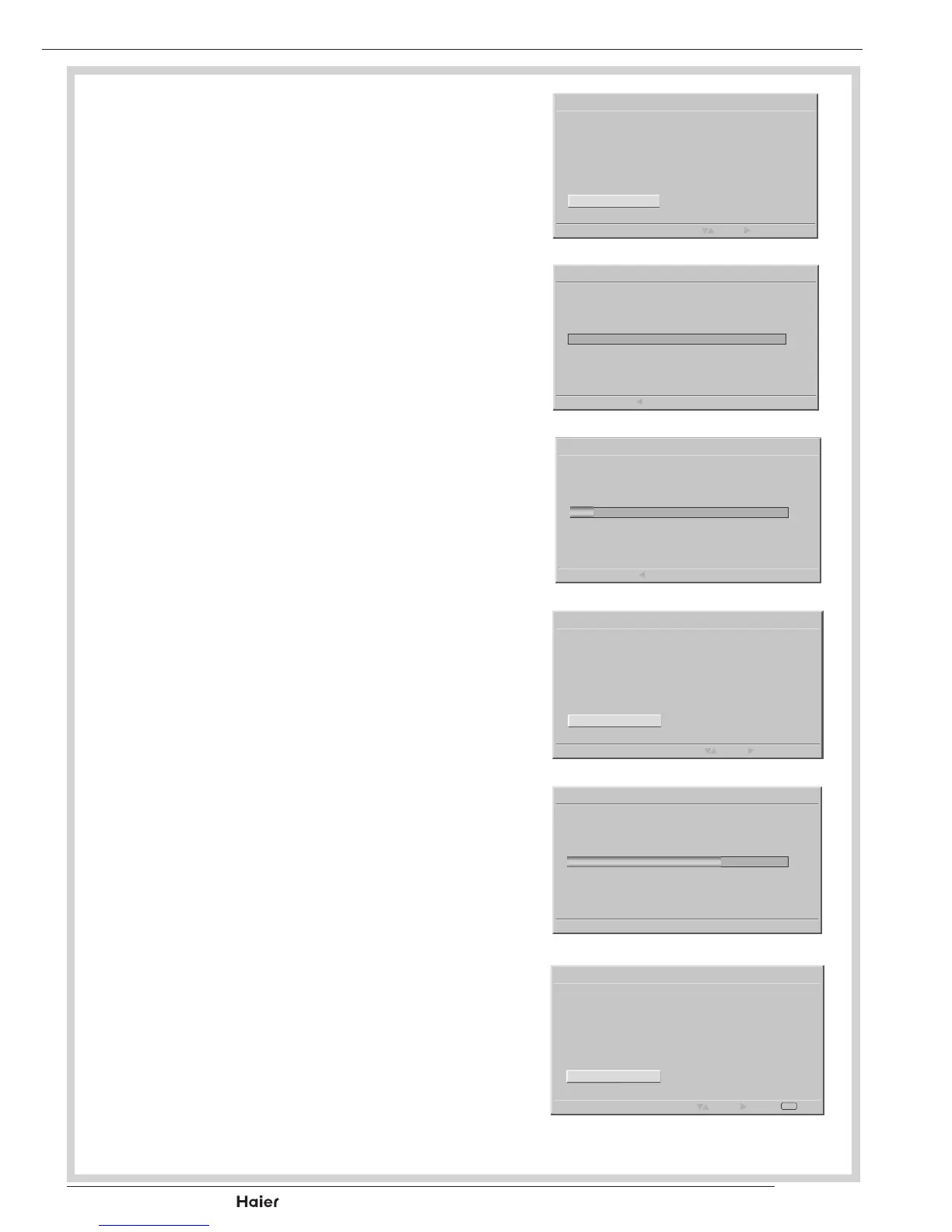
1. Whenyousearchthechannel.Youwillgeta
information.
See g. 68.
2. Press ▲ ▼ toconrmifyouwouldliketo
“Accept”thisnewsoftwareor“Reject“and
use►buttontoactionupdatenewsoftware.
See g. 69 - 72.
3. After the programming , please use ▲ ▼
toconrmifyouwouldliketorestarttheTV.
Thesoftwarewillbeupdatedcompletelyafter
restart the TV.
See g. 73.
NOTE: Youmustnotswitchofftheunitduring
this process!
Software ID : XXXXXXXX
A New Version of software is detected.Do you want to upgrade
it?
Over Air Download
Select Next
Accept
Remind me Later
g.68
Software ID : XXXXXXXX
Searching
0%
Over Air Download
Back
g.69
Software ID : XXXXXXXX
Searching... This process may take up to 25 minutes
12%
Over Air Download
Back
g.70
Software ID : XXXXXXXX
Seraching.
Over Air Download
Select Next
Accept
Reject
g.71
Software ID : XXXXXXXX
Programming...
Warring : During the process. Please do not unplug the TV Set
power code as this lead to defective TV Set.
69%
Over Air Download
g.72
Software ID : XXXXXXXX
Software upgrades successfully! Restart the TV now?
Over Air Download
Select Next
Accept
Reject
Exit
OK
g.73



 To Next Page