| HD Ready LCDTV | User Manual |
p.21
BASIC OPERATION
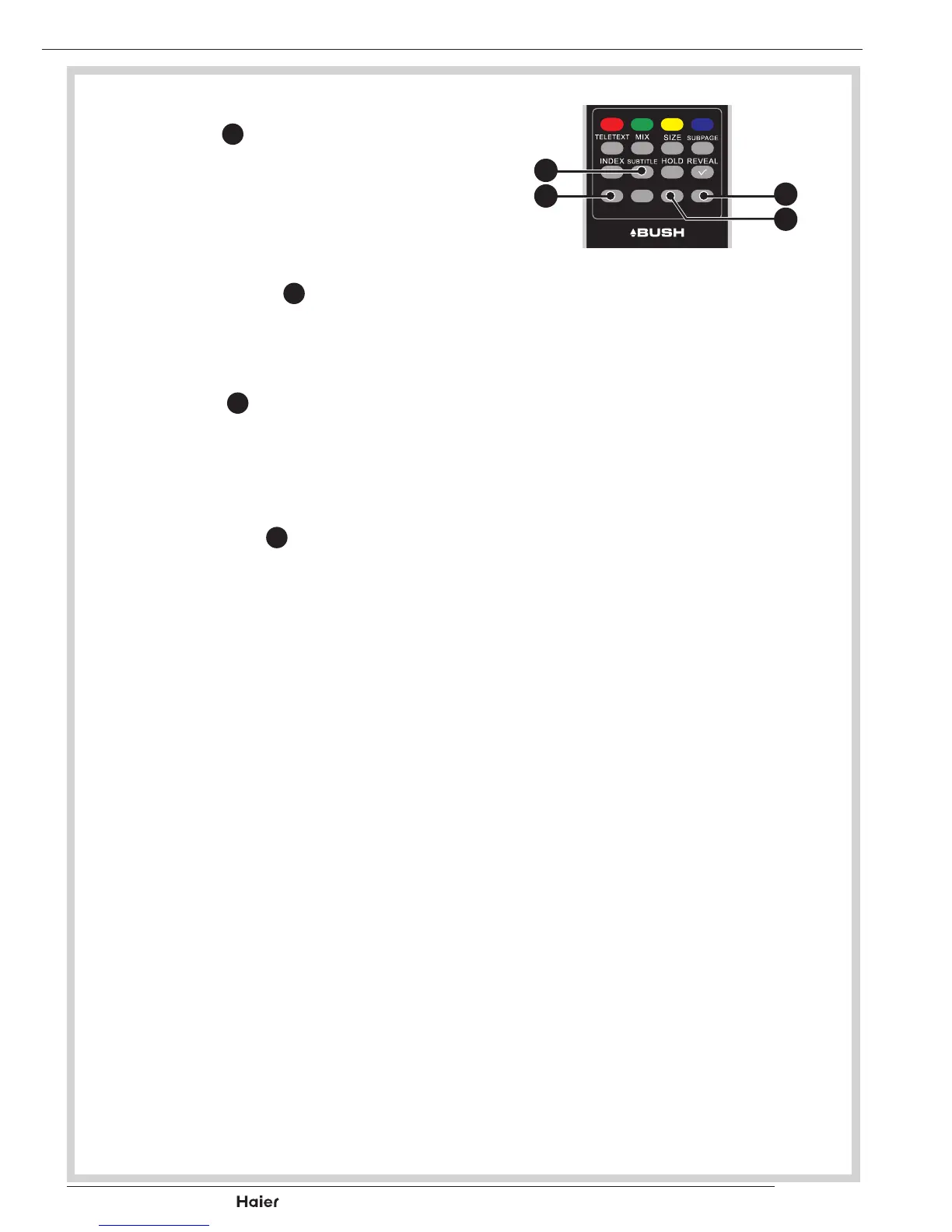
FAVOURITE LIST
• Press FAV
p
to display the
Favourite list. You can save your
favourite channels in the Favou-
rite List. See g. 32.
SUBTITLE
• Press SUBTITLE
l
to turn the
subtitle On or Off. See g. 32.
USB
• Press USB
q
to display the mul-
timedia selection screen. See
g. 32.
FREEZE(Only for TV mode)
• Press FREEZE
o
to freeze the
picture. Press again to return to a
moving picture. See g. 32.
FAV CH-LIST USB FREEZE
fig. 32
o
q
l
p



 To Next Page